EasyManua.ls Logo

Pelican WF10 - User Manual

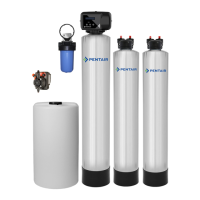
Pelican WF10
30 pages
Print Icon
To Next Page IconTo Next Page
Loading...
Owner’s Manual
Pelican WF6/WF10 Iron/Manganese
Filter & Salt Free Softener

Questions and Answers

  • C
    Christopher EricksonAug 7, 2025
    Why is the water pressure slowing in my Pelican WF10 Water System?
    • B
      Brittany GeorgeAug 8, 2025
      If you notice the water pressure slowing in your Pelican Water System, it's advised to replace the Sediment Filter every 6-9 months, depending on the sediment amount in your water supply. If the system has been working well and the pressure decreases, inspect the Sediment Filter and replace it if needed.
  • C
    casemichaelAug 14, 2025
    What to do if water pressure is slowing immediately after installation of my Pelican Water System?
    • J
      Juan AtkinsAug 14, 2025
      If you experience water pressure slowing right after installing your Pelican Water System, avoid high flow rates from sources like bathtubs, utility sinks, hose bibs, multi-headed showers, or body sprayers for the first 72 hours. If you think there's a carbon blockage in the top basket due to high flow within this period, stop water use for at least 10 minutes. This should clear the blockage, allowing you to resume water use at low or normal flow rates.
  • H
    Holly HardyAug 20, 2025
    Why does the water appear grey or cloudy in my Pelican WF10?
    • R
      rturnerAug 20, 2025
      If the water appears grey or cloudy with your Pelican Water System, it may be due to extra carbon dust. This is normal and should clear up within the first seven to ten days after installation.
  • R
    rodriguezchristopherAug 26, 2025
    How to fix a Pelican WF10 Water System tank that leans to one side?
    • O
      Olivia TrujilloAug 26, 2025
      If the tank of your Pelican Water System leans or isn't level, lift the tank straight up about 6 inches and gently tap it on the ground until it stands upright. The tank's bottom is round, and the boot helps it stand correctly.
  • K
    kelly85Sep 1, 2025
    What to do if Pelican Water System is leaking at the top of the tank?
    • M
      Mark RiceSep 1, 2025
      If you notice water leaking at the top of the tank around the head of your Pelican Water System, try tightening the head by turning it. The tank head comes pre-installed hand-tight. Be careful not to overtighten; just make it snug.

Summary

Product Operation and Specifications

Important Information

Key instructions before starting installation and compliance checks.

Water Conditions for Operation

Specifies water quality requirements for optimal system performance and media interaction.

Complete Parts List

Installation Overview Diagram

Installation Overview

Pre-Installation

Steps and considerations before beginning the main installation process.

Bypass Valve Installation

Detailed guide on how to install the bypass valve assembly.

Bypass Operation

Water Filter - Carbon Soak

Water Filter - Carbon Flush

Sediment Filter Installation

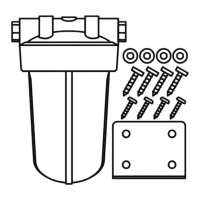
Sediment Filter Assembly

Instructions for assembling the sediment filter components.

Chemical Injector Pump and Solution Tank Installation

Chemical Injector Pump Overview

Detailed explanation of the chemical injector pump's parts and functions.

Chemical Injector Pump Installation

Solution Tank Installation

Steps for installing the solution tank and connecting tubing.

Iron and Manganese Tank Installation

Whole House Water Filter Installation

Whole House Salt Free Water Softener;Conditioner Tank Installation

NaturSoft - Media Soak

NaturSoft - Media Flush

Procedure for flushing the NaturSoft media after soaking.

Complete the Installation

Programming the Electronic Head

Setting the Date & Time

Guide to setting the current date and time on the electronic control unit.

Performing a Manual Regeneration

Instructions for manually initiating the system's regeneration cycle.

Testing Chlorine Levels in Water - Dialing In

What to Expect with your New Salt Free Water Softener;Conditioner

Flush Your Water Heater

Recommended procedure for flushing the water heater after system installation.

Maintenance

Replacing the Sediment Filter

Step-by-step guide for replacing the sediment filter cartridge.

Chemical Injector Pump

Maintenance schedule for the chemical injector pump.

Solution Tank Refill - Bleach & Water

Instructions for refilling the solution tank with bleach and water.

Troubleshooting

Warranty

Pelicans Limited Lifetime Warranty

Details the lifetime warranty coverage for specific system components.

Pelican 7 Year Limited Warranty

Outlines the 7-year warranty for electronic heads.

Limitations and Responsibilities

Explains exclusions, conditions, and limitations of the warranty terms.

Warranty Registration Form

Product Certifications

Pelican WF10 Specifications

General IconGeneral
BrandPelican
ModelWF10
CategoryWater System
LanguageEnglish

Related product manuals