EasyManua.ls Logo

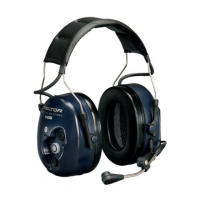
Peltor WS Headset User Manual

Peltor WS Headset
8 pages
To Next Page IconTo Next Page
Page #1 background imageLoading...
Page #1 background image
USING
WIRELESS TECHNOLOGY
Canada
Aearo Canada
7115 Tomken Road
Mississauga, ON L5S 1X7
905-795-0700
peltor_communications@aearo.com
England
Aearo Ltd, First Avenue, Poynton, Cheshire
England, SK12 1FJ
Tel. +44 (01625) 878320, Fax. +44 (01625) 877348
ukinfo@aearo.co.uk
France
Aearo LPE S.A., 5 Avenue Arago, 94345 Joinville le Pont Cedex, France
Tel. +33 1 48 85 20 88, Fax. +33 1 48 85 39 43
frinfo@aearo.fr
Germany
Informationsbuero Aearo GmbH
Postfach 10 06 12, D-76260 Ettlingen
Ottostr. 1, D-76275 Ettlingen, Germany
Tel. +49 (0)7243 7611-0, Fax. +49 (0)7243 7611-18
deinfo@aearo.de
Italy
Aearo Srl,
Via Boccaccio 37, 20090 Trezzano sul Naviglio, Italia
Tel. +39 (02) 48402625, Fax. +39 (02)48402616
itinfo@aearo.it
Spain
Aearo Proteccion Laboral S.A
C/Balmes 152 7
o
2
a
, 08008 Barcelona, Spain
Tel. +34 900 99 44 80, Fax. +34 900 99 44 79
esinfo@aearo.es
Sweden
Peltor AB, Box 2341, Malmstensgatan 19
SE-331 02 Värnamo, Sweden
Tel. +46 (0)370 65 65 65, Fax. +46 (0)370 65 65 99
info@peltor.se
Switzerland
Walter Gyr AG, Bachstrasse 41, 8912 Obfelden, Switzerland
Tel. +41 (0)1761 5372, Fax +41 (0)1761 9715
USA
Aearo Company
5457 W. 79th Street
Indianapolis, IN 46268
317-692-6666
peltor_communications@aearo.com
FP3567 Peltor Marketing Communication Vmo.
Peltor AB
Box 2341, SE-331 02 Värnamo, Sweden
Tel. +46 (0)370-69 42 00, Fax +46 (0)370-151 30
email: info@peltor.se Internet: www.peltor.se
Member of the Aearo group
C E
Wireless Solutions
WS Headset
Question and Answer IconNeed help?

Do you have a question about the Peltor WS Headset and is the answer not in the manual?

Peltor WS Headset Specifications

General IconGeneral
BrandPeltor
ModelWS Headset
CategoryHeadsets
LanguageEnglish

Summary

Product Features

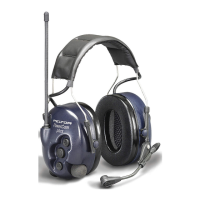
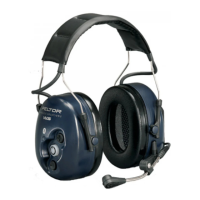
Headband, Helmet Mounts, and Earcups

Features of the headband, helmet attachment options, and earcups for comfort and fit.

Microphone and Control Buttons

Details on the noise-cancelling microphone and the headset's user interface buttons.

Battery Compartment Design

Description of the battery compartment and its ease of use.

Mounting and Adjustment Procedures

Battery Installation

Step-by-step guide for inserting batteries into the headset.

Headband and Earcups Fitting

Instructions for adjusting the headband and earcups for optimal fit and seal.

Helmet Attachment and Positioning

Procedures for attaching the headset to a helmet and setting the working position.

Operating the Peltor WS Headset

Powering On/Off and Status Indicators

How to turn the headset on/off and understand its status indicators.

Bluetooth Device Pairing

Steps to pair the headset with other Bluetooth devices for wireless communication.

Radio Communication Operations

Using the headset for two-way radio communication via PTT button.

Voice Activated Transmission (VOX)

Enabling and using the voice-activated transmission feature for hands-free operation.

Phone Call Handling

Managing incoming calls, making calls, and call transfers via connected phone.

Volume and Listening Adjustments

Adjusting reception volume, shared listening, and microphone muting.

Connection Status and Alerts

Indications for Bluetooth connection status, low battery, and GSM interruptions.

Important Information and Specifications

Usage, Maintenance, and Safety

Essential guidelines for proper use, cleaning, and avoiding damage to the headset.

Technical Data and Compliance

Detailed technical specifications and Bluetooth compliance information.

Spare Parts and Accessories

Information on available spare parts and accessories for headset maintenance.
Related product manuals