Page 9 Getting To Know The Internet Tablet
English
Swipe: Swipe up/down on the screen to scroll
through a list. On some screens,
you may be able to swipe left/right to
change the view.
To swipe, touch the screen and then
TXLFNO\PRYH\RXU¿QJHUWLSDFURVVWKH
VFUHHQZLWKRXWOLIWLQJ\RXU¿QJHUWLS
Do not pause on the screen with your
¿QJHUWLSDWWKHLQLWLDOSRLQWRIFRQWDFW
or you may accidentally drag an item
instead.
Double-tap: Quickly tap the screen twice on a
webpage or other application screen
WR]RRPWKHDSSOLFDWLRQPXVWVXSSRUW
WKHGRXEOHWDS]RRPIXQFWLRQ:LWKLQ
the browser, double-tapping a web-
page section will cause the browser to
]RRPDQG¿WWKDWVHFWLRQWRWKHZLGWK
of the screen.
About the Orientation Sensor
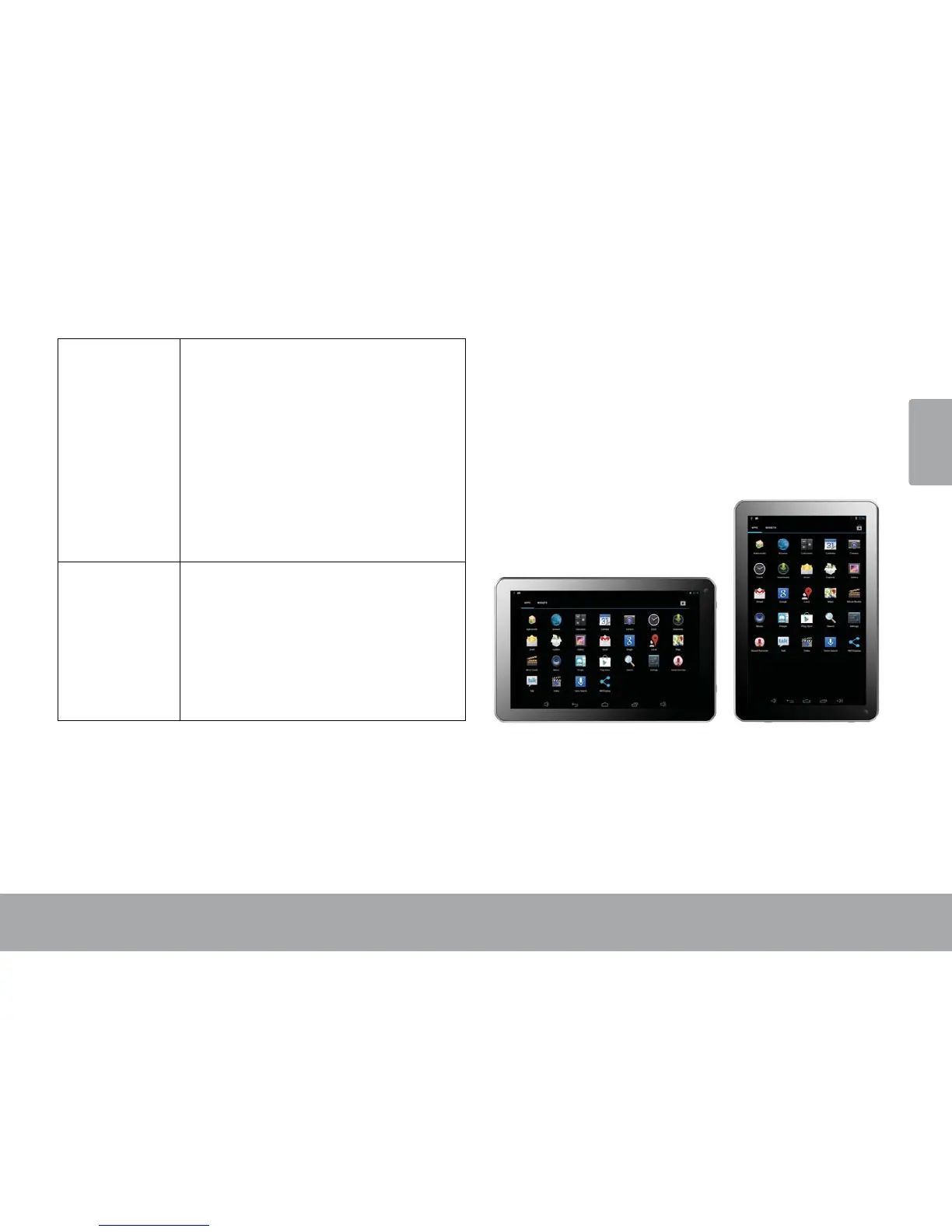
The tablet contains a sensor that will automatically
change the orientation of most screens as you rotate the
tablet. The sensor works best when the tablet is rotated
perpendicular to the ground (i.e., when the tablet is held
XSULJKWDQGQRWÀDWRQLWVEDFN
The orientation sensor can be turned on and off in the
Display settings menu.


 To Next Page