PendoTECH PressureChecker User Guide
Revision 1
Page 9/15
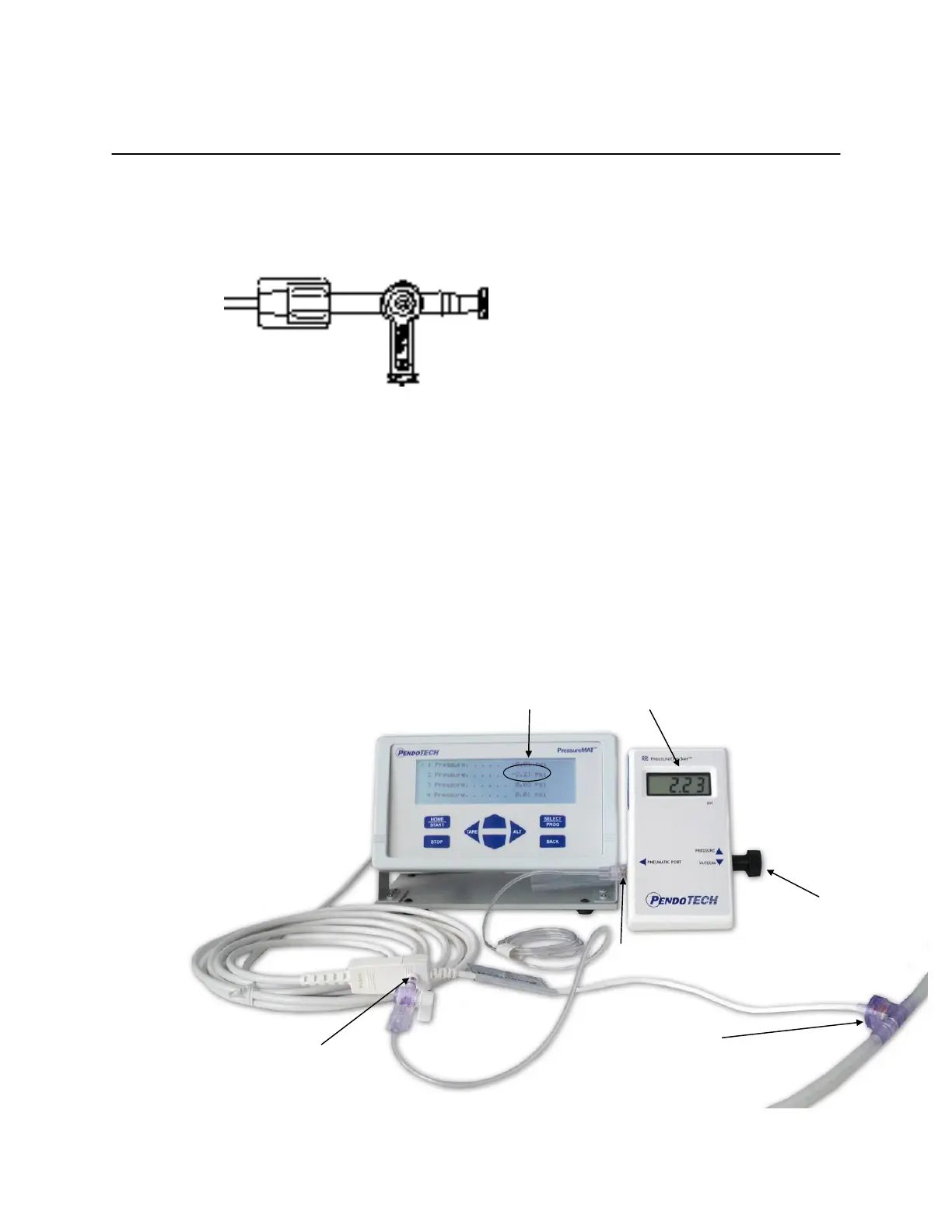
d. When both the monitor and PressureChecker read zero, position the stop cock as shown
and the sensor and setup is ready for testing:
WARNING: IF THE SYSTEM APPEARS TO BE LOSING PRESSURE,
CAREFULLY CHECK ALL FITTINGS AND CONNECTIONS
WARNING: DURING THIS TESTING DO NOT EXCEED +7 PSI OR THE SENSOR
UNDER TEST MAY BE DAMAGED.
WARNING: DURING THIS TESTING DO NOT APPLY LESS THAN -7 PSI OR THE
PRESSURE SENSOR SIMULATOR MAY BE DAMAGED.
4. As pressure is generated by turning the adjustment knob, the pressure applied to the sensor is
indicated on the PressureChecker display. This pressure reading is compared to the reading on
the monitor to determine the sensor and setup accuracy.
Sensor
test port
Pneumatic Port
Adjustment
Knob
LCD
reading
Monitor
reading
Sensor
under
test


 To Next Page