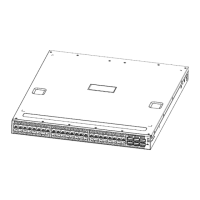
Arctica 4804iq Series switch Installation Guide
contents
1. Introduction ................................................................................................ 1
1.1.Product Brief ...................................................................................................... 1
1.2.Description of Hardware .................................................................................... 1
1.2.1.Front Panel ............................................................................................... 1
1.2.2.Back Panel ................................................................................................ 2
1.3.Status LEDs ........................................................................................................ 2
1.4.Port Description ................................................................................................. 4
1.5.Power Supply Module ........................................................................................ 4
1.6.Fan Module ......................................................................................................... 5
1.7.System Specifications ....................................................................................... 5
2. Installation Notice ....................................................................................... 1
2.1.Environmental Requirements .......................................................................... 1
2.1.1.Dust and Particles.................................................................................... 1
2.1.2.Temperature and Humidity ...................................................................... 2
2.1.3.Power Supply ........................................................................................... 3
2.1.4.Preventing Electrostatic Discharge Damage ......................................... 3
2.1.5.Anti-interference ...................................................................................... 3
2.1.6.Rack Configuration .................................................................................. 4
2.2.Installation Notice .............................................................................................. 4
2.3.Security Warnings .............................................................................................. 4
3. Device Installation ...................................................................................... 1
3.1.Installation Preparation ..................................................................................... 1
3.1.1.Verify the Package Contents ................................................................... 1
3.1.2.Required Tools and Utilities .................................................................... 1
3.2.Device Installation ............................................................................................. 1
3.2.1.Installing the Switch ................................................................................ 1
3.2.2.Installing the Power Supply Module ....................................................... 2
3.2.3.Installing the Fan ..................................................................................... 4
3.2.4.Connecting Console ................................................................................ 5
3.2.5.SFP/SFP+ Transceiver Installation ......................................................... 6
3.2.6.Copper Cable/Fiber Cable Connection .................................................. 6
3.2.7.AC Power Supply Connection ................................................................ 7
3.2.8.Checking the Switch ................................................................................ 8


 To Next Page