EasyManua.ls Logo

Pentax 645N - Page 35

Pentax 645N
86 pages
Print Icon
To Next Page IconTo Next Page
To Previous Page IconTo Previous Page
Loading...
HOLDING
THE
CAMERA
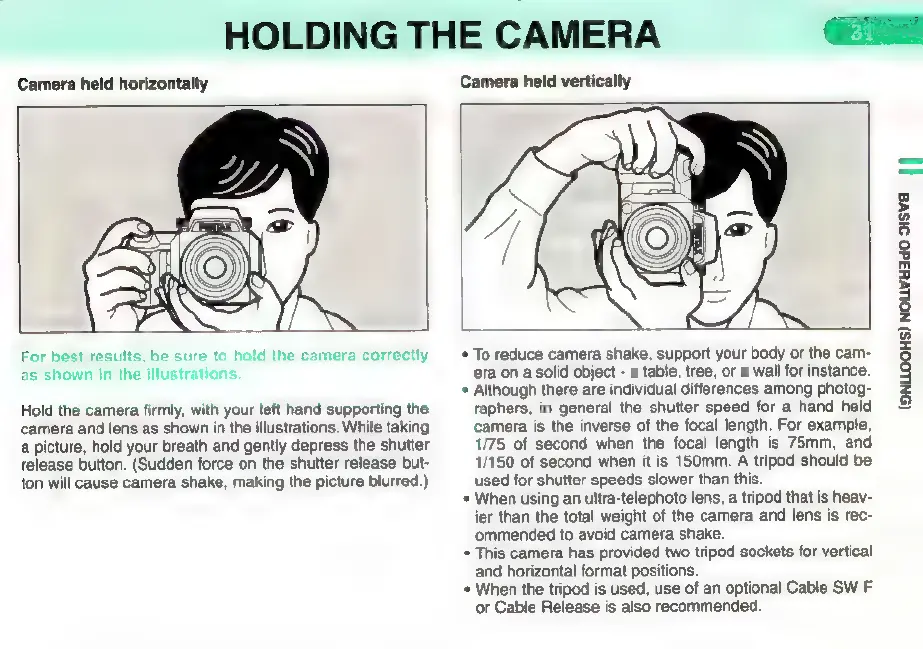
Camera
held
horizontally
Camera
held
vertically
For
best
results,
be
sure
to
hold
the
camera
correctly
as
shown
in
the
illustrations.
Hold
the
camera
firmly,
with
your
left
hand
supporting
the
camera
and
lens
as
shown
in
the
illustrations.
While
taking
a
picture,
hold
your
breath
and
gently
depress
the
shutter
release
button.
(Sudden
force
on
the
shutter
release
but-
ton
will
cause
camera
shake,
making
the
picture
blurred.)
*
To
reduce
camera
shake,
support
your
body
or
the
cam-
era
on
a
solid
object
-
a
table,
tree,
or
a
wall
for
instance.
*
Although
there
are
individual
differences
among
photog-
raphers,
in
general
the
shutter
speed
for
a
hand
held
camera
is
the
inverse
of
the
focal
length.
For
example,
1/75
of
second
when
the
focal
length
is
75mm,
and
1/150
of
second
when
it
is
150mm.
A
tripod
should
be
used
for
shutter
speeds
slower
than
this.
*
When
using
an
ultra-telephoto
lens,
a
tripod
that
is
heav-
ier
than
the
total
weight
of
the
camera
and
lens
is
rec-
ommended
to
avoid
camera
shake.
*
This
camera
has
provided
two
tripod
sockets
for
vertical
and
horizontal
format
positions.
*
When
the
tripod
is
used,
use
of
an
optional
Cable
SW
F
or
Cable
Release
is
also
recommended.
(NLLOOHS)
NOLLVH3dO
ISYA
| |

Other manuals for Pentax 645N

Related product manuals