_ 13
iiiiiiiiiiiiiiiiiiiiiiiiiii
!i!i!i!i!i!i!i!i!i!i!i!i!i!i!i!i!i!i!i!i!i!i!i!i!i(i
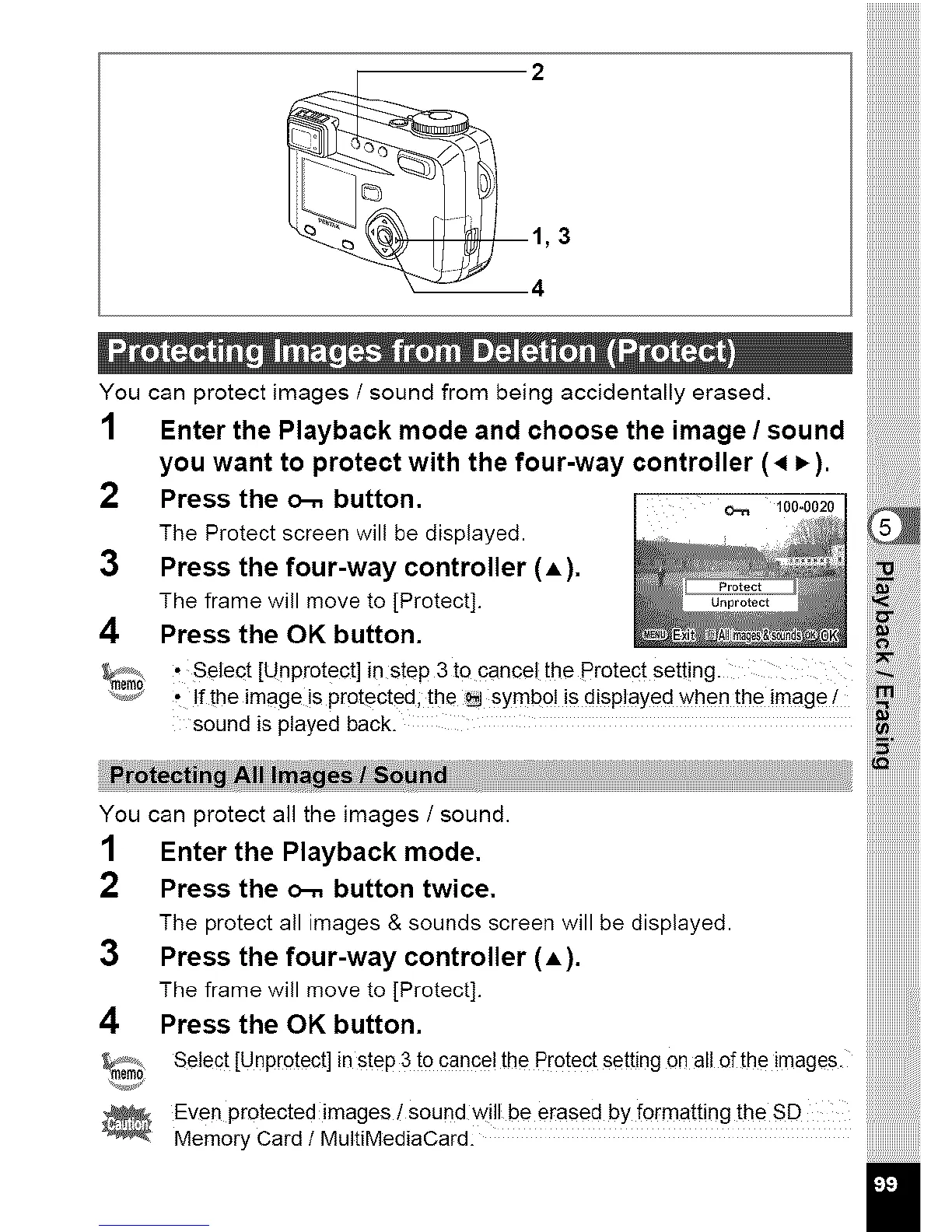
You can protect images/sound from being accidentally erased. ::
1 Enter the Playback mode and choose the image / sound
you want to protect with the four-way controller (, _).
2 Press the o-. button.
?
The Protect screen will be displayed.
3 Press the four-way controller (A).
The frame will move to [Protect].
4 Press the OK button.
, Select [Unprotect] in step 3 to cancel the protect Setting.
Ifthe image is protected; the _ symb0! is displayed when the image i
sound is played back.
You can protectall the images/sound, iiiiiiiiiiiiiiiiiiiiiiiii::
1 EnterthePlaybackmode. iiiiiiiiiiiiiiiiiiiiiiill
2 Presstheo-.buttontwice. iiiiiiiiiiiiiiiiiiiiiiiii
The protectall images&soundsscreenwill bed!splayed, iiiiiiiiiiiiiiiiiiiiiiiii
3 Pressthefour-waycontroller(A). iiiiiiiiiiiiiiiiiiiiiiiii
HHHHHHHHHHHHi
The frame will move to [Protect]. iiiiiiiiiiiiiiiii........
4 PresstheOKbutton. !!!!!!!!!!!!!!!!!
Select[Unprotect]insteP3t0cance!thePr0tectsettingonalleftheimages.
............ iiiiiiiiiiiiiiiii
Even protected images/sound will be erased by forrnatting the SD
Memo_Card/Ma_t_ed_oCard



 To Next Page