4
5
6
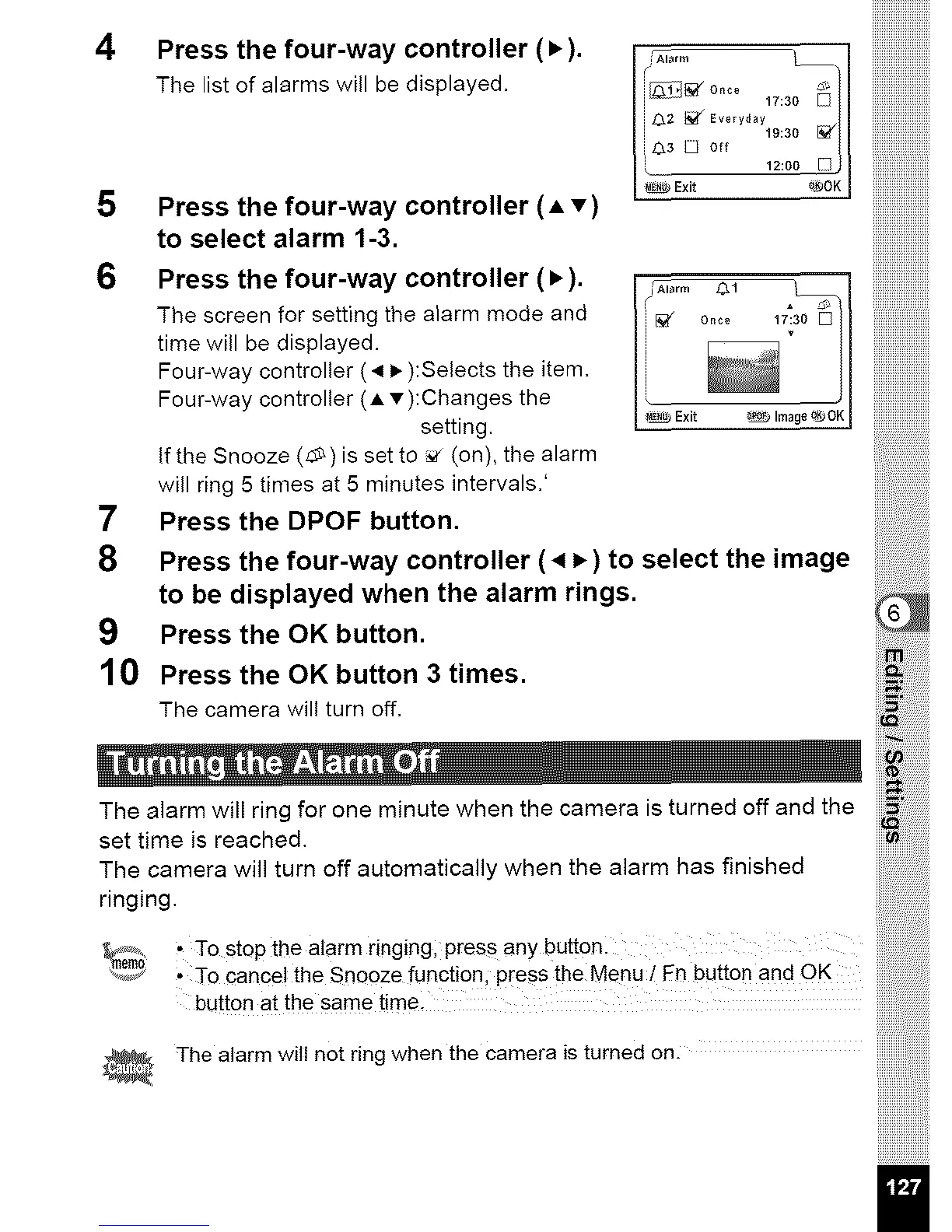
Press the four-way controller (•).
The list of alarms will be displayed.
Press the four-way controller (A T)
to select alarm 1-3.
_A arm
17_30 _
i 0,= _ E,o,yd_y
iO,s D o,, t,:,o _/I
__' 12:oojj
Exit o_OK J
Press the four-way controller (•). / ...... _
The screen for setting the alarm mode and =i_ o_o
time will be displayed.
Four-way controller (_ i_ ):Selects the item.
Four-way controller (A v):Changes the
setting. I _ Exit
if the Snooze (_)is set to _ (on), the alarm
will ring 5 times at 5 minutes intervals.'
7 Press the DPOF button.
8 Press the four-way controller ( 4 P,) to select the image
to be displayed when the alarm rings.
9 Press the OK button.
10 Press the OK button 3 times.
The camera will turn off.
The alarm will ring for one minute when the camera is turned off and the
set time is reached.
Theringing.Camerawill turn off automatically when the alarm has finished ..............
#.......... • To stop the alarm ringing; press any buttonl
_e_,_0 • To cancel the Snooze function, press the Menu/dn button and OK
button at the same time.
The alarm will not ring when the camera is turned on. .............



 To Next Page