You can set the alarm to ring at a specified time and display a selected
image.
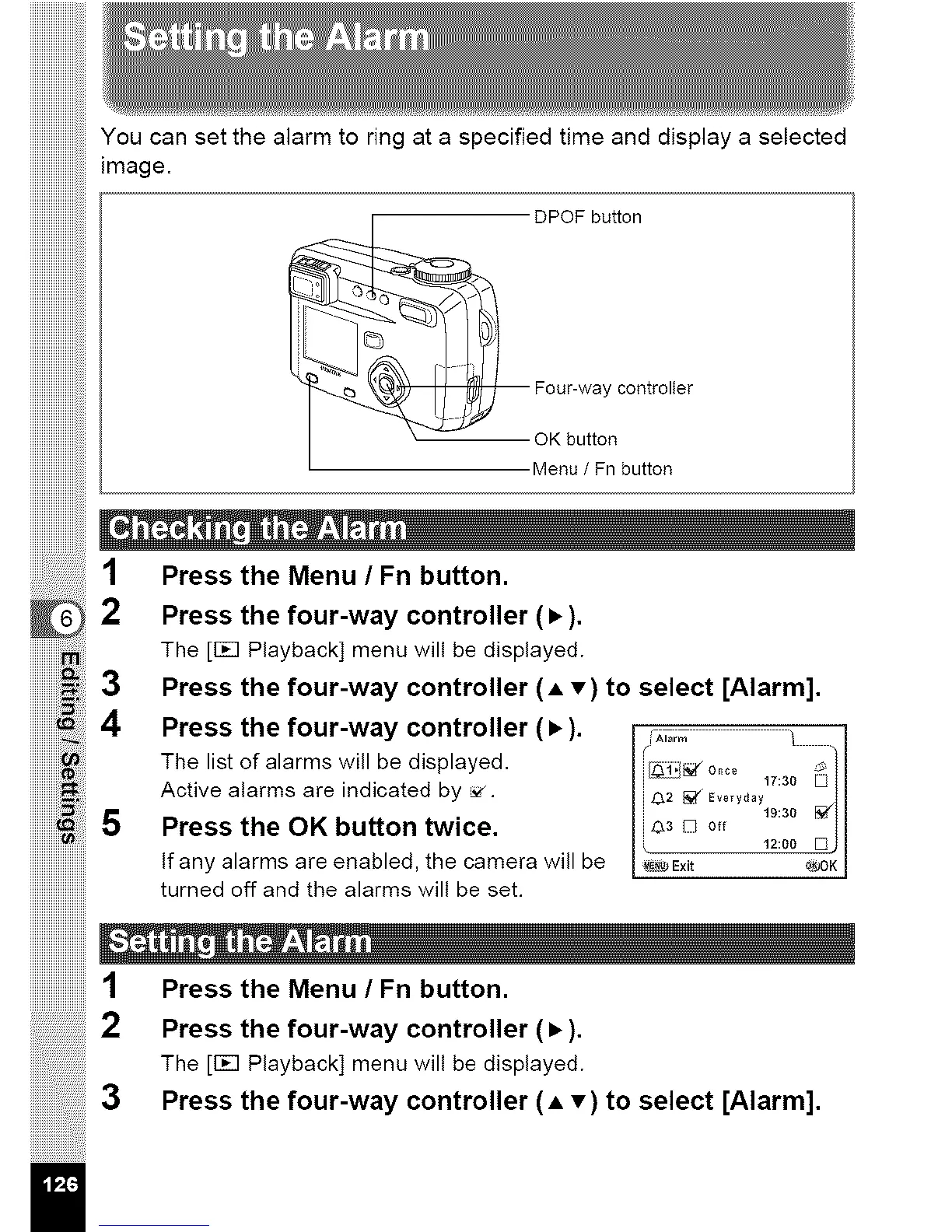
DPOF button
__ Fo°Kurb::_n c° ntr °Ite r
Menu / Fn button
2
3
1 Press the Menu / Fn button.
2 Press the four-way controller (•).
The [Fcq Playback] menu will be displayed.
3 Press the four-way controller (A T) to select [Alarm].
4 Press the four-way controller (•). A,0;m
The list of alarms will be displayed. 17:30 _//
Active alarms are indicated by _. i c_2_¢ Ev0,y_y ! I
........................5 Press the OK button twice. [ _:00mj I
If any alarms are enabled, the camera will be I _bExit @OK I
turned off and the alarms will be set.
iiiiiiiiiiiiiiiiiiiiiiii_
1 Press the Menu/Fn button.
Press the four-way controller (•).
The [Fcq Playback] menu will be displayed.
Press the four-way controller (A T) to select [Alarm].
il



 To Next Page