AWB H
, _ Focusing Area Wide
"_-£,___ It'_......._ _° '/
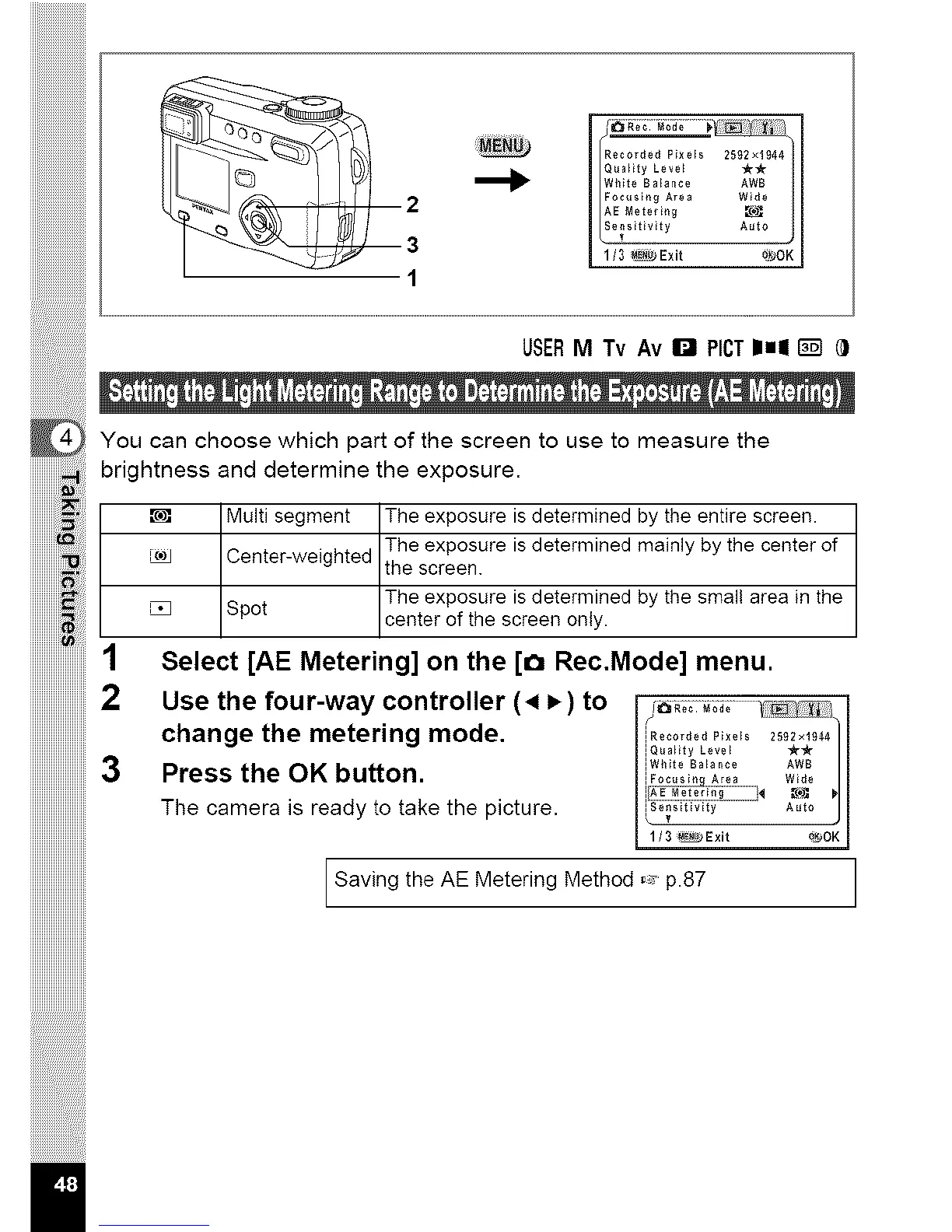
You can choose which part of the screen to use to measure the
brightness and determine the exposure.
I _ IMulti segment IThe exposure is determined by the entire screen.
Center-weighted the screen.
_.) The exposure is determined mainly by the center of
, The exposure is determined by the small area in the
I _ I Sp°t Icenterof the screen only.
1 Select [AE Metering] on the [o Rec.Mode] menu.
iiiiiiiiiiiiiiiiiiiiiiiii2
iiiiiiiiiiiiiiiiiiiiiiiii
iiiiiiiiiiiiiiiiiiiiiiiii3
iiiiiiiiiiiiiiiiiiiiiiiii
iiiiiiiiiiiiiiiiiiiiiiiii
iiiiiiiiiiiiiiiiiiiiiiiii
Use the four-way controller (4 _) to
change the metering mode.
Press the OK button.
The camera is ready to take the picture,
iI
j Recorded Pixels 2592x1944 /
[Q_a_tty Level tt_r
[White Balance AWB
[ Focusln_ Area Wide
.................*_'° I
[ 3 _Exit _OK
Saving the AE Metering Method ,_ p.87



 To Next Page