s_t_v_ty A_*
3 | 1/3_ _OK|
1
USERM Tv Av I'al PICTI'1 {_} I}
?
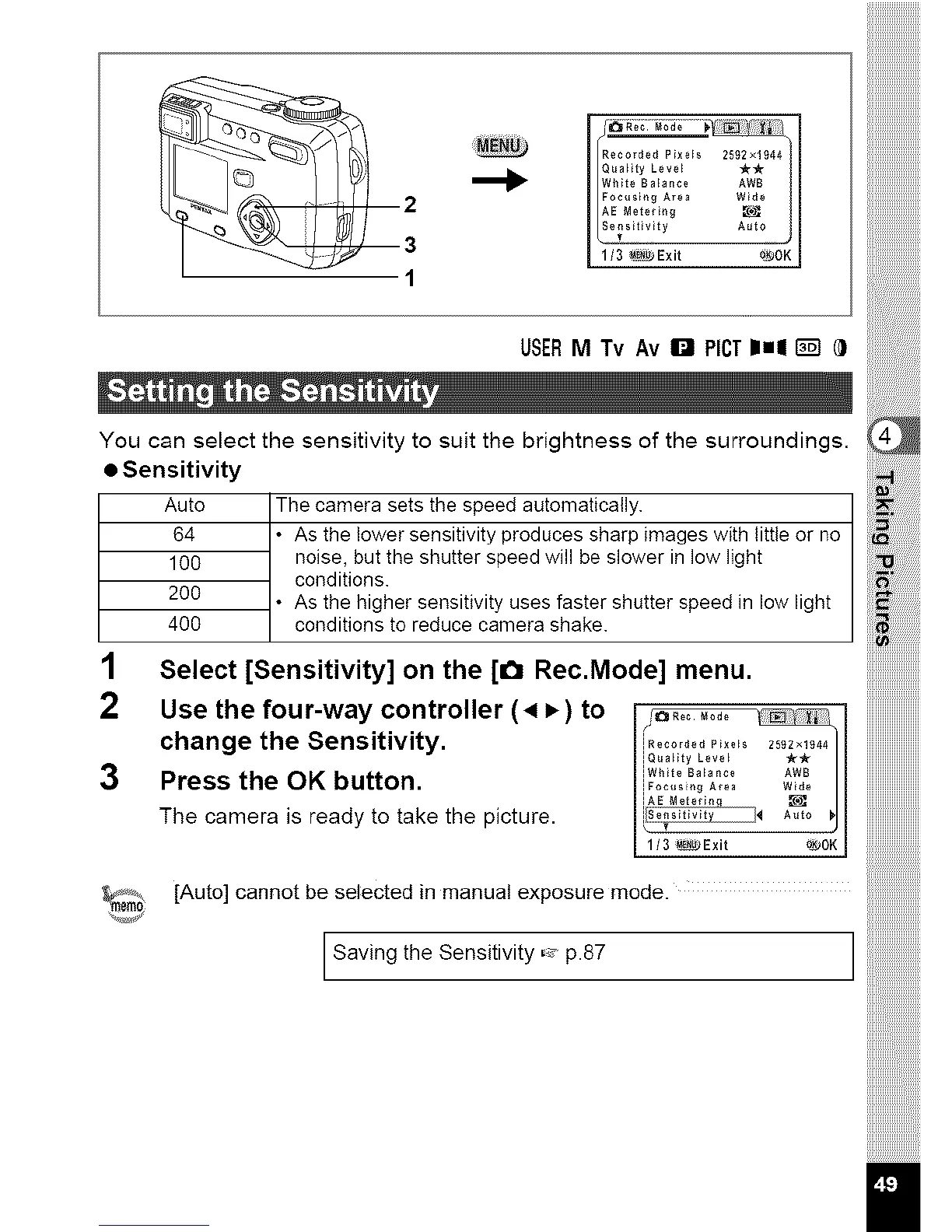
You can select the sensitivity to suit the brightness of the surroundings,
• Sensitivity
Auto The camera sets the speed automatically.
64 • As the lower sensitivity produces sharp images with little or no
100 noise, but the shutter speed will be slower in low light
200 conditions.
• As the higher sensitivity uses faster shutter speed in low light
400 conditions to reduce camera shake.
1 Select [Sensitivity] on the [0 Rec.Mode] menu.
2 Use the four-way controller (4 _) to i/o ........ I
change the Sensitivity. iRooo_.P_o.2s_x..
[quality Leve_ YrYr
iWhito Ba_a nc0 AWB
3 Press the OK button, iFo_o,__,0_ _0
The camera is ready to take the picture, i[A:EMot0,_°
I \1/3 _Exit _01_ I
[Auto] cannot be selected in manual exposure mode.
[ Saving the Sensitivity =_-p.87 ]



 To Next Page