1
[ ]
Recoreee P_xels 2592×1944
White Balance AWB
Focusing Area Wide
stttvtty Aut
;ii!iiili USERM Tv Av='alPICTI1=1_] _]
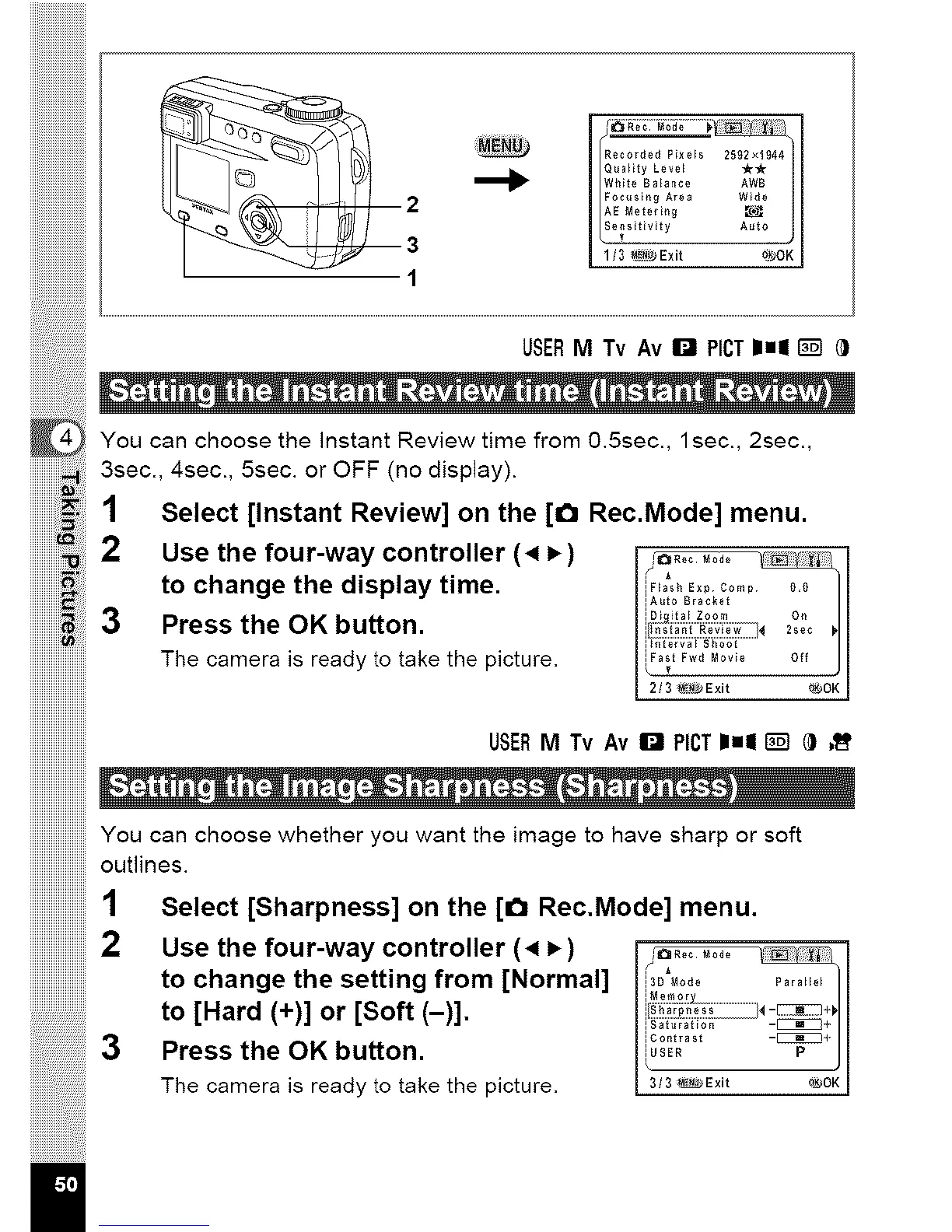
You can choose the instant Reviewtime from 0.5sec., lsec., 2sec.,
iiiiiiiiiiiii!_,,iiill3sec., 4sec., 5sec. or OFF (no display).
iiiiiiiiiiii,:_z_i;;iSelect [Instant Review] on the [_ Rec.Mode] menu.
iiiiiiiiiiiii_iii!i Use the four-way controller (4 P,)
iiiiiiiiiiiii_i!ii
iiiiiiiiiiiii;_i_iii_ito change the display time.
iiiiiiiiiiiii! i;i;:;i3 Press the OK button.
The camera is ready to take the picture.
USERM Tv AvI_ ROT11=11_] _ ,_
!!!!!!!!!!!!!!!!!!!!!!!!!
iiiiiiiiiiiiiiiiiiiiiiiilYOU can choose whether you want the image to have sharp or soft
iiiiiiiiiiiiiiiiiiiiiiiiioutlines.
Select [Sharpness] on the [_ Rec.Mode] menu.
iiiiiiiiiiiiiiiiiiiiiiiii
3
il
Use the four-way controller (4 P,)
to change the setting from [Normal]
to [Hard (+)] or [Soft (-)].
Press the OK button.
The camera is ready to take the picture.
........ I
iFtash Exp Comp {},{}
iA_to Bracket _ lilt _I
I 2/3 _Exit _JOK I
13D Mode ParaHe_
-_+
iContrast -_4
3 3 _Ex t ONOK



 To Next Page