HHHHHHHHHHHH
HHHHHHHHHHHH
HHHHHHHHHHHH
Recorded P_xels 2592 x1944
_2 Focusing Area Wide
AE Metering
_3 _ 3 Sensitivity Auto
1/ 3 _Nu._Ex _NOK
t
USERM Tv Av I] IIII [] (_ _
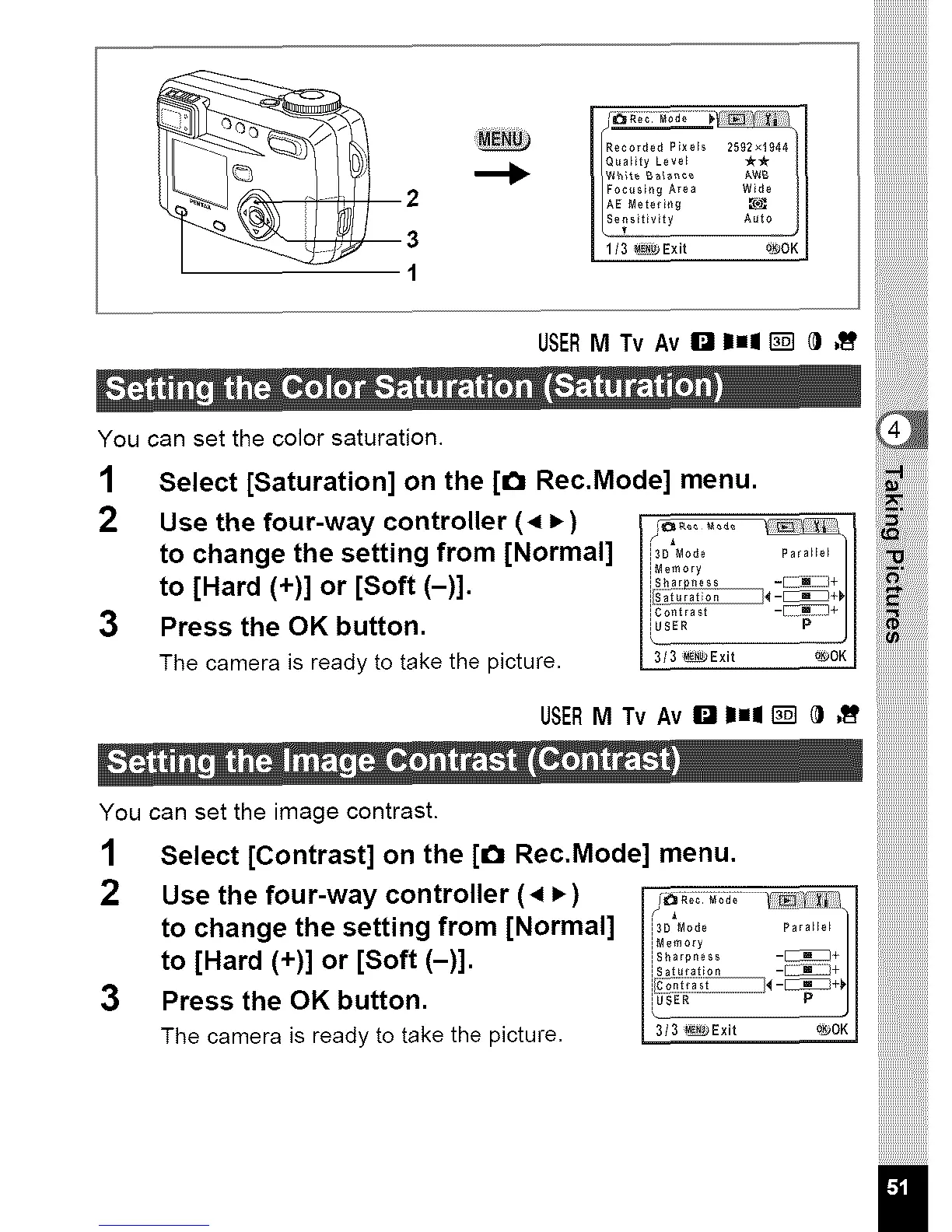
You can set the color saturation.
1 Select [Saturation] on the [€_ Rec.Mode] menu.
2 Use the four-way controller (4 i_) I
to change the setting from [Normal] _i3Ds_0_0,y_°_e,_,,e_, _,_e__l
to [Hard (+)] or [Soft (-)]. i/_:i _-_
3 Press the OK button. _ P
The camera is ready to take the picture. 3/3_Exit _OK I
USERM Tv AvI'_ I1=11[] @ ,_
You can set the image contrast.
1 Select [Contrast] on the [1_1Rec,Mode] menu,
2 Use the four-way controller (4 P,) _;_ _
to change the setting from [Normal] _3D_o_e _,_e_
iM0m0ry
to [Hard (+)] or [Soft (-)]. i_........ _+
I/;_;,'_I_-_L_*
3 Press the OK button. _ J
The camera is ready to take the picture, 3/3_Exit o_OK



 To Next Page