il
In this mode the aperture value is set manually and the camera
automatically sets the shutter speed.
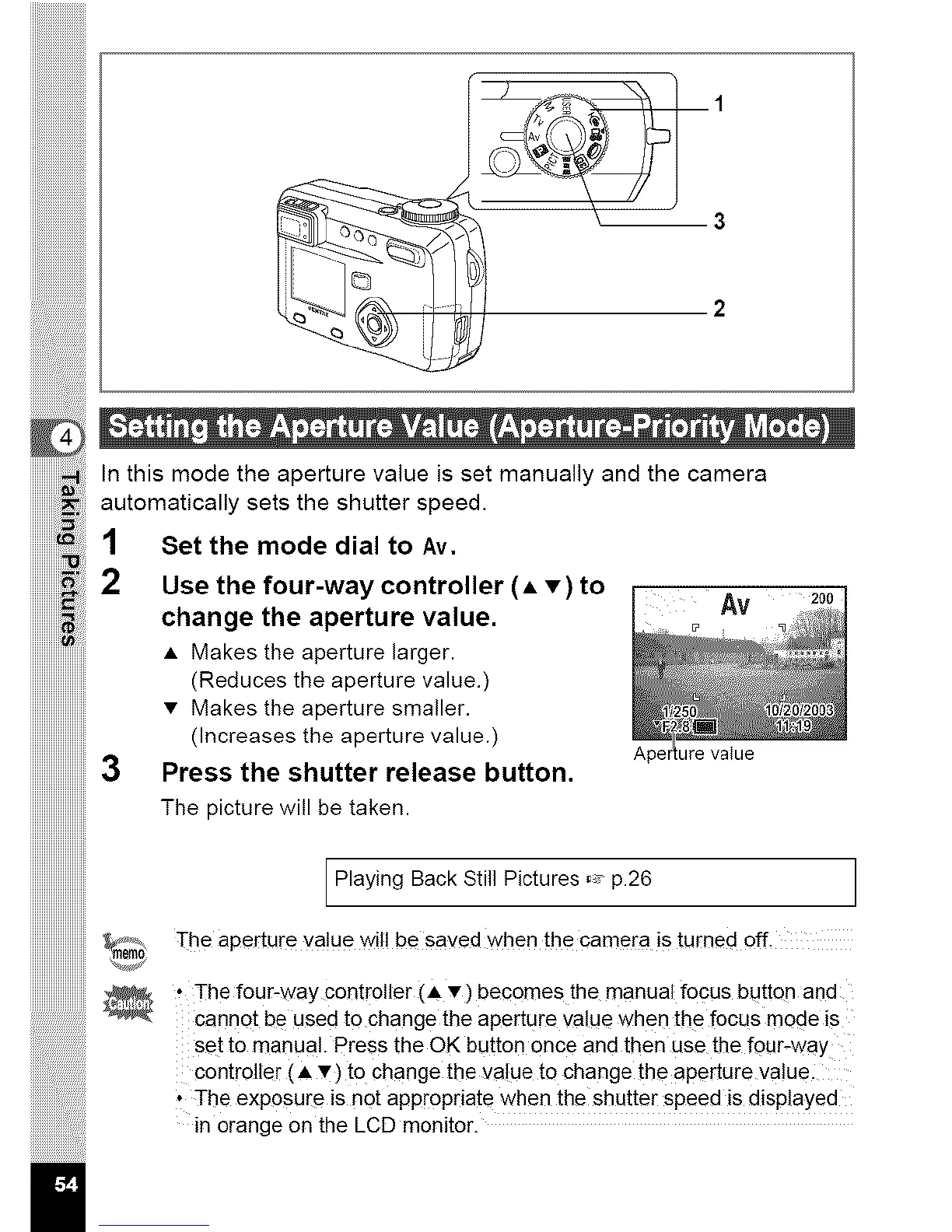
1 Set the mode dial to Av.
2 Use the four-way controller (A • ) to
change the aperture value.
• Makes the aperture larger.
(Reduces the aperture value.)
Av
Ape ure value
• Makes the aperture smaller.
(Increases the aperture value.)
Press the shutter release button.
The picture will be taken.
Playing Back Still Pictures _ p.26 ]
The aperture value will be saved when the camera is turned off.
• The four-way controller (A •) becomes the manual focus button and
cannot be used to change the aperture value when the focus mode is
set to manual. Press the OK button once and then use the four-way
controller (• v) to change the value to change the aperture value.
• The exposure is not appropriate when the shutter speed is displayed
in orange on the LCD monitor.



 To Next Page