2
In this mode still pictures are taken automatically at a fixed interval.
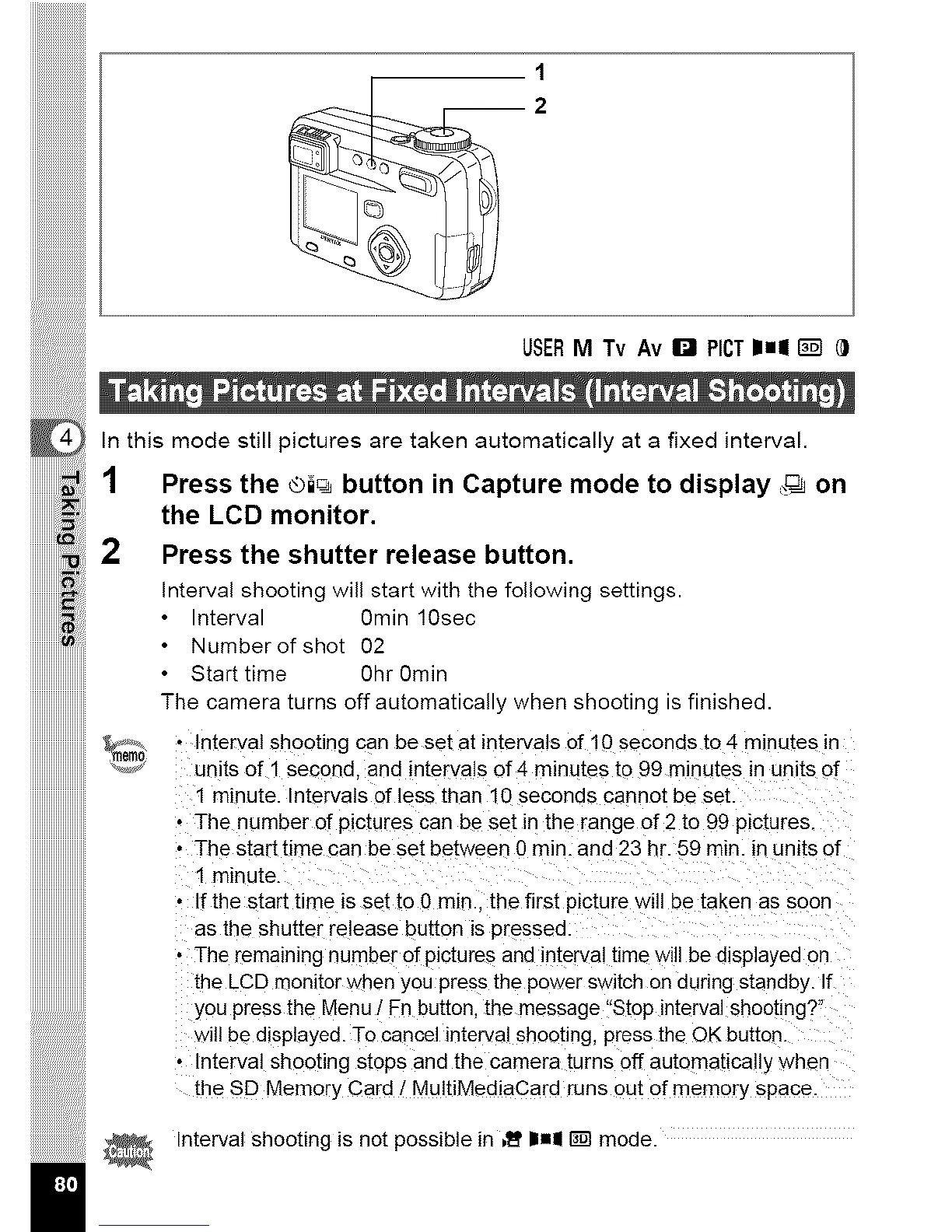
1 Press the ®i_ button in Capture mode to display ,,_ on
the LCD monitor.
2 Press the shutter release button.
Interval shooting will start with the following settings.
• Interval Omin 10sec
• Number of shot 02
• Start time 0hr 0min
The camera turns off automatically when shooting is finished.
_ • Interval shooting can be set at intervals of 10 seconds to 4 minutes in
units of 1 second, and intervals of 4 minutes to 99 minutes in units of
1 minute. Intervals of less than 10 seconds cannot be set.
• The number of pictures can be set in the range of 2 to 99 pictures.
• The start time can be set between 0 rain. and 23 hr. 59 rain. in units of
1 minute.
• If the start time _sset to 0 min.. the firsl p_cture w_ll be taken as soon
as the shutter release button is pressec
• The remaining number of p_ctures and interval time will be displayed or
LheLCD monitor when you press the power switch on during standby. If
you press the Menu / Fn button, the message "Stop interval shooting?"
w]l! be displayed. To cancel interval shooting, press the OK button
• Interval shooting stops and the camera turns off automatically whe_
the SD Memory Card / MultiMediaCard runs out of memory space
Interval shooting is not possible in ,I_'I1,,I _ mode.



 To Next Page