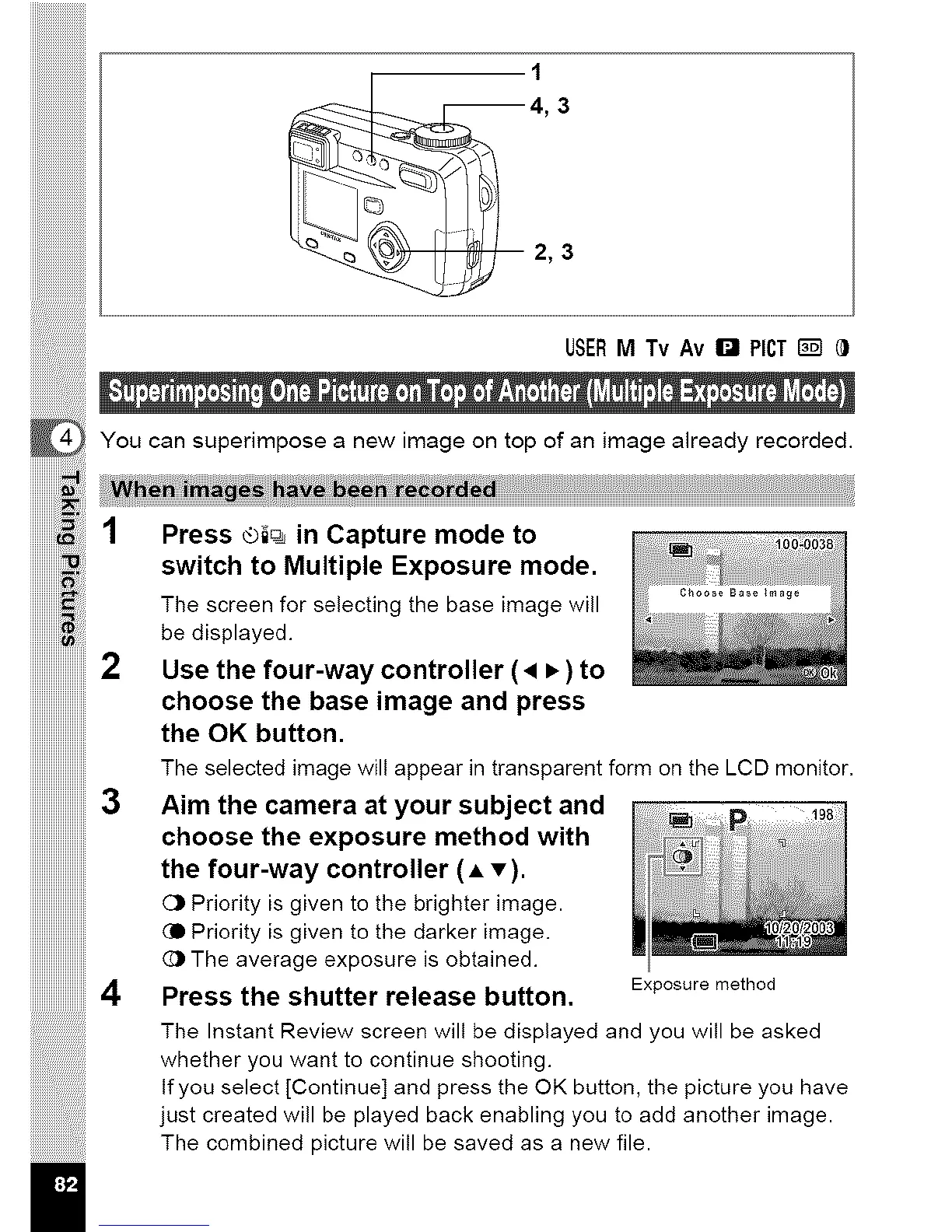
4, 3
2, 3
You can superimpose a new image on top of an image already recorded.
1 Press ®i_ n Caoture mode to
r ......................_ou
switch to Multiple Exposure mode _
Thebedisplayed•Screenfor selecting the base _mage will
iiiiiiiiiiiiiiiiiiiiiiiii
iiiiiiiiiiiiiiiiiiiiiiiii
iiiiiiiiiiiiiiiiiiiiiiiii
iiiiiiiiiiiiiiiiiiiiiiiii3
iiiiiiiiiiiiiiiiiiiiiiiii
iiiiiiiiiiiiiiiiiiiiiiiii
iiiiiiiiiiiiiiiiiiiiiiiii
II
Use the four-way controller (• • ) to
choose the base image and press
the OK button•
The selected image will appear in transparent form on the LCD monitor.
Aim the camera at your subject and
choose the exposure method with
the four-way controller (A v).
C_ Priority is given to the brighter image.
(D Priority is given to the darker image.
(_ The average exposure is obtained•
Press the shutter release button.
The Instant Review screen will be displayed and you will be asked
whether you want to continue shooting•
If you select [Continue] and press the OK button, the picture you have
just created will be played back enabling you to add another image.
The combined picture will be saved as a new file.
Exposure method



 To Next Page