3,4
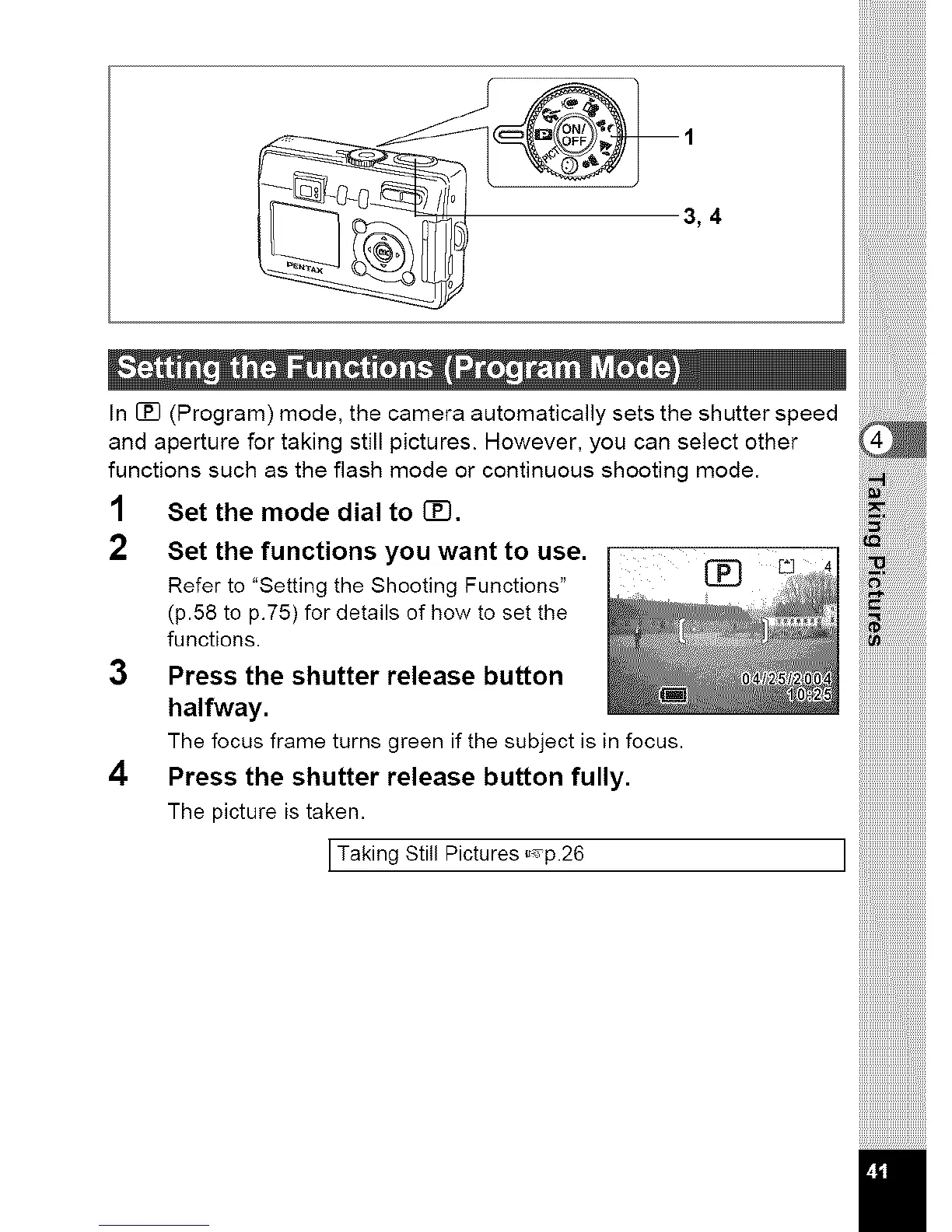
In [] (Program) mode, the camera automatically sets the shutter speed
and aperture for taking still pictures. However, you can select other
functions such as the flash mode or continuous shooting mode.
1 Set the mode dial to I_.
2 Set the functions you want to use.
Refer to "Setting the Shooting Functions"
(p.58 to p.75) for details of how to set the
functions.
3 Press the shutter release button
halfway.
The focus frame turns green if the subject is in focus.
4 Press the shutter release button fully.
The picture is taken.
I Taking Still Pictures rp.26


 To Next Page