Need help?
Do you have a question about the Pentax Pino 35M and is the answer not in the manual?
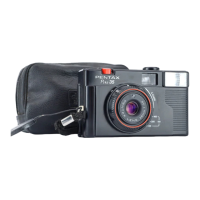
The Pentax Pino 35M is a unique 35mm camera designed for ease of use, incorporating an ingenious Flash-In-Focus system that allows for clear, sharp pictures from 1.2 meters to infinity. This system combines the best features of fixed focus and zone focus cameras, eliminating their respective drawbacks. For normal photography, subjects from 1.2 meters (about 4 ft) to infinity are in sharp focus. For near distances, limited to flash photography, the focus point automatically adjusts so that subjects from 1.2 meters to 4 meters are in focus, achieved through a unique internal optical system.
To install batteries, open the battery compartment cover (4) by pushing it towards the arrow and pulling it up. Insert two AA batteries, observing the correct polarity indicated inside the compartment. Only alkaline batteries should be used. Batteries should be changed when they become weak or when the motor does not function during winding. For extended periods of non-use, batteries should be removed from the camera.
Slide the film speed setting lever (5) to match the ISO speed of the film in use (100/200, 400, 1000).
The film drive confirmation window (8) contains a disc that rotates to indicate proper film loading and advancement. Note that with a new film cassette, the disc may not rotate immediately until the initial slack in the film is taken up, but it should begin rotating after a few exposures.
Look through the viewfinder (17) to compose your shot. Maintain a distance of at least 1.2 meters (about 4 ft) from your subject and ensure the sun is behind you. Hold the camera firmly with both hands to prevent camera shake.
When taking indoor pictures or outdoor pictures in poor lighting conditions, the low light warning lamp (16) will glow when the shutter button is depressed halfway. In this situation, set the flash switch (6) to "ON". The flash ready light (15) will glow when the flash is sufficiently charged to take a picture. The main subject should be within a range of approximately 1.2 to 4 meters from the camera for optimal flash results.
When you have taken the last exposure and the motor no longer functions when the shutter button is depressed, push the rewind button (10) towards the arrow. Continue pushing the rewind button for a few more seconds, even after the counter returns to "S". It is crucial to keep the rewind button pushed throughout the rewinding process. Once the film is rewound into its cassette, open the back cover and remove the film cassette for processing without delay. The film counter will automatically reset to the starting point (marked "S").
All Pentax cameras purchased through authorized distribution channels are guaranteed against defects in material or workmanship for twelve months from the date of purchase. Service, including replacement of defective parts, will be provided free of charge within this period, provided the equipment has not been abused, altered, or operated contrary to instructions. Damage caused by the use of non-Pentax lenses is not covered. The manufacturer or its authorized representatives are not liable for repairs or alterations not made with written consent, nor for indirect or consequential damages. The manufacturer's liability is strictly limited to the replacement of parts as specified.
If a Pentax camera proves defective during the 12-month warranty period, it should be returned to the dealer from whom it was purchased or to the manufacturer. If there is no manufacturer's representative in your country, send the equipment to the manufacturer with postage prepaid. Be aware that this may result in a considerable delay due to customs procedures. If covered by warranty, repairs and parts replacement will be free, and the equipment will be returned upon completion of servicing. If not covered by warranty, regular charges will apply, and shipping costs are borne by the owner. If the camera was purchased outside the country where service is sought during the warranty period, regular handling and servicing fees may be charged by the manufacturer's representatives in that country.
Regardless, if your Pentax is returned to the manufacturer, it will be serviced free of charge according to this policy. However, shipping charges and customs clearance fees are always borne by the sender. To prove the purchase date, keep receipts or bills for at least one year. Before sending for service, ensure you are sending it to the manufacturer's authorized representatives or accredited repair shops, unless sending directly to the manufacturer. Always obtain a quotation for service charges and only authorize service once you accept the quoted charge.
Important Note: This warranty policy does not apply to Pentax products purchased in the U.S.A., U.K., or Canada. Local warranty policies provided by Pentax distributors in those countries supersede this general warranty policy.
To avoid any risk of electrical shock, do not attempt to disassemble the camera. Pentax continually strives to improve its products, and specifications may change without prior notice.
 General
| Brand | Pentax |
|---|---|
| Model | Pino 35M |
| Category | Film Camera |
| Language | English |


 To Next Page