Home Screen Indicators
The icons displayed at the top of the screen provide information about the status of the device. Details such as date and time,
battery charge status, and data service and Wi-Fi connectivity are displayed when the phone is in standby mode. Other indicators
such as airplane mode, alarm and call forward are displayed, if the feature is activated.
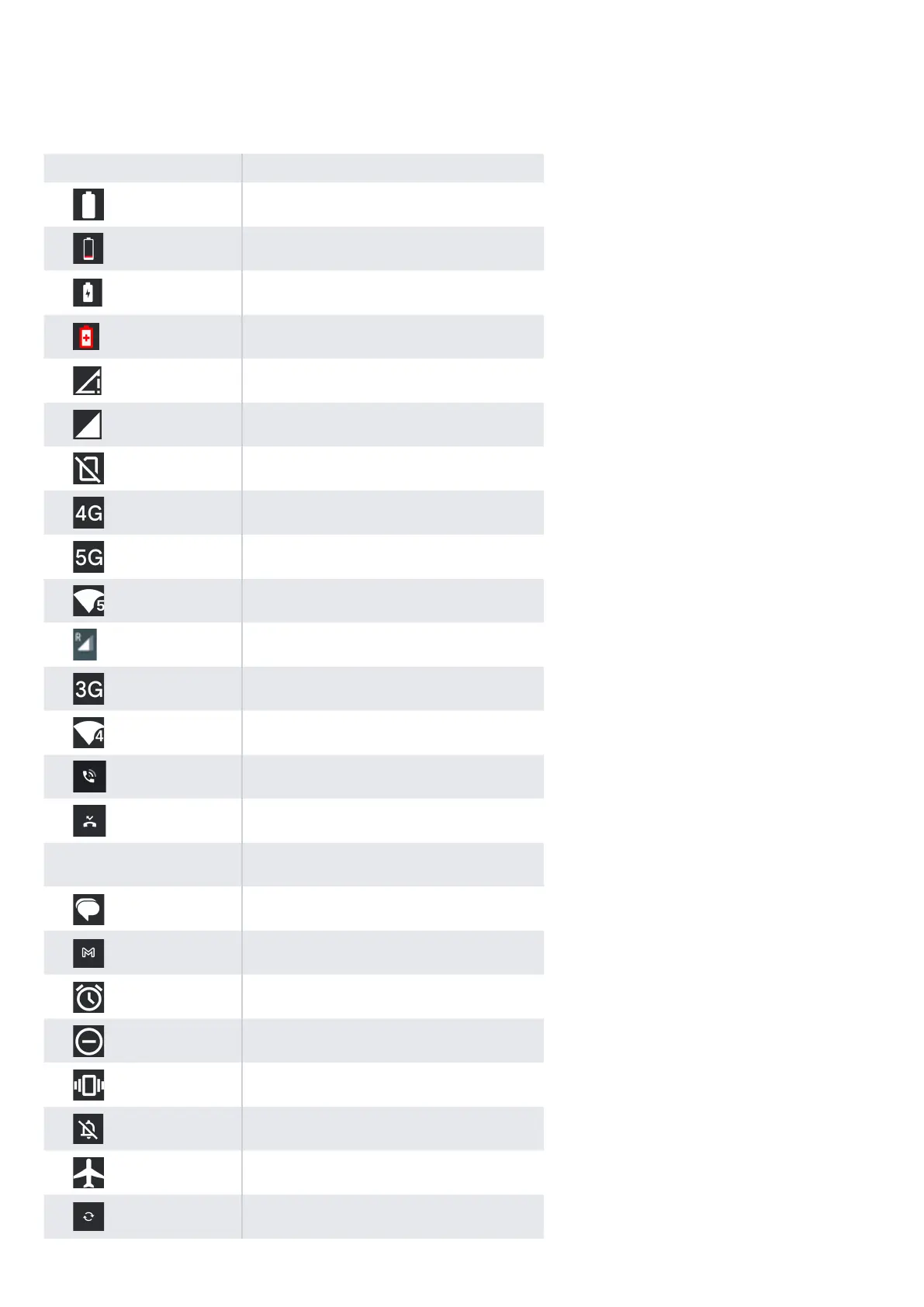
Icons Description
Battery level indicator
Low Battery
Battery charging in progress
Battery saver mode
No signal
Signal strength
No SIM card
4G Network connected
5G Network Connected
5-Gigahertz Network connection
Roaming
EDGE network connected
Wi-Fi connected
Call in progress
Missed call
VoWi-Fi Registered
New SMS or MMS
New E mail
Alarm activated
Do Not Disturb (DnD) activated
Vibration mode activated
Silent mode
Airplane mode activated
Synced with the associated account such as Google
14


 To Next Page