CCTVSET2
V. 02 – 08/04/2015 19 ©Velleman nv
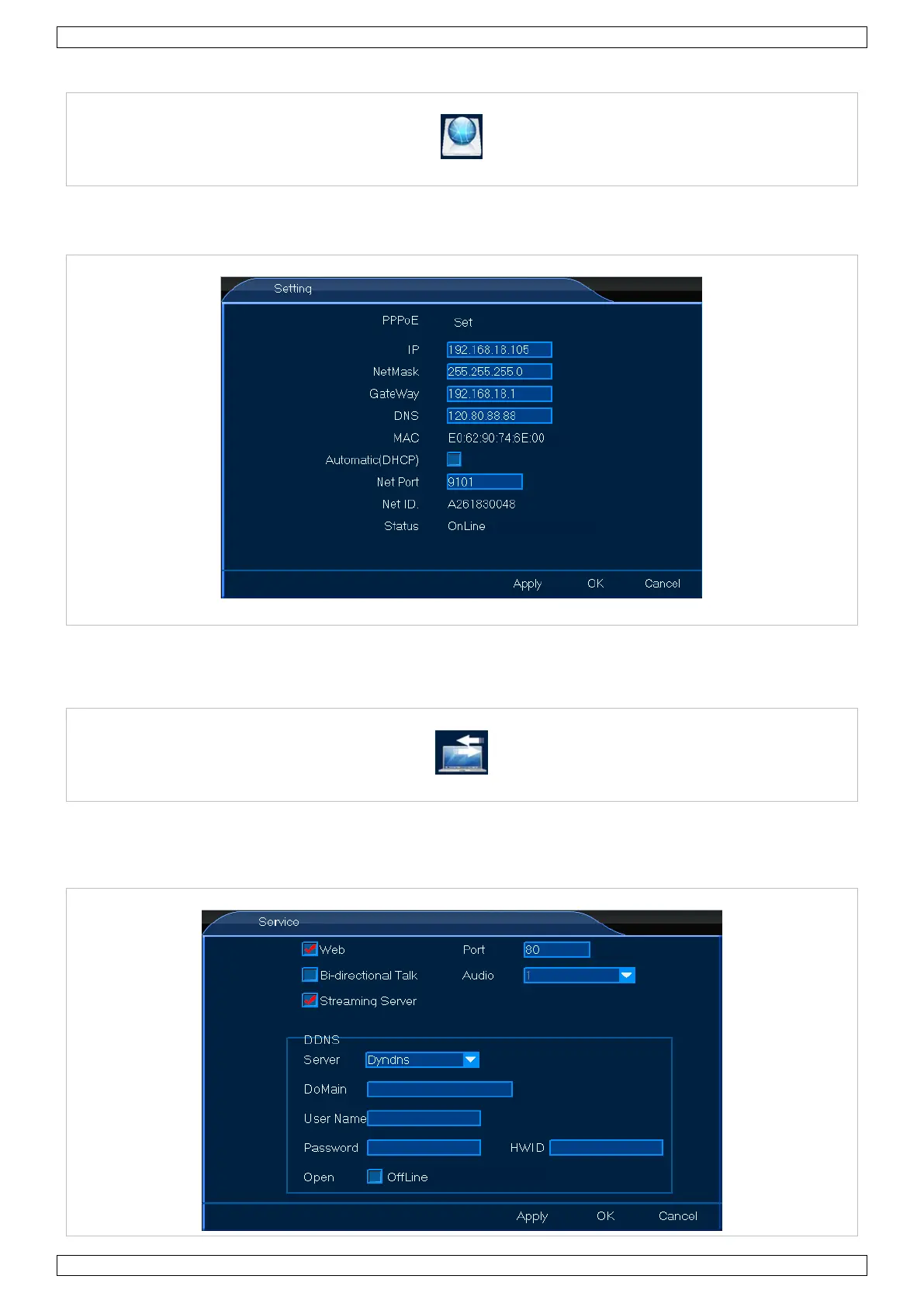
8.3.1 Setting
The Setting menu allows you to set all general connection settings. Proceed as follows:
1. Left-click the Setting icon to enter the menu.
2. Set up as desired.
3. Left-click OK to confirm.
8.3.2 Service
The Service menu allows you to set all network settings. These network settings are important if you wish to
control your monitoring system remotely. Proceed as follows:
1. Left-click the Service icon to enter the menu.


 To Next Page