EasyManua.ls Logo

Perfect Aire 1PEDP50 - User Manual

Perfect Aire 1PEDP50
16 pages
Print Icon
To Next Page IconTo Next Page
Loading...
Perfect Aire, LLC
5151 Belt Line Rd.
Suite 878
Dallas, TX 75254
Distributed by:
844-4PA-AIRE | 844-472-2473
www.perfectaire.us
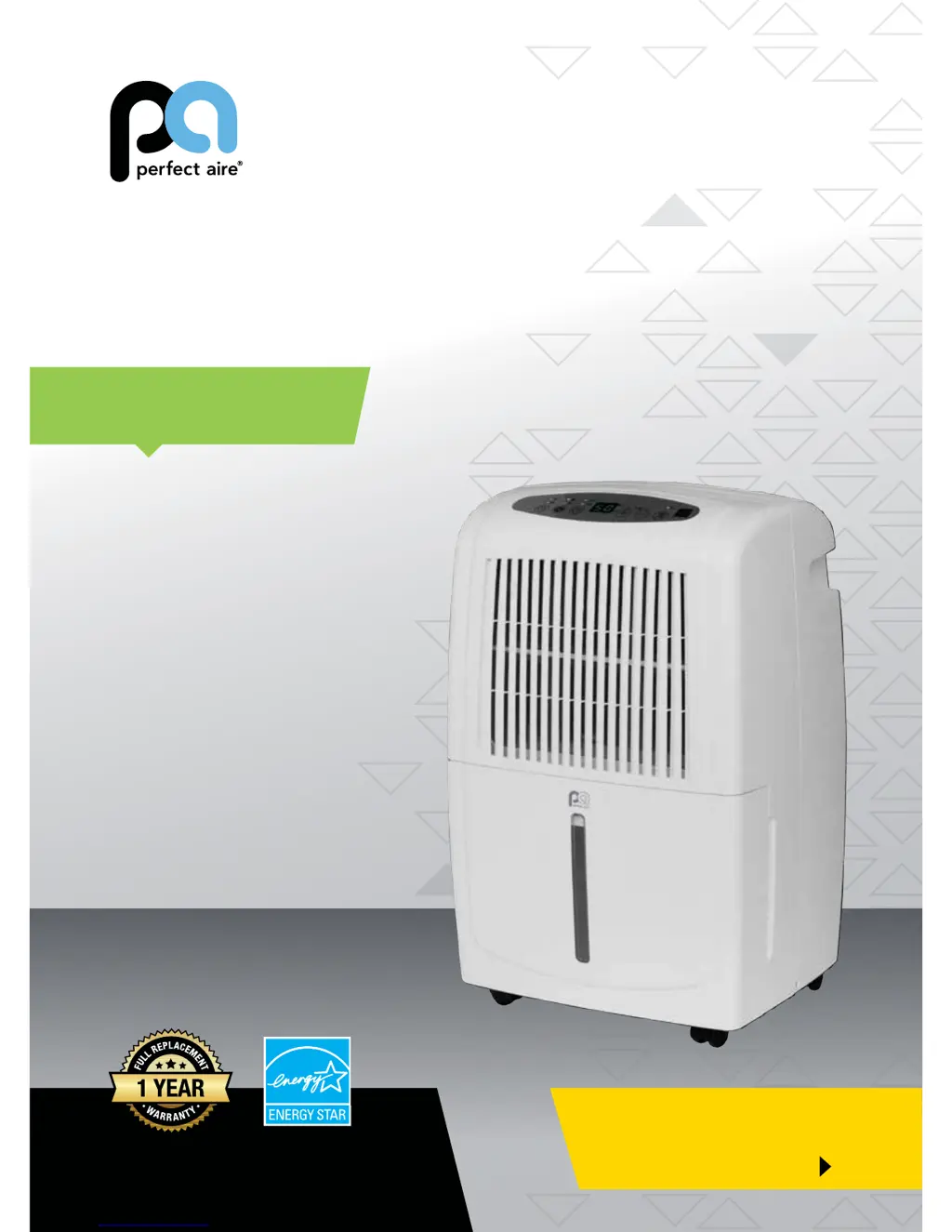
DEHUMIDIFIER
FOR MODELS:
1PEDP50
1PEDP70
Before using your dehumidifier, please
read this manual carefully and keep it for
future reference, along with your receipt.
Specification and performance data is subject to change without notice.
Printed in China
PA/User_1PEDP50_1PEDP70/10102017
USER MANUAL
Be sure to read the
QUICK START TIPS
on the next page

Questions and Answers

  • D
    Darren PerkinsAug 15, 2025
    Why Perfect Aire dehumidifier not drawing water?
    • T
      Troy MccoyAug 15, 2025
      Several factors can prevent your Perfect Aire dehumidifier from drawing water. Ensure the unit's size is appropriate for the room, allow sufficient time for moisture removal, and set the humidity low enough. Verify that the setting isn't the same as the room's actual humidity. Close all doors and windows securely. Make sure the unit is level with sufficient air circulation and that curtains, blinds, or furniture aren't blocking it. Also, check that the room temperature is 41ºF or above, relocate the unit if it's near a heat source, and clean the air filter and outlet.
  • B
    brewermarioAug 18, 2025
    What to do if Perfect Aire dehumidifier always running?
    • S
      Sarah RossAug 18, 2025
      If your Perfect Aire dehumidifier runs constantly, several factors could be the cause. First, check that the unit is appropriately sized for the room and allow it enough time to remove moisture. If the room's humidity is higher than the set humidity, the unit will continue to run. Ensure that all doors and windows are closed, the unit is level, and there's sufficient air circulation. Make sure no curtains, blinds, or furniture are blocking the unit. Relocate the unit if it's near a moisture source, and clean the filter, vents, and bucket.
  • A
    Amanda ClarkAug 21, 2025
    What to do if Perfect Aire unit does not start?
    • A
      Alicia IrwinAug 21, 2025
      If your Perfect Aire unit isn't starting, make sure the plug is fully inserted into the outlet. Check the fuse or circuit breaker box in your home. Ensure the bucket is not full and needs emptying, and that the water bucket is correctly positioned.
  • D
    Dr. Jonathan ReidAug 25, 2025
    What to do if Perfect Aire dehumidifier bucket full light is illuminated even though bucket is empty?
    • A
      Adam LloydAug 26, 2025
      If the 'Bucket Full' light is on even when the bucket is empty, verify the drain plug hasn't been removed if you're using the bucket to collect water. Inspect the float switch (the inch-long tab in the unit's top behind the bucket) for cracks, breaks, or being stuck. Ensure the unit is level and the filter, vents, and bucket are thoroughly clean. Confirm the float is correctly snapped into place inside the bucket. As a last resort, unplug the unit for at least 5 minutes, securely replace the bucket, plug the unit back in, and turn it on.
  • M
    Morgan MartinAug 28, 2025
    Why Perfect Aire dehumidifier constantly cycles on and off?
    • W
      William NealAug 28, 2025
      If your Perfect Aire dehumidifier cycles on and off frequently, it could be due to several reasons. Ensure the unit isn't too large or small for the room. If used in a space much smaller than its coverage area, it will likely cycle more often. If the humidity setting and actual humidity are very close, the unit will cycle accordingly. Note that the fan will run for a few minutes after the compressor stops. Check that the unit is level, the filter, vents, and bucket are clean, and nothing is obstructing them. Ensure all doors and windows are closed and there is sufficient air circulation. You can also try unplugging the unit for 5 minutes, then plugging it back in, replacing the bucket, and turning the unit on.
  • T
    Thomas AndersonAug 31, 2025
    How to fix continuous drain not working properly in Perfect Aire?
    • S
      Sheila MorrisAug 31, 2025
      To resolve continuous drain issues with your Perfect Aire dehumidifier, if using a garden hose (not included), ensure it's clean, pliable, and no longer than 6 feet. Secure the hose on both ends, ensuring it's fully pushed onto the connector inside the unit. The hose should exit the unit's back and slope downwards to the drain. Check that the filter, vents, and bucket are clean and that nothing obstructs the hose connection. Ensure the unit is level and the bucket is fully pushed in. If water goes into the bucket instead of the hose, double-check the setup or try re-hooking the hosing.
  • M
    Mark HodgesSep 3, 2025
    Why Perfect Aire auto defrost displays repeatedly?
    • K
      Karen BrewerSep 4, 2025
      If your Perfect Aire unit repeatedly displays 'Auto Defrost', turn it off and unplug it for 4-6 hours. Then, plug it back in and run it in normal mode, avoiding Turbo fan and Continuous operation. Make sure the humidity isn't set too low, the unit isn't on a cold floor, and the room isn't too cold. Also, ensure sufficient air circulation between the unit and the surface it's on.
  • P
    Preston HarrisSep 7, 2025
    What to do if there is water on floor near Perfect Aire?
    • A
      Adam HansenSep 7, 2025
      If you find water on the floor near your Perfect Aire dehumidifier, check the hose connection points to ensure they are secure. Also, make sure the float is properly snapped into place inside the bucket. For 1PED50 and 1PED70 models, verify that the foam piece is securely inside the float and hasn't been removed.
  • E
    Ernest JacksonSep 12, 2025
    How to reduce loud noise from Perfect Aire unit when operating?
    • M
      mmedinaSep 12, 2025
      To reduce loud noises from your Perfect Aire unit during operation, ensure the air filter is clean and not clogged. Also, make sure the unit is upright (not tilted) and placed on a flat, level surface.

Summary

Quick Start Tips

Safety Precautions

Warnings

Critical warnings regarding safe operation and handling of the dehumidifier.

Cautions

Precautions to prevent damage to the unit or property, and ensure safe usage.

Control Pads on the Dehumidifier

Error and Protection Codes

List of error codes and troubleshooting steps for sensor or protection failures.

Operating Instructions

Starting Operation

Detailed steps for setting up and initially operating the dehumidifier.

Continuous Drainage

Ejector Pump Drainage

If a Problem Occurs

Troubleshooting

Perfect Aire 1PEDP50 Specifications

General IconGeneral
BrandPerfect Aire
Model1PEDP50
CategoryOther
LanguageEnglish

Related product manuals