EasyManua.ls Logo

Performax 22-44 Plus - User Manual

Performax 22-44 Plus
23 pages
Print Icon
To Next Page IconTo Next Page
Loading...
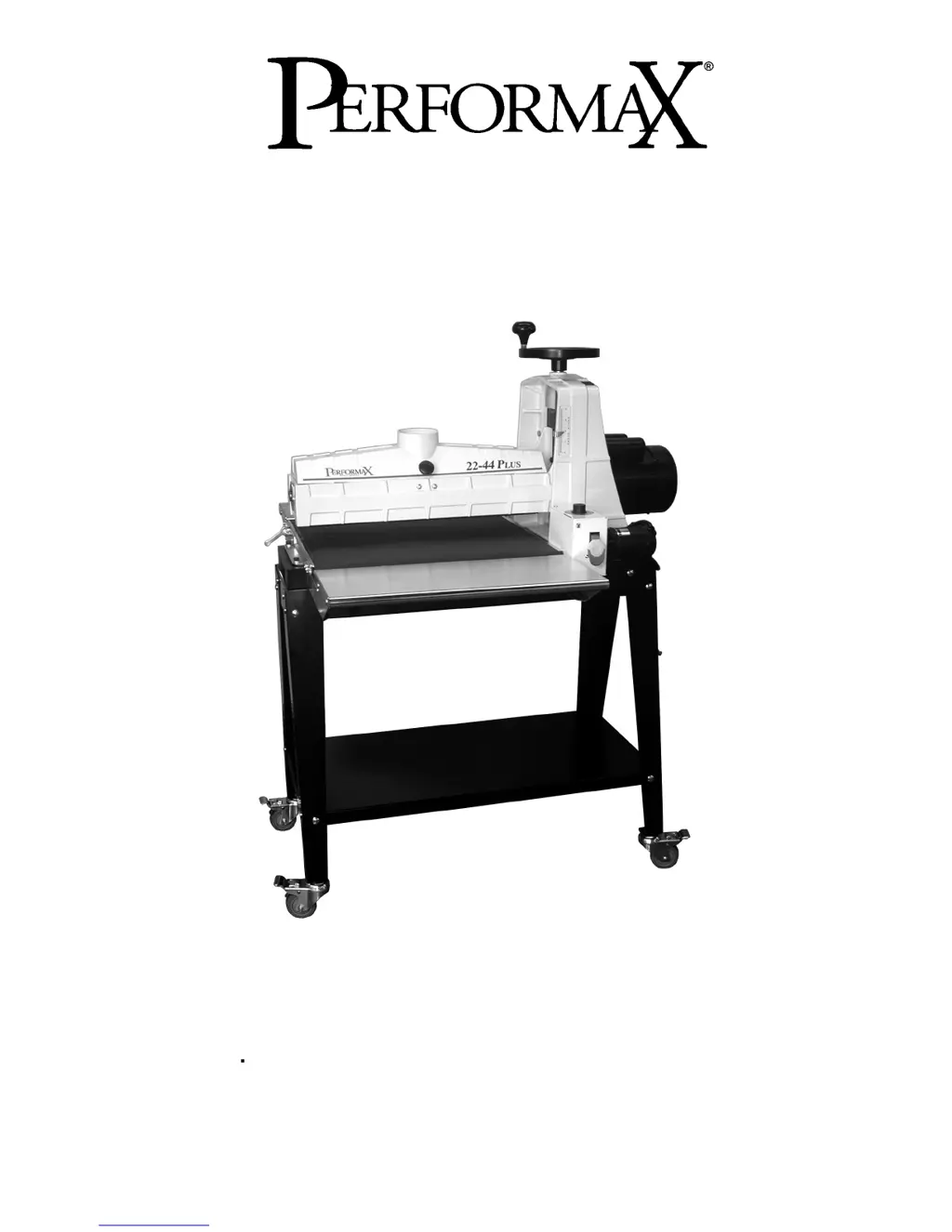
OWNER'S MANUAL
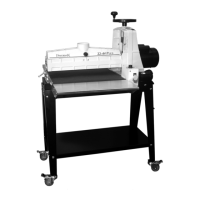
22-44 Plus Drum Sander
(shown with optional accessories)
WMH TOOL GROUP
Consumer/Light Industrial Products Division
P.O. BOX 1349
Auburn, WA 98071-1349
Ph: 1-800-274-6848
Fax: 1-800-274-6840
E-mail: jet@wmhtoolgroup.com
www.wmhtoolgroup.com M-649003K 5/03
Copyright © WMH Tool Group

Questions and Answers

  • P
    plindseyAug 18, 2025
    Why is the wood burning when using my Performax 22-44 Plus?
    • C
      Caitlin SmithAug 18, 2025
      Wood burning during sanding with your Performax Sander can occur for several reasons: * The abrasive strip may be overlapped, in which case you should re-wrap it. * The depth of cut may be excessive; try reducing it. * The depth of cut may be too much for the grit you're using; switch to a coarser grit or reduce the depth of cut. * The feed rate may be too slow; try increasing it. * The abrasive may be loaded; clean it. * The abrasives may be worn; replace them.
  • A
    Andrew DavisAug 20, 2025
    What to do if the abrasive on my Performax Sander loads up too quickly?
    • E
      Eric SmithAug 21, 2025
      If the abrasive on your Performax Sander is loading up prematurely, consider the following: * Reduce the depth of cut. * Use a slower feed rate. * Increase airflow at the dust ports. * Use an open-coat abrasive.
  • J
    johnsonkimberlyAug 23, 2025
    What to do if the motor overload protector trips on my Performax Sander?
    • J
      Jeffrey YoungAug 23, 2025
      If the motor overload protector trips or the shop wiring breaker trips while using your Performax Sander, the following could be the reasons: * There is an excessive load on the sanding drum and motor. Allow the motor to cool and reset the overload button. * There are too many tools on the circuit. Have a certified electrician correct the shop wiring problem. * The extension cord is too long or of inadequate size. Use a shorter, heavier gauge extension cord.
  • J
    John GreenAug 26, 2025
    How to stop my board from slipping on the conveyor belt of my Performax 22-44 Plus Sander?
    • J
      jeffrey09Aug 26, 2025
      If the board slips on the conveyor belt of your Performax Sander: * Lower the tension rollers. * Reduce the feed rate. * Replace the conveyor belt if it is dirty or worn.
  • C
    chamiltonAug 28, 2025
    Why do the motors on my Performax 22-44 Plus Sander slow down or stall?
    • G
      gnguyenAug 28, 2025
      The motors on your Performax Sander might slow down or stall due to: * Improper conveyor belt tension. Adjust the belt tension. * Excessive depth of cut. Reduce the depth of cut. * Excessive feed rate. Reduce the feed rate.
  • D
    Denise ChapmanAug 30, 2025
    What to do if the abrasive strip is loose on my Performax 22-44 Plus?
    • J
      James MasonAug 31, 2025
      If the abrasive strip on your Performax Sander is loose: * Re-adjust the strip end in the slot and/or trim the abrasive edge if the strip is caught on the inside edge of the slot or on the inboard side of the drum. * Recut and reinstall the abrasive strip if it was not cut properly.
  • W
    William LawrenceSep 2, 2025
    Why does my Performax Sander leave a rippled surface?
    • A
      Amy MaciasSep 2, 2025
      A rippled surface after sanding with your Performax Sander can occur for two main reasons: A. Non-uniformly spaced ripples can be due to: * Uneven feed rate (conveyor belt slipping). * Uneven feed rate (board slips on conveyor). * Uneven feed rate (power feed gear motor stalls). B. Uniformly spaced ripples can be due to: * Conveyor bed flexing or vibration. To address this, reduce the depth of cut or the feed rate. Also, check for loose bolts, shaft coupling set screws, or an out-of-balance drum.
  • G
    Gary CarlsonSep 5, 2025
    Why is my Performax 22-44 Plus gouging the wood?
    • B
      bethany79Sep 5, 2025
      Gouging of wood with your Performax Sander can happen because of: * Inconsistent feed rate. Maintain a constant feed rate (by hand). * Stock slipping on the conveyor. This can be due to excessive depth of cut (PowerFeed) or inadequate hold-down pressure. * Workpiece not properly supported. Add work supports for long workpieces.
  • D
    daniel50Sep 7, 2025
    How to prevent the abrasive strip from coming off the drum of my Performax 22-44 Plus?
    • S
      Seth ManningSep 7, 2025
      To prevent the abrasive strip from coming off the drum of your Performax Sander: * Remove any slack in the strip. * Ensure the abrasive is properly wrapped. Refer to the section on wrapping abrasive strips.
  • H
    hwestSep 9, 2025
    Why is my Performax 22-44 Plus leaving a line or groove in the stock?
    • N
      Norman AcostaSep 9, 2025
      A line or groove in the stock after sanding with your Performax Sander is caused by an inconsistent feed rate. Avoid stopping or changing the feed rate during sanding.

Summary

Warranty & Service

WMH Tool Group Warranty

Details the terms and conditions of the manufacturer's warranty.

WARNING

Grounding Instructions

115 Volt Operation

Explains grounding requirements for 115V operation and adapter use.

Assembly and Setup

Aligning the Drum

Fine Tuning Drum Alignment

Establishing the Proper Drum Height

Setting the Depth of Cut

Selecting SANDSMART Feed Rates

Selecting Abrasive Grits

Monthly Maintenance

Conveyor Belt Replacement

Troubleshooting Guide

Wiring Diagram

Performax 22-44 Plus Specifications

General IconGeneral
TypeDrum Sander
Drum Length22 inches
Maximum Sanding Width22 inches
Minimum Sanding Thickness1/32 inch
Motor Power1.5 HP
Sandpaper/Abrasive Width22 inches
Maximum Sanding Thickness4 in
Speed1725 RPM
Dust Port4 in

Related product manuals