CheckingtheDuoBatteryLife
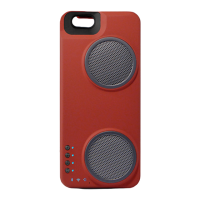
TocheckthebatterystatusoftheDuo,pressthePowerbuttonwithashortpresswhiletheDuo
ison.Whenpressed,theActionIndicatorLEDlightswilllightupaccordingtothecharge
percentageremainingontheDuobattery.Forexample,ifthreeoffourLEDslightup,
this
meansthattheDuois75%charged.
ConnectingYouriPhonetotheDuo
YoumusthaveyouriPhonedockedintotheDuowiththeLightningconnectorlockedinplacein
ordertochargeyouriPhoneandtoplaymusicviatheDockingMode.
ToinsertyouriPhoneintotheDuo,slidedowntheEZ‐Lockconnectorandinsertthetopofthe
iPhone
first,underthelipatthetopoftheDuo.OncetheiPhoneislayingflat,pushtheEZ‐Lock
connectorintoplace,ensuringtheLightningconnectorissecurelyinsertedintothebottomof
theiPhone.
ChargingyouriPhonewiththeDuo
TochargeyouriPhonewithyourDuo,youmusthaveyourphoneinsertedintotheDuo.Once
youriPhoneisproperlyinserted,turnonthechargingfunctionbymovingtheChargingSwitch
from"Off"positionto"On"position.Toturnoffcharging,turnoffthechargingfunctionby
movingtheChargingSwitchfrom"On"positionto"Off"position.
ChargingYouriPhoneandDuoSimultaneously
InsertyouriPhoneintotheDuowiththeLightningconnectordocked.TurntheChargingSwitch
tothe"on"position.ConnecttheMicroUSBcableprovidedtoapowersourceandtheDuo.In
thisscenario,thepowerfromyourwallplugwillbesplitbetweenyouriPhoneandDuo
depending
onhowmanyAmpsofpoweryouaresupplying.
InitialNetworkAudioSetup
BeforeusingyourDuotoplaymusic,youshouldfirstattachittoaHomeNetworktocomplete
yourone‐timeconfigurationofyourHomeWi‐Fisettings.Todothis,followthestepsbelow:
1.EnsureyourphoneisdetachedfromtheDuo.
2.GotoyouriPhoneandmakesureyouriPhoneWi‐Fiisturnedonandyouareconnectedto
yourHomeNetwork.
3.TurnontheDuo.
4.PresstheModeSelectbuttonuntiltheHomeWi‐FiModeLEDislit.Itshouldbered.
5.WhileinHomeWi‐FiMode,pressandholdtheModeSelectbuttonfor3sec.Thiswillinitiate
theWACprocessthatwillallowyoutouseyouriPhonetoattachyourDuotoyourHome
Network.TheHomeWi‐FiModeLEDshouldbeginblinkingblue.
6.GototheWi‐FiSettingsscreenonyouriPhoneandscrolldowntothebottomofthescreen.
YoushouldseeyourDuospeakerappearunderthesection"AddNewDevice"or"AddNew
AirPlaySpeaker".
7.ClickonyourDuospeakername.YoushouldseeanewscreenaskingyoutoconnecttheDuo
toaknownnetwork.ChooseyourHomeNetworkandselect"done".
8.YoucancompletethisSetuponmultiple"Home"Networks(i.e.youroffice,yourbestfriend's
house,etc.)astheDuocanstoreupto5knownHomeNetworksinitsmemory.


 To Next Page
 Loading...