P3
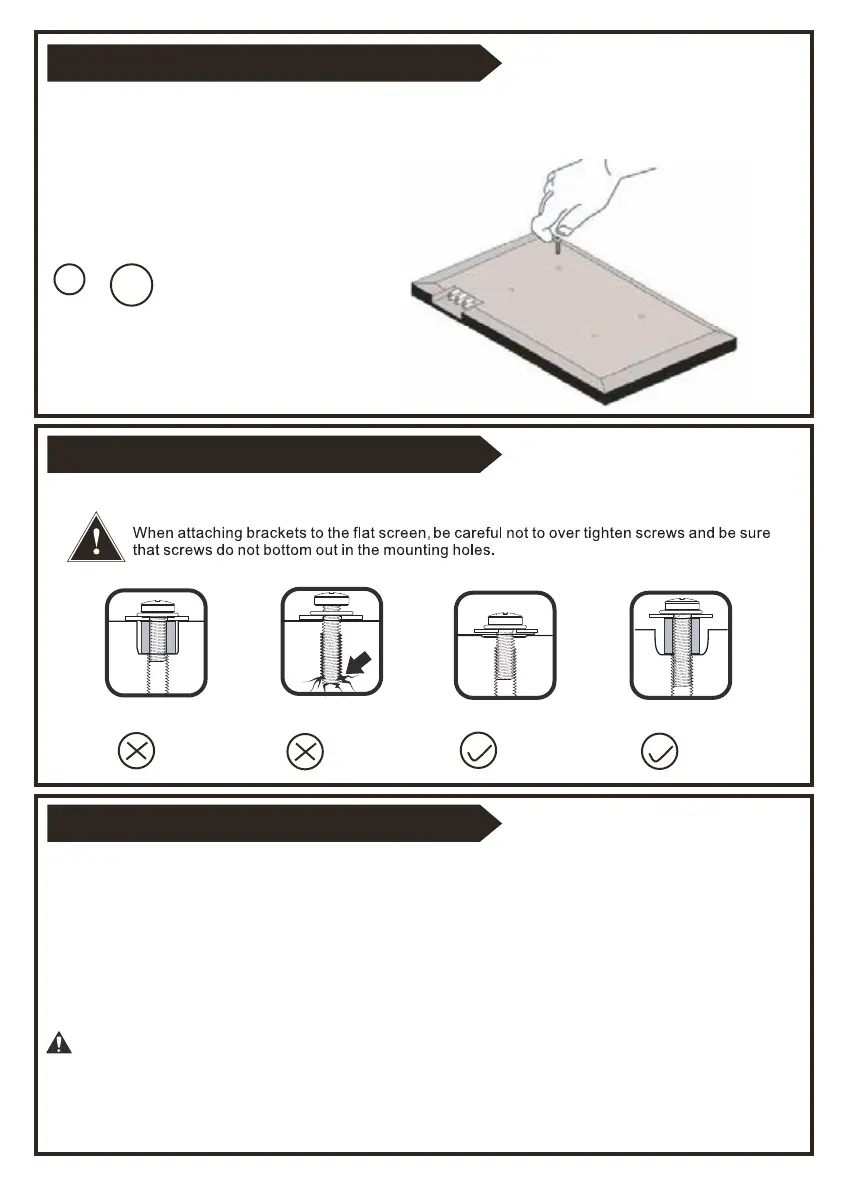
Correct
Correct
Too Long
Too Short
M6
M8
STEP 1-1 Select TV Screw Diameter
STEP 1-2 Select TV Screw Length
STEP 1-3 Attach the TV Bracket
Thread screws by hand into the threaded holes on the back of your TV to select which screw
diameter fits your TV.
Position your TV brackets over your TV hole pattern - making sure the
brackets are centered and level over the TV hole pattern.
Secure the brackets using your screw/washer/spacer selection:
(a) for Flat Back
(b) for Round Back / Extra space
CAUTION:
Ensure TV bracket is securely fastened before moving on to the
next step.


 To Next Page