
 Need help?
Do you have a question about the Permobil OMNI2 and is the answer not in the manual?
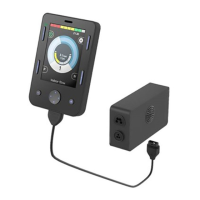
The Permobil OMNI2 is a control system designed to enhance the accessibility and functionality of Permobil wheelchairs, particularly for users who require alternative input methods. This device manual primarily focuses on its integration with Apple iOS devices (iPhone, iPad) running iOS software version 13.0 or later, enabling both Bluetooth mouse access and switch control.
The OMNI2 system allows users to control their iOS devices through the wheelchair's existing input mechanisms, such as joysticks or external switches. It offers two primary modes of interaction: Bluetooth mouse emulation and Bluetooth switch control.
In Bluetooth mouse emulation mode, the OMNI2 transforms the wheelchair's input device into a pointer for the iOS device. This allows users to navigate the iOS interface, select items, and perform gestures like tapping, all through movements of their primary drive control. The system supports pairing with up to two iOS devices, labeled "Mouse 1" and "Mouse 2," allowing for flexible device management. The mouse emulation is deeply integrated with iOS Accessibility features, particularly AssistiveTouch, which provides a customizable on-screen menu for additional functions.
In Bluetooth switch control mode, the OMNI2 enables the use of the wheelchair's drive control or external switches to interact with the iOS device through switch scanning. This mode is ideal for users who rely on discrete switch presses rather than continuous joystick movements. The system allows for the assignment of specific iOS commands (e.g., Tap, Move to Next, Scanner Menu, Home) to different switch actions (e.g., Short Command Forward, Short Command Right). This provides a highly customizable and efficient way to navigate the iOS interface for users with limited motor control.
The OMNI2 system is compatible with iOS devices running version 13.0 or later. It leverages Bluetooth technology for wireless communication with the iOS device. The system supports the pairing of multiple devices, specifically two "Mouse" devices for mouse emulation ("Mouse 1" and "Mouse 2") and two "iDevice" devices for switch control ("iDevice 1" and "iDevice 2"). The activation of Bluetooth mode on the OMNI2 is initiated by pressing and holding soft key #3 on the OMNI2 display. Power cycling the wheelchair is required after enabling Bluetooth mode for the changes to take effect.
For switch control, the system allows for the definition of different switch press durations: Short (0.1-2.0 seconds), Medium (2.0-3.5 seconds), and Long (3.5-5.0 seconds). This enables a single physical switch to perform multiple functions based on how long it is pressed.
Settings > Accessibility > Accessibility Shortcut.Settings > Accessibility > Touch > AssistiveTouch > Toggle "ON".Settings > Accessibility > Touch > AssistiveTouch > Devices > Bluetooth Devices.Accessibility > Touch > AssistiveTouch > Dwell Control > Toggle On) or using an external Rnet Bluetooth Mouse Module/PJSM external switch programmed as a left mouse click.Accessibility > Touch > AssistiveTouch > Customize Top Level Menu.iOS settings: Accessibility > Touch > AssistiveTouch > Devices > Tap desired "Connected Device" > Customize Additional Buttons. A right nudge can be customized to functions like "Open Menu" or "Home."Settings > Accessibility > Touch > AssistiveTouch > Toggle Show Onscreen Keyboard to ON.Settings > Accessibility > Accessibility Shortcut.Settings > Accessibility > Switch Control > Switches > Add New Switches > External.The manual does not explicitly detail maintenance features. However, the requirement to power cycle the wheelchair after activating Bluetooth mode suggests a system reset mechanism that helps ensure proper configuration and functionality. Users are advised to contact Permobil for additional assistance if they encounter variability in Bluetooth functionality or require support with alternative drive controls. For iOS-specific issues, users are directed to contact Apple Accessibility directly. This implies that troubleshooting and support for the OMNI2 system are primarily handled through Permobil's customer service, while iOS-related issues fall under Apple's support.
 General
| Brand | Permobil |
|---|---|
| Model | OMNI2 |
| Category | Recording Equipment |
| Language | English |

 To Next Page