28
OperationUser Manual VS
Memory function
The control panel has an integral memory with three memory positions. Each
memory position can store all the seat’s electrical settings.
1
2
3
5
6
7
Control panel memory function
4
8
Storing memory
Before storing a seating position in memory, position the seating system in the
position that is desired to be stored.
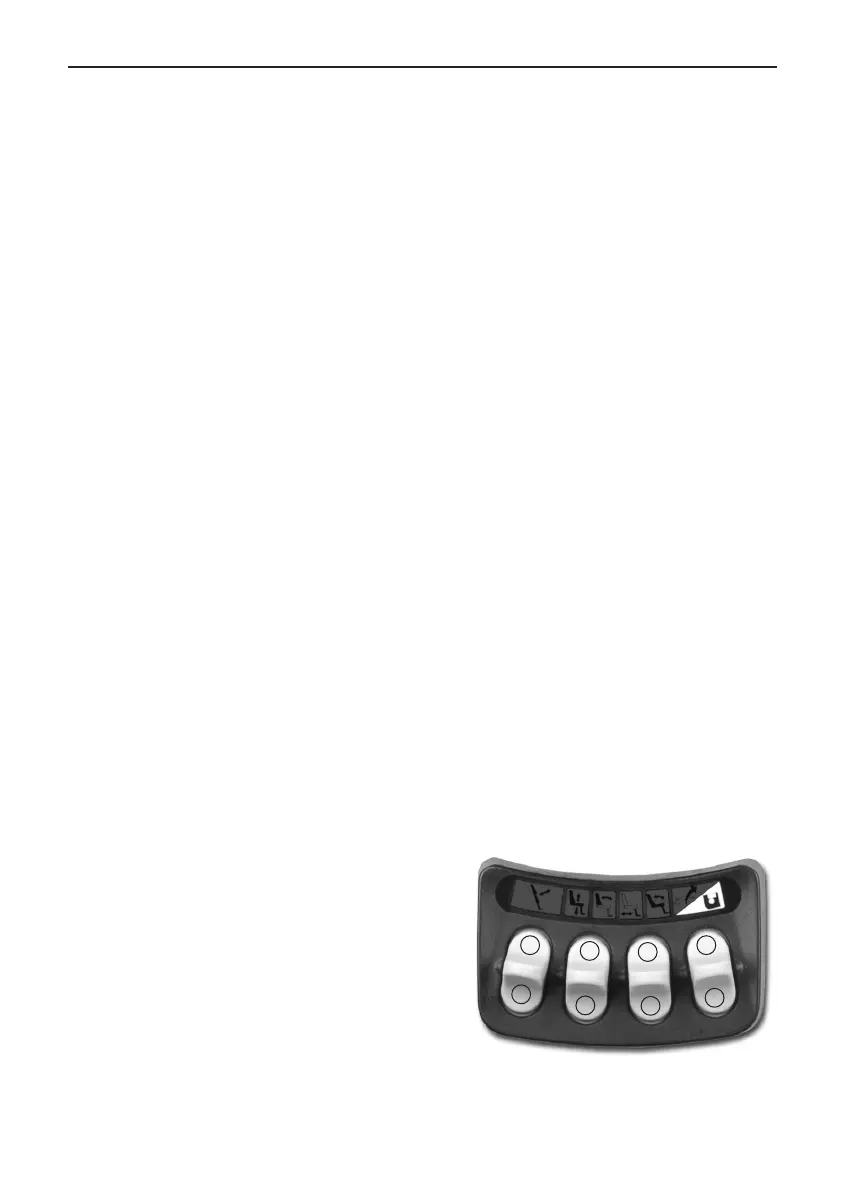
- Enter the memory mode by pressing and holding the memory button (8) for
two seconds, see illustration below. While in the memory mode, the LED
flashes green.
- Activate the memory storage function by holding down button 4 for two
seconds. The symbol above will light up green, which means that the fun-
ction has been activated.
- Press and hold the desired “store” button (5, 6 or 7) for three seconds to
memorize the current seat position in a memory location, see illustration
below. The LED above the memory position will light red and the control
panel will emit a tone when the memory has been successfully stored.
- Return to standard seat function operating mode by pressing the memory
button (8), see illustration below.
Recalling memory
- Enter the memory mode by pressing and holding the memory button (8) for
two seconds, see illustration. While in the memory mode, the LED flashes
green.
- Press and hold the desired “recall” button (1, 2 or 3) to move the seating
system to the desired memory position, see illustration. Releasing the “Recall”
button stops actuator movement, as a safety feature.
- Actuator movement stops, the LED
above the memory position lights green
and the control panel emits a tone,
when the “stored” position is reached.
- Return to standard seat function ope-
rating mode by pressing the memory
button (8), see illustration.


 To Next Page