
 Need help?
Do you have a question about the PESA CHEETAH DRS series and is the answer not in the manual?
Provides instructions for installation and operation of the MADI Adapter Module with Cheetah DRS Series Audio Routing Switchers.
Defines and provides examples of Caution and Note statements used in the guide for necessary information.
Explains the MADI Adapter's function to interface MADI compliant audio data streams directly into a DRS router installation.
Lists the key features of the DRS MADI Adapter, including AES10 compliance and channel support.
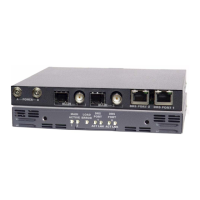
Describes MADI adapter modules as stand-alone units, their configuration as input/output, and rack-mount frame options.
Details the options for using MADI modules, either stand-alone or mounted in a rack-mount chassis.
Explains the physical process of securing a MADI module into a rack-mount chassis using thumb-screws.
Emphasizes the critical need for synchronizing MADI equipment and the DRS system using the same sync source.
Provides steps and precautions for completing system connections after module installation, including power application timing.
Introduces the Cheetah control system components (frame controllers, system controller) and their interface for DRS router operation.
Details the GUI software application for the P2K System Controller, used for configuration and setup of DRS systems.
Explains the process of configuring hardware and router settings using configuration files via the P2K GUI.
Describes the front panel indicator lights on the MADI module and their purpose for verifying operation.
Details the function of each of the 7 indicator lights on the MADI module's front panel.
 General
| Brand | PESA |
|---|---|
| Model | CHEETAH DRS series |
| Category | Recording Equipment |
| Language | English |

 To Next Page