Quick Start GuideFor more details, visit tagg.com/support
13
TIPS AND HINTS
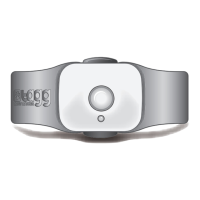
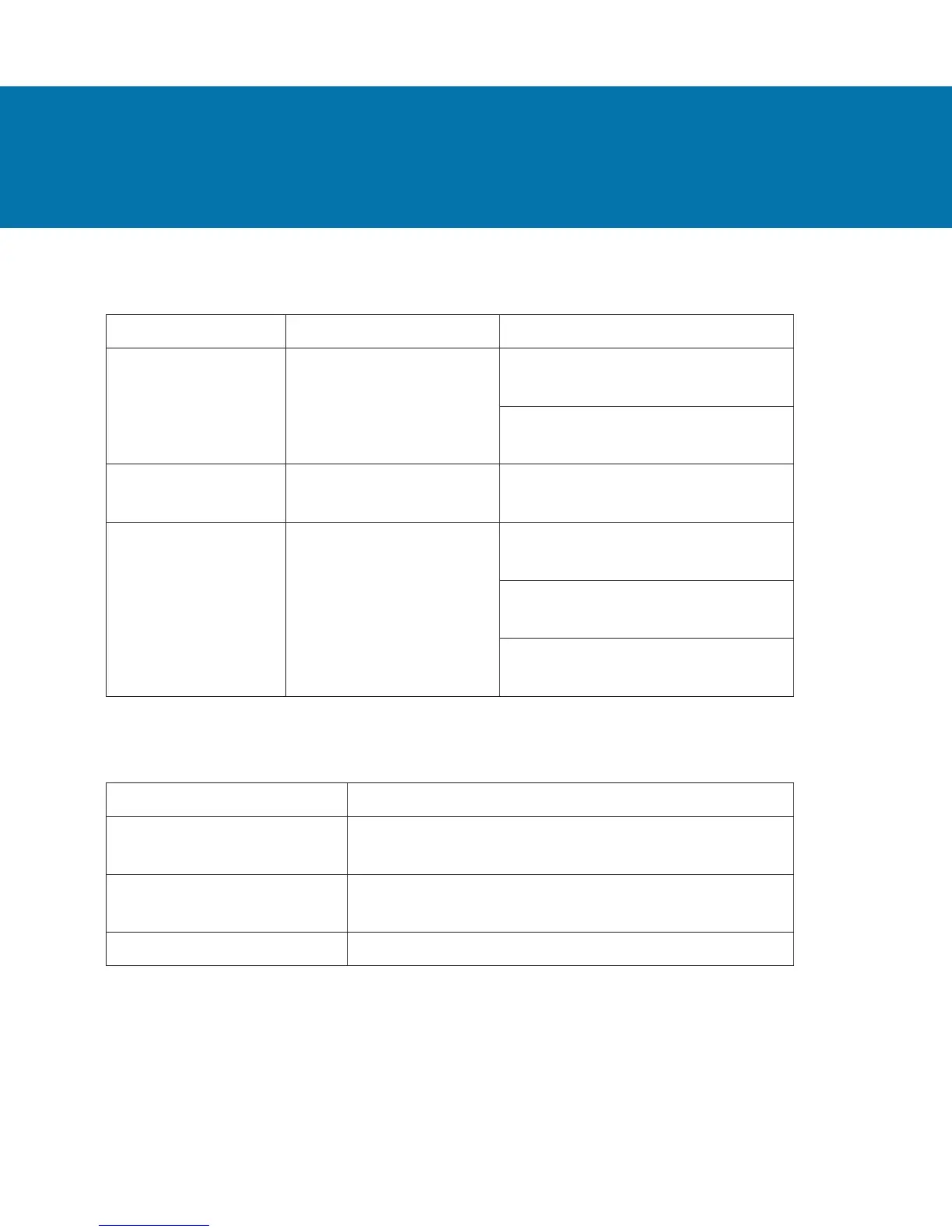
Use the Trip button on the tracker to do the following:
Action Trip Button Status Indicator State
Turn Tracker
On / Off
Press and Hold the
button for 3 seconds
Turning On:
Solid Blue for 5 seconds
Turning Off:
Solid Red for 5 seconds
Put Tracker into
Trip Mode
Double-press the
button
Flashing Blue for 15 minutes
Check if Tracker
is On / Off
Press and Release
the button (press for
less than 3 seconds)
On, with sufcient battery:
Solid Blue for 2 seconds
On, with low battery:
Flashing Red 4 times
Off: Status indicator will not
light up
To conserve battery life, the status indicator on the tracker
will only illuminate as indicated above, and as follows:
Status Indicator State What it Means
Flashing Blue and Red Tracker is being paged, or is actively locating
or tracking your pet
Flashing Blue Tracker is charging (may take up to 60
seconds to start ashing)
Solid Blue Tracker is fully charged


 To Next Page
 Loading...