
 Need help?
Do you have a question about the PET TRACKER Tagg and is the answer not in the manual?
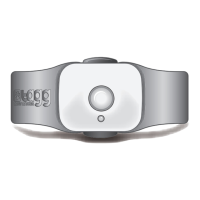
Tracks and transmits your pet's location and activity when attached to her collar.
Charges your tracker and maximizes battery life when your pet is nearby.
Connects the docking station to an electrical outlet for charging.
Attaches the tracker to your pet's collar, includes straps for different collar types.
Details the trip button, status indicator, charging contact, and Tagg ID on the tracker.
Explains the power indicator, page button, charging pins, and upgrade indicator on the docking station.
Step-by-step instructions for charging the Tagg tracker using the docking station.
Guide to activating the Tagg system and setting up your account online.
Instructions on where to place the docking station for optimal performance.
Steps for attaching the collar clip and securing the tracker to your pet's collar.
Instructions on how to attach the tracker to the collar clip assembly securely.
Information on using the Tagg mobile app for iOS/Android and accessing Tagg via a mobile browser.
Explains the functionality of the trip button and the meaning of different status indicator lights.
Provides details on accessing online support, FAQs, product guides, and customer service contact information.
 General
| Battery Life | Up to 30 days |
|---|---|
| Water Resistance | Yes |
| GPS | Yes |
| Mobile App Compatibility | iOS and Android |
| Subscription Required | Yes |
| Connectivity | Cellular |
| GPS Tracking | Real-time tracking |
| Range | Unlimited with cellular coverage |

 To Next Page