Quick Start Guide
6
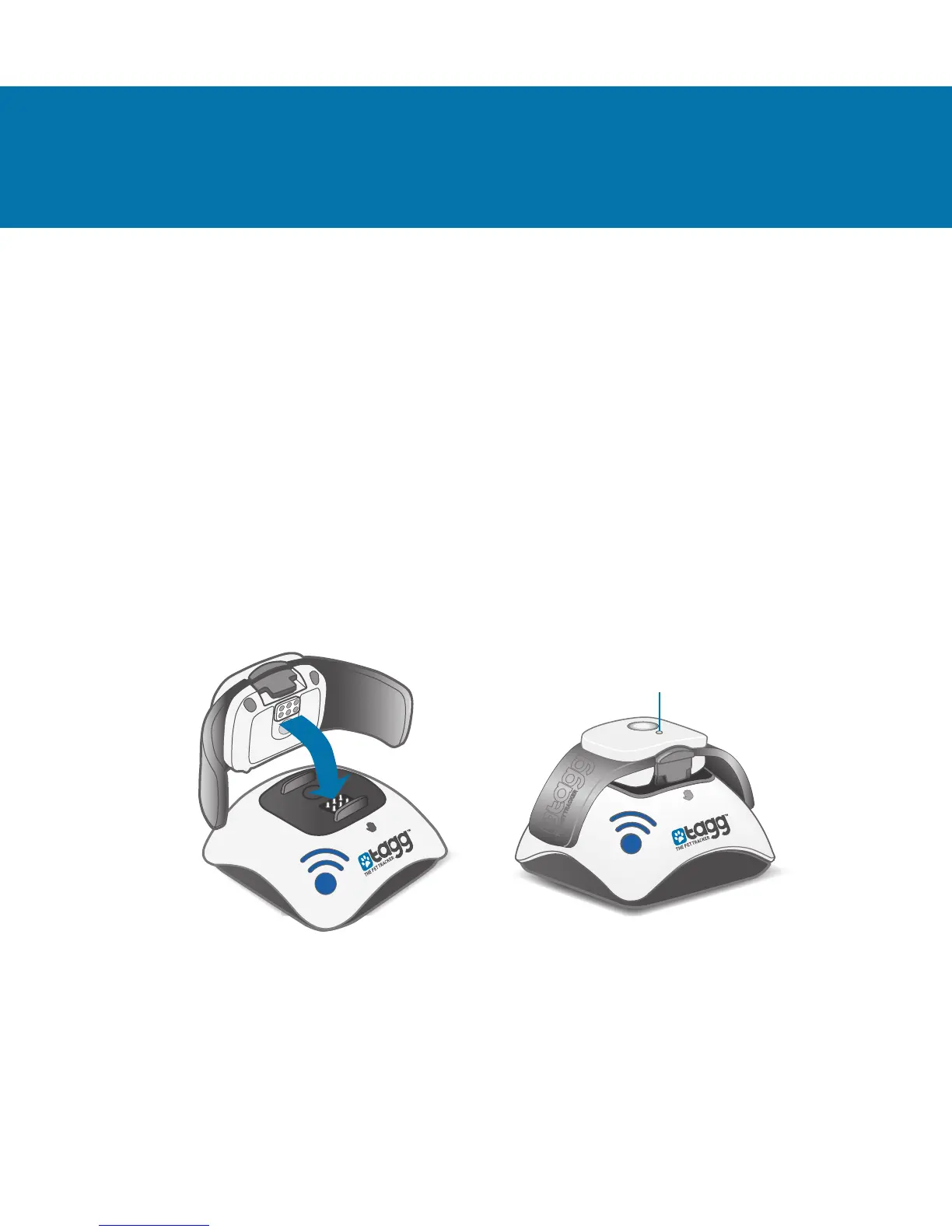
STEP 1 – Charge Tracker
1. Plug the docking station into an electrical outlet using
the adaptor and cable provided. Power indicator lights
up blue when properly connected.
Note: The docking station cannot be charged through your
computer’s USB port.
2. Place your tracker on the docking station, making sure
to align the pins. Tracker status indicator will start
ashing blue when docked correctly (may take up to
60 seconds).
Note: It will take up to two hours for your tracker to charge.
Tracker status indicator will turn solid blue when fully charged.
GETTING STARTED
Status Indicator


 To Next Page