Quick Start GuideFor more details, visit tagg.com/support
5
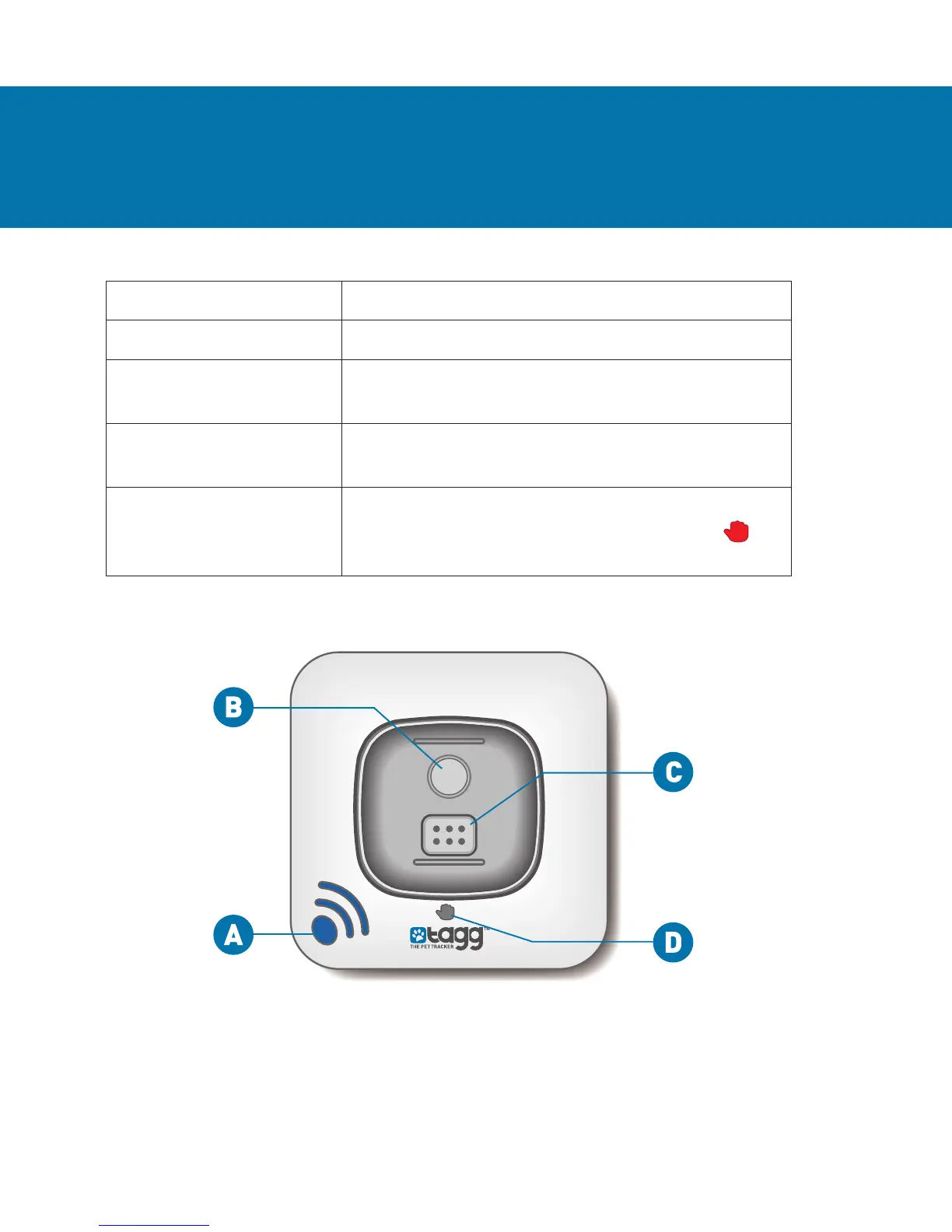
Item What it Does
A. Power Indicator Tells you when the docking station is on.
B. Page Button When pressed, locates the tracker when it’s
near the docking station.
C. Charging Pins Align with the tracker charging contact
to charge.
D. Upgrade Indicator Lights up red when a software upgrade is in
progress. Do not remove tracker while
is on.
YOUR DOCKING STATION
Docking Station - Top View


 To Next Page