Quick Start Guide
4
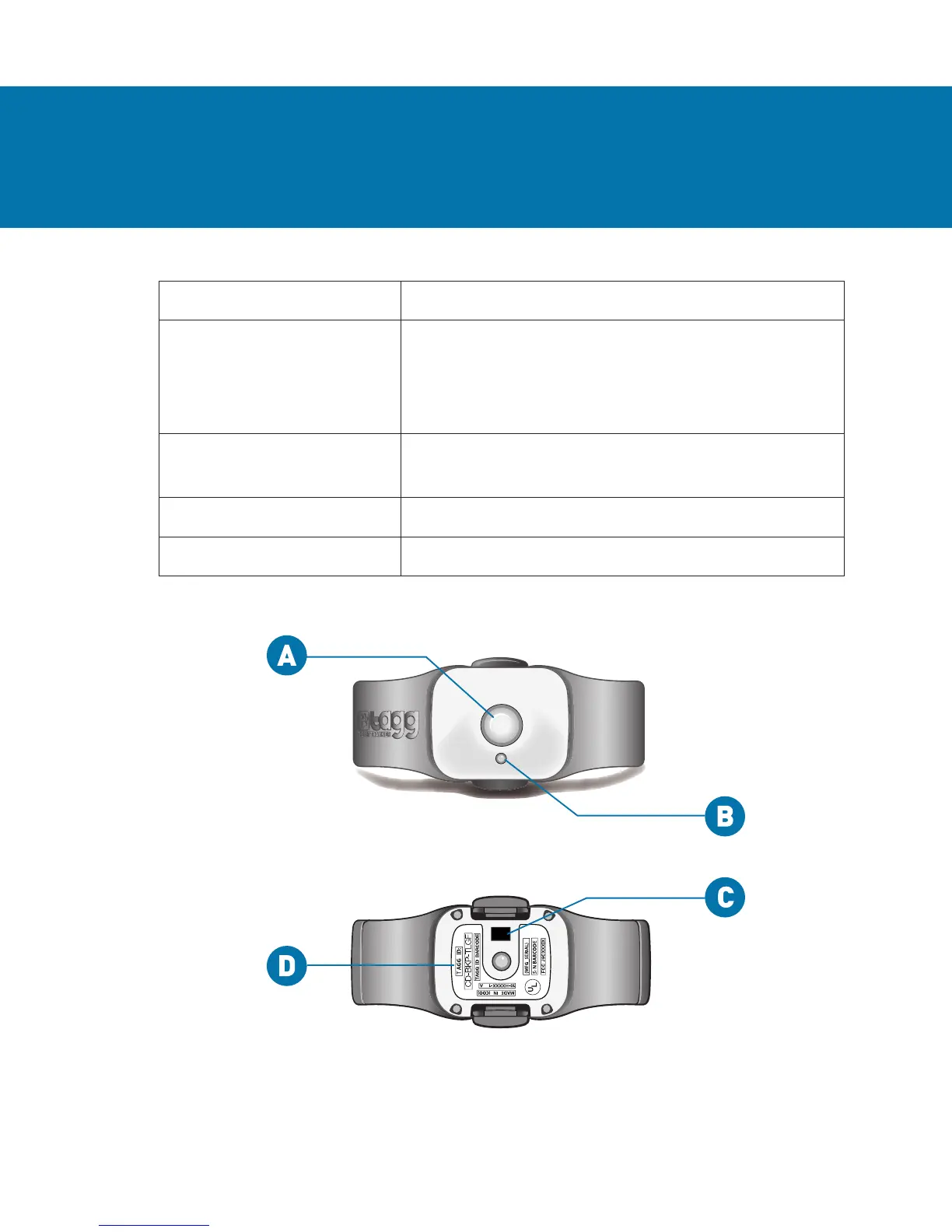
Item What it Does
A. Trip Button Turns the tracker on/off. Puts the tracker
into “Trip mode” to avoid sending alerts
when you leave the Tagg zone. Shows you
the battery level of the tracker.
B. Status Indicator Tells you when the tracker is on/off, actively
locating or tracking your pet, and more.
C. Charging Contact Align this with the docking station to charge.
D. Tagg ID Unique code for activating your tracker.
YOUR TAGG TRACKER
Tracker - Top View
Tracker - Bottom View


 To Next Page