Need help?
Do you have a question about the Petcube Play 2 and is the answer not in the manual?
Download the Petcube App and register your account to begin setup.
Power up the camera and wait for the yellow light to flash.
Press the setup button at the bottom until a sound is heard.
Follow the instructions within the app to finish the setup process.
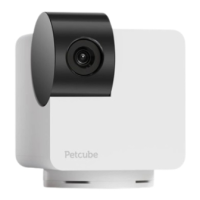
Point the Petcube Play 2 towards areas where pets spend most time for wide-angle lens capture.
Place the Petcube Play 2 at least 3 feet above the floor on a table or shelf.
Pulsing blue light indicates the camera is streaming video.
A single blue blink signifies that the camera has started recording.
Solid blue light means the camera is currently online.
Fast flashing blue indicates connection to the cloud and finishing setup.
Flashing blue and yellow light signifies connection to the router.
Solid yellow light indicates the camera is booting up.
Fast flashing yellow light means the device is ready for setup.
Pulsing yellow light indicates a connection or system error.
The Petcube Play 2 includes a standard tripod screw mount on the bottom.
Avoid dropping, shaking, staining, or exposing the device to liquid, dust, or extreme heat.
Do not leave in direct sunlight, keep away from minors without supervision, and protect the power cord.
Ensure socket-outlets are accessible, respect ambient temperature limits for adapters, and use provided power supply.
Access the latest user guide and information about the copyrighted software controlling the device.
Information on warranty against defects and full terms of use are available online.
Details on FCC compliance, including rules, conditions for operation, and radiation exposure limits.
Information regarding ISEDC RSS warnings, Canadian compliance, and radiation exposure limits.
Petcube Inc. declares compliance with EU directives and Radio Equipment Regulation 2017.
 General
| Camera Resolution | 1080p HD |
|---|---|
| Night Vision | Yes |
| Two-Way Audio | Yes |
| Treat Dispenser | No |
| Laser Toy | Yes |
| Motion Detection | Yes |
| Sound Detection | Yes |
| Power Source | AC adapter |
| Compatibility | iOS, Android |
| Wi-Fi | 802.11 b/g/n |
| Field of View | 160 degrees |


 To Next Page