SETUP
1
Download the Petcube App
and register your account
2
Power up the camera and
wait for yellow light to flash
3
Press the Setup button at the
bottom until you hear a sound
4
Follow instructions in the app
to finish the setup
2
PLACEMENT
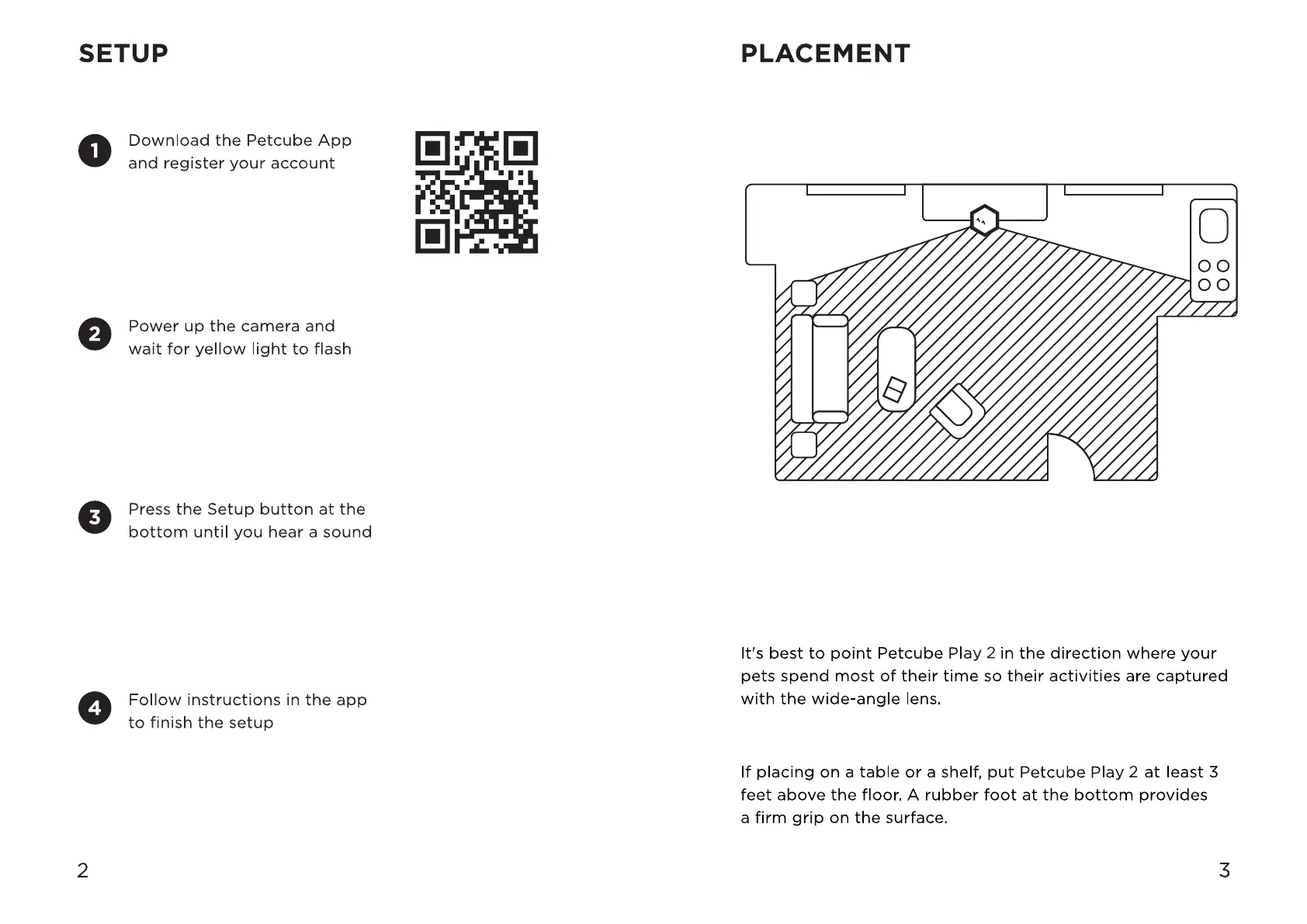
It's best to point Petcube Play 2 in the direction where your
pets spend most of their time so their activities are captured
with the wide-angle lens.
If placing on a table or a shelf, put Petcube Play 2 at least 3
feet above the floor. A rubber foot at the bottom provides
a firm grip on the surface.
3



 To Next Page