General Navigation and Parameter Adjustment
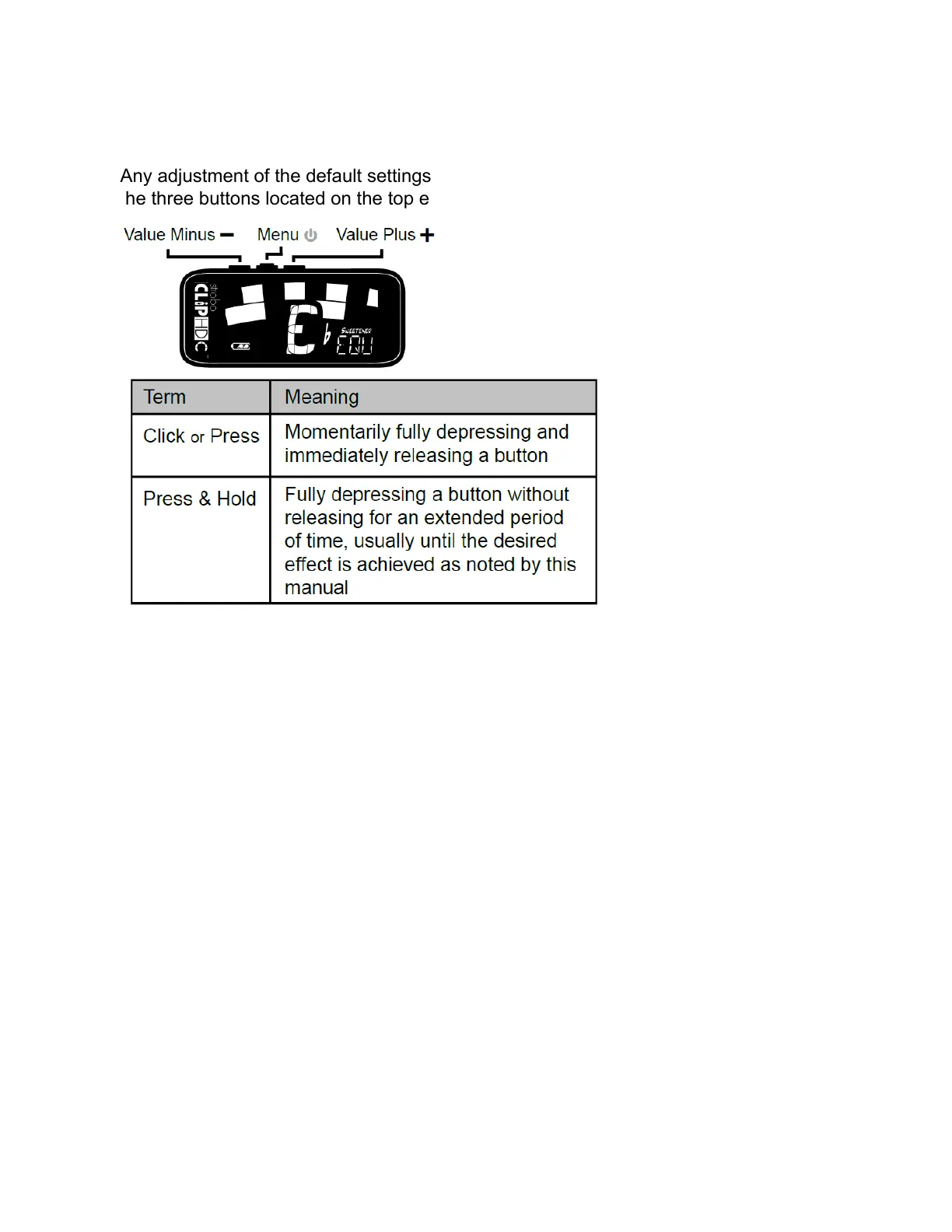
Any adjustment of the default settings of your StroboClip HDC may be performed using
the three buttons located on the top edge of your tuner.
A Click or Press of the Menu button will navigate through the adjustable parameters
which will flash on the display as you pass through them. Once you arrive at the
desired parameter, a Click or Press of the Plus ( + ) or Minus ( - ) Value button will
increment or decrement the value of that parameter. In some cases, Pressing and
Holding either of the Value buttons will continuously and rapidly increment or
decrement the value until released.
After adjusting a parameter value, the next click of the Menu button will end the
parameter flashing and confirm any changes. Alternatively, a few seconds of inaction
will cause the parameter adjustment to time-out, ending parameter flashing and
confirming changes. The altered parameter will remain on the display if the parameter
value has been changed to a non-default value.
When an adjustable parameter is flashing, pressing the value Plus ( + ) and value
Minus ( - ) buttons together will reset that parameter to its default value.



 To Next Page