StroboClip HDC™ Tune Screen
Your StroboClip HDC has two screens of operation in which parameters can be
adjusted. For basic use, only the Tune Screen will be used. The Strobe Image and
Tuning Note is displayed on the Tune Screen.
This is the default screen that the StroboClip HDC displays when powered on.
Sweetener™ Presets
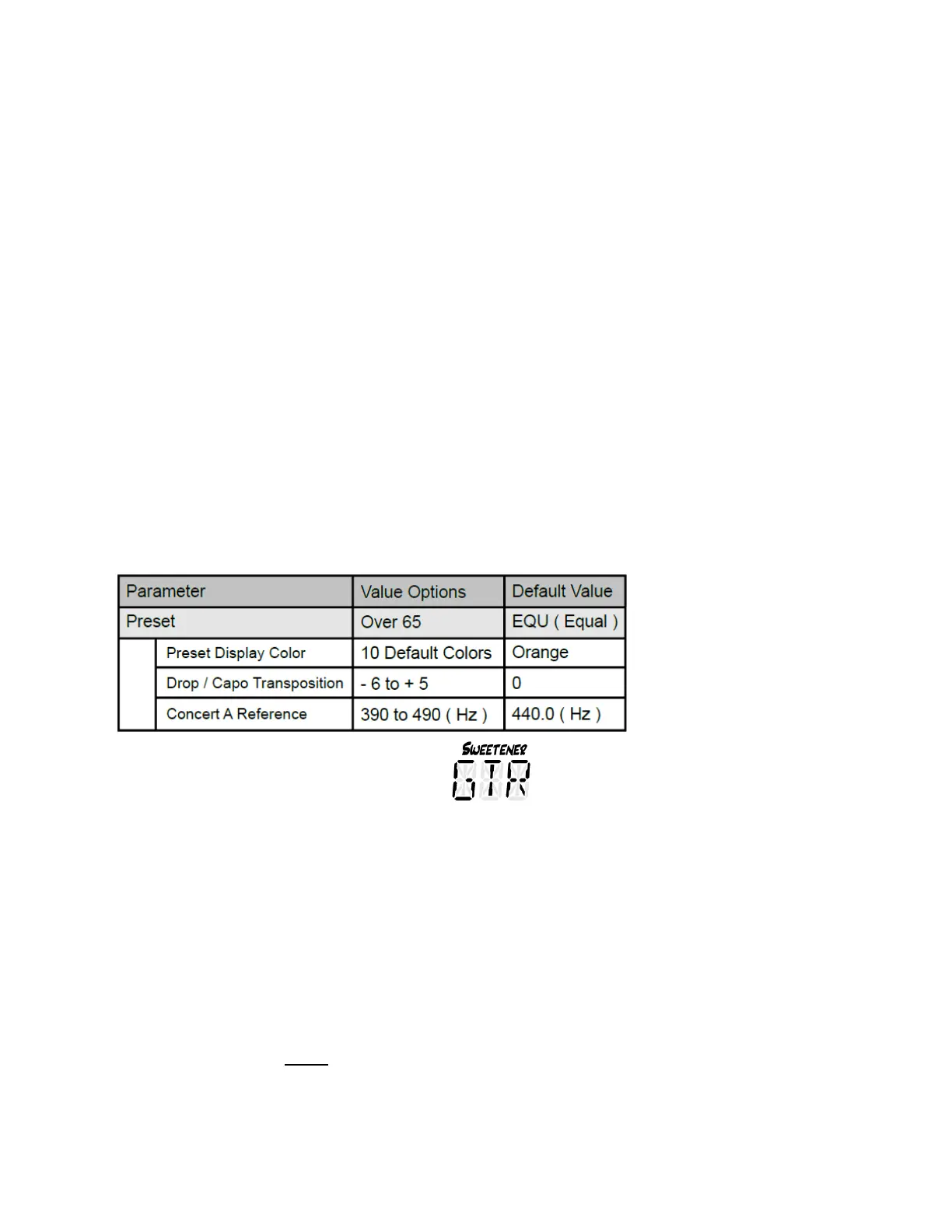
Your StroboClip HDC contains over 65 built-in presets that cater to specific instruments.
We call these presets "Sweeteners" because they make an instrument sound "sweeter"
by slightly adjusting each note to compensate for common tuning problems specific to
an instrument type. These adjustments are so small that they can only be measured
with the incredible 1/10th cent accuracy of your Peterson Strobe Tuner. The default
preset, EQU ( Equal Temperament ), does not apply any adjustments and should be
used when you wish for your StroboClip HDC to operate as a non-instrument-specific,
highly accurate chromatic tuner.
Default Preset Settings / Values
Selecting a Sweetener Preset
Click the Menu button until the 3-letter Sweetener preset flashes. Use the Plus ( + ) or
Minus ( - ) Value button to select one of over 65 built-in Sweeteners. Click the Menu
button again to exit the menu mode or allow the menu to time-out.
To quickly set your Sweetener preset back to default ( EQU ), click the Menu button
until the 3-letter Sweetener preset flashes, then briefly press the Plus ( + ) and Minus
( - ) Value buttons together.
The Sweetener presets you use the most will reposition to the top of the list, allowing
you to access your most recently used Sweetener presets with just a few button
pushes. To reset the order of your Sweetener presets back to default, click the Menu
button until the 3-letter Sweetener preset flashes.



 To Next Page
 Loading...