EasyManua.ls Logo

Petri? V6 - Replacing the Mercury Battery

Default Icon
20 pages
Print Icon
To Next Page IconTo Next Page
To Previous Page IconTo Previous Page
Loading...
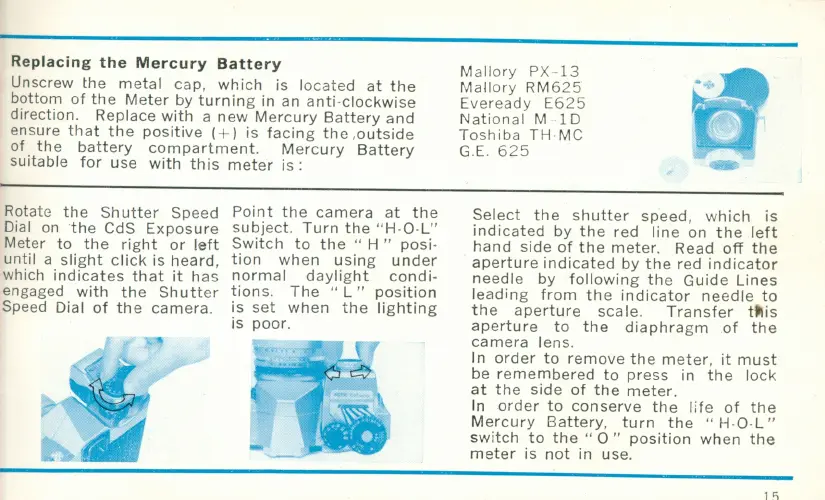
Replacing
the
Mercury
Battery
Unscrew
the
metal
cap,
which
is l
ocate
d
at
the
bottom
of
the
Meter
by
turning
in an
anti-clockwise
direction.
Replace
with
a
new
Mercury
Battery
and
ensure
that
the
positive
(+ )
is
facing
the
,
outside
of
the
battery
compartment.
Mercury
Battery
suitable
for
use
with
this
meter
is :
Rotate
the
Shutter
Speed
Dial on
the
CdS
Exposure
Meter
to
the
right
or
left
until
a sli
ght
click
is
heard,
wh
ich i nd
icates
th
at
it
has
engaged
with
the
Sh
utter
Speed Dial
of
the
camera.
Point
the
camera
at
the
subject.
Turn
the
" H-
O-L"
Switch
to
the
" H "
posi
·
tion
when
usin
g
under
normal
daylight
condi-
tions
.
The
" L "
position
is
set
when
the
lighting
is
poor.
M
allory
PX
-
13
Mallory
RM625
Eveready
E625
Nation
al
MID
Toshiba
TH
·MC
GE
.
625
Select
the
shutter
speed,
which
is
indicated
by
the
red
line
on
the
left
hand
side
of
the
meter
. Read
off
the
aperture
indicated
by
the
red
indicator
needl
e
by
following
the
Guide
Lines
le
ading
from
th
e
indicator
needle
to
the
aperture
scale.
Tran
sfer
t~is
aperture
to
the
diaphragm
of
the
camera
lens.
In
order
to
remove
the
meter
,
it
must
be r
emembered
to
press
in
the
lock
at
the
side
of
the
meter.
In
order
to
conserve
the
life
of
the
Mercu
ry
Battery,
turn
the"
H·O·L "
sw
itch
to
the"
0"
position
when
the
meter
is
not
in use.
l'i