Scheduled Feeding
The pet feeder support the scheduled
feeding:Exact time/portions.It can be scheduled to
feed 6meals per day at max. The settings are as
follows:
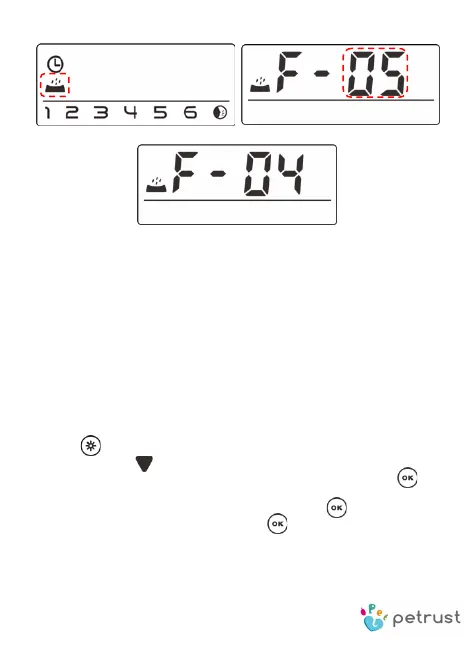
Press button for 2seconds, enter the setting
surface.Press (down)button to switch the flashing
icon to Digital 1 icon. As show in Fig①。Press to
select the portions of feeding,press up/down button
to set portions as shown in Fig
③. Press to go for time
setting as shown in Fig
④, Press to save and back.
The Pet feeder will be at standby state,and display the
auto feeding icon in screen, as shown in Fig⑥.


 To Next Page