EasyManua.ls Logo

PEUGEOT Expert - Configuration

PEUGEOT Expert
270 pages
Print Icon
To Next Page IconTo Next Page
To Previous Page IconTo Previous Page
Loading...
9
.4
0
09
1
2
3
4
5
6
7
8
CONFIGURATION
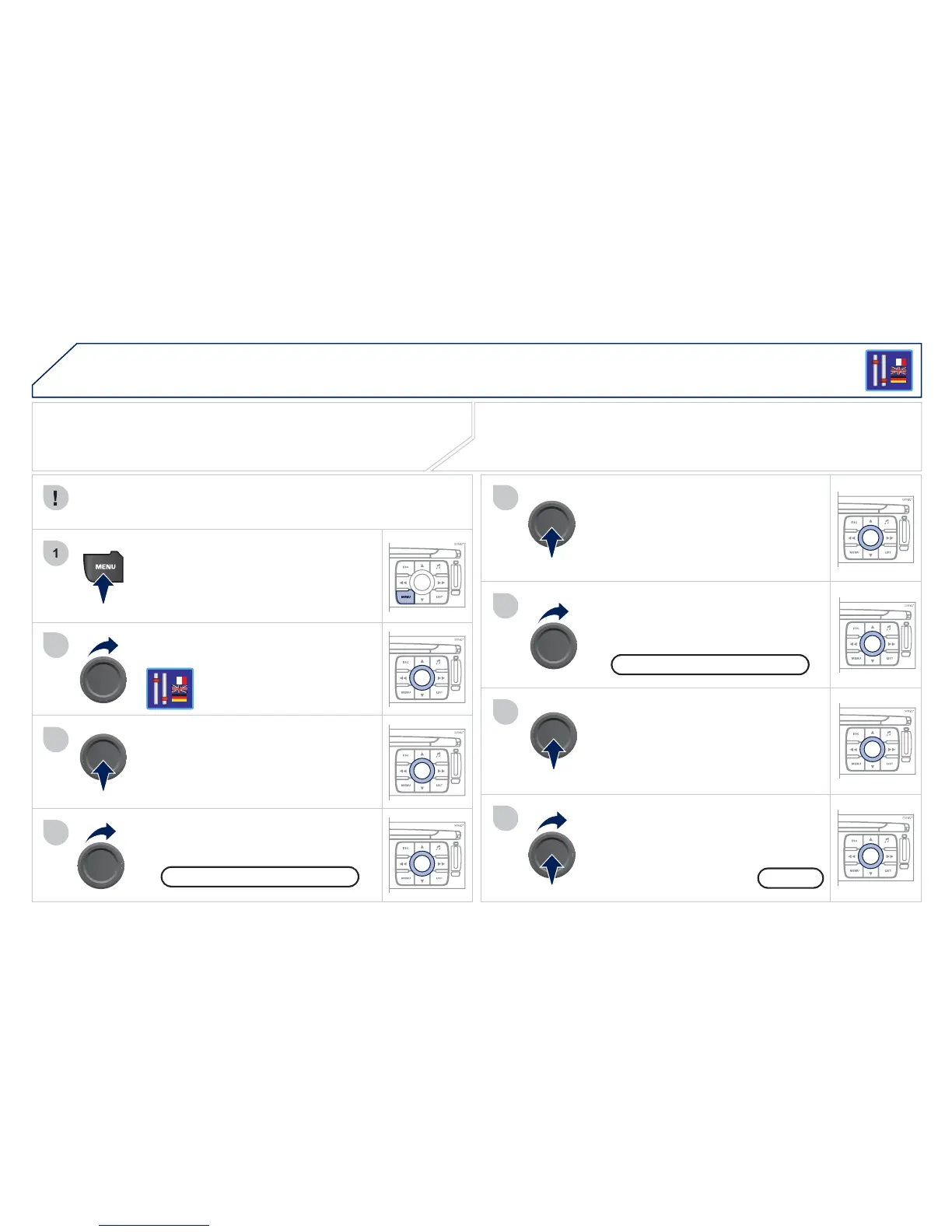
SETTING THE DATE AND TIME
T
u
rn th
e
d
i
a
l
a
n
d
se
l
ec
t th
e
"
Con
g
uration" function.
P
ress t
h
e
MENU
b
utton.
Pr
ess
th
e
d
i
a
l t
o
co
n
rm th
e
se
l
ec
ti
o
n.
Turn the dial and select the "Displa
y
c
on
g
uration"
f
unction.
Pr
ess
th
e
d
i
a
l t
o
co
n rm th
e
se
l
ec
ti
o
n.
Turn the dial and select the "
S
et date
a
n
d
tim
e
"
fu
n
c
ti
o
n.
A
d
j
ust the settin
g
s one b
y
one con rmin
g
b
y
pressin
g
the dial. Next select the "
O
K"
t
ab
o
n th
e
sc
r
ee
n th
e
n
co
n
rm.
Pr
ess
th
e
d
i
a
l t
o
co
n
rm th
e
se
l
ec
ti
o
n.
The "
C
on
g
uration"
f
unction
g
ives access to the colour, bri
g
htness and
u
nits settin
g
s and to voice commands.
D
ispla
y
con
g
uration
O
K
S
et date and tim
e
This ad
j
ustment must be carried out whenever the batter
y
has
bee
n
disco
nn
ec
t
ed
.

Table of Contents

Related product manuals