06
10.71
Partner_2_VP_en_Chap10c_RD45_ed02_2014
Initiate the pairing between the telephone and
the vehicle. This pairing can be initiated from
the vehicle's telephone function menu or via the
telephone's keypad. Refer to the steps in "Pairing
a telephone" on the previous pages. During the
pairing phase, the vehicle must be stationary with
the key in the ignition.
Select the telephone to be connected from the telephone function
menu.
The audio system connects to a newly paired telephone automatically.
Bluetooth audio streaming*
Wireless transmission of music les on the telephone, played via
the audio equipment. The telephone must be able to manage the
appropriate Bluetooth proles (Proles A2DP / AVRCP).
* Depending on the compatibility of the telephone.
** In certain cases, playing of the Audio les must be initiated from the
keypad.
*** If the telephone supports the function.
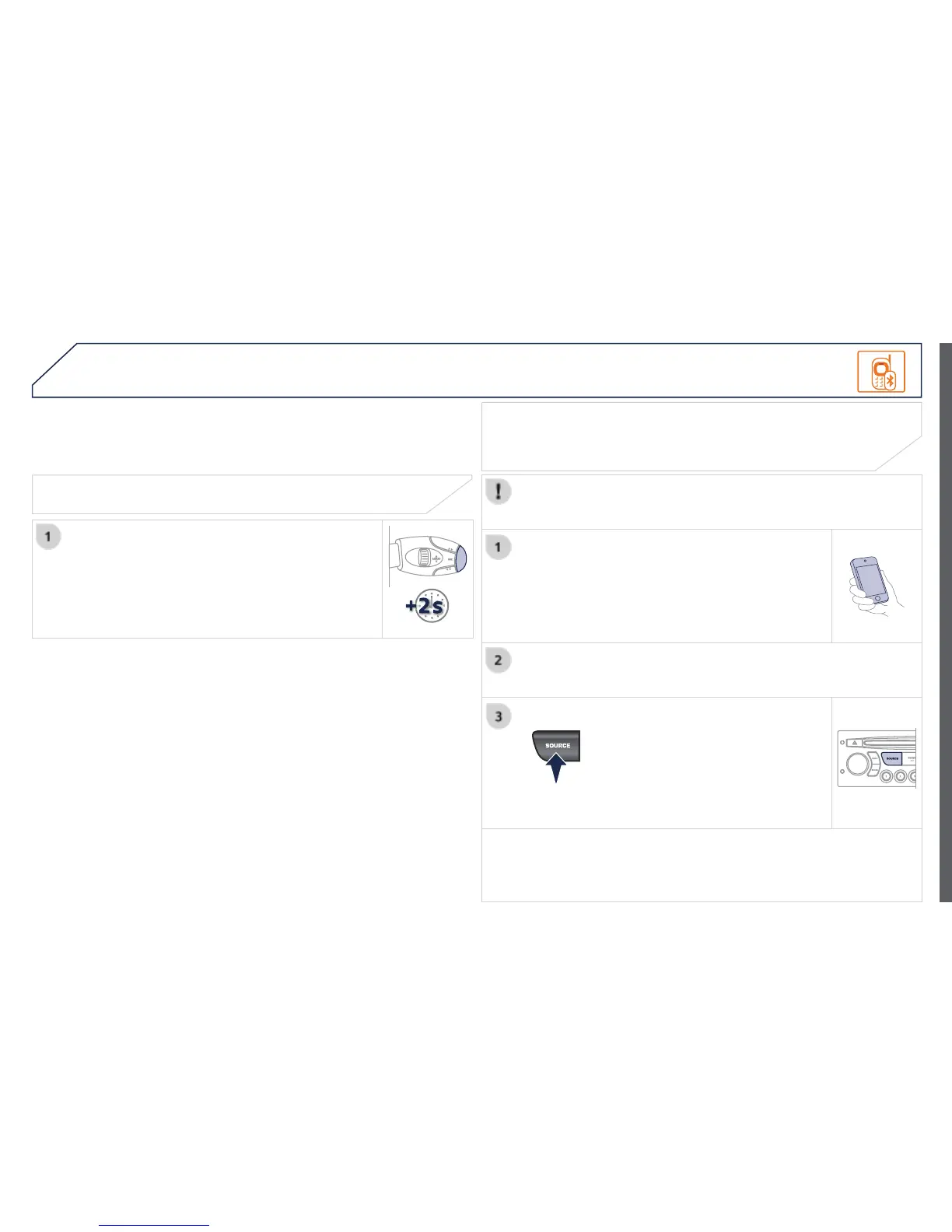
Activate the streaming source by
pressing the SOURCE button**.
The tracks to be played can be
controlled as usual via the buttons on
the audio system control panel and
the steering mounted controls***.
The contextual information can be
displayed on the screen.
During a call, press this button for more than
2 seconds.
Conrm with OK to end the call.
Ending a call
BLUETOOTH







 To Next Page