
 Need help?
Do you have a question about the PharmAdva MedaCube and is the answer not in the manual?
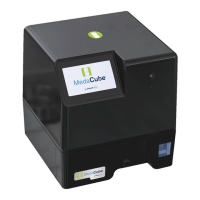
Welcome to the MedaCube automated home medication dispenser by PharmAdva, LLC.
Provides instructions and information for general MedaCube usage.
Information to review before initial set up and using the MedaCube.
Defines key terms and concepts related to the MedaCube device.
Outlines electrical, operating requirements and essential safety precautions.
Details critical safety measures for operating and handling the MedaCube device.
Provides essential safety guidelines for loading and handling medications with the MedaCube.
Introduces basic caregiver tasks including PIN access, adding/refilling meds, and viewing schedules.
Explains how to enter the Caregiver PIN to access all caregiver functionality.
Guides on adding and loading medications into the MedaCube, including scheduling.
Procedure for refilling or restocking medications in the MedaCube.
Manages medication dispense schedules, including adding/changing times and options.
Instructions for removing a medication from the MedaCube.
Functions to modify and manage medication schedules and dose times.
Settings for audio alerts, custom reminders, and volume adjustments.
Details on available reports for medication adherence, usage, and device status.
Accesses advanced management functions like inventory, bin management, and settings.
Explains how to use the MedaCube portal for managing system functions.
Step-by-step guide to access the secure PharmAdva web portal.
How to view and retrieve various medication and usage reports from the portal.
Process for registering and setting up a new MedaCube device on the portal.
Navigating the profile menu for user and MedaCube management.
Steps to create a new user account for accessing the MedaCube portal.
How to link a pre-existing MedaCube device to an existing user account.
Instructions for updating your password for portal account security.
Customizing how and when you receive notifications from the MedaCube system.
 General
| Access Control | Biometric, PIN code |
|---|---|
| Inventory Management | Automated tracking |
| Connectivity | Wi-Fi |
| Power | AC power with battery backup |
| User Interface | Touchscreen display |
| Category | Automated Medication Dispenser |

 To Next Page