EasyManua.ls Logo

PHENYX PRO PTV-1 - User Manual

PHENYX PRO PTV-1
6 pages
Print Icon
To Next Page IconTo Next Page
Loading...
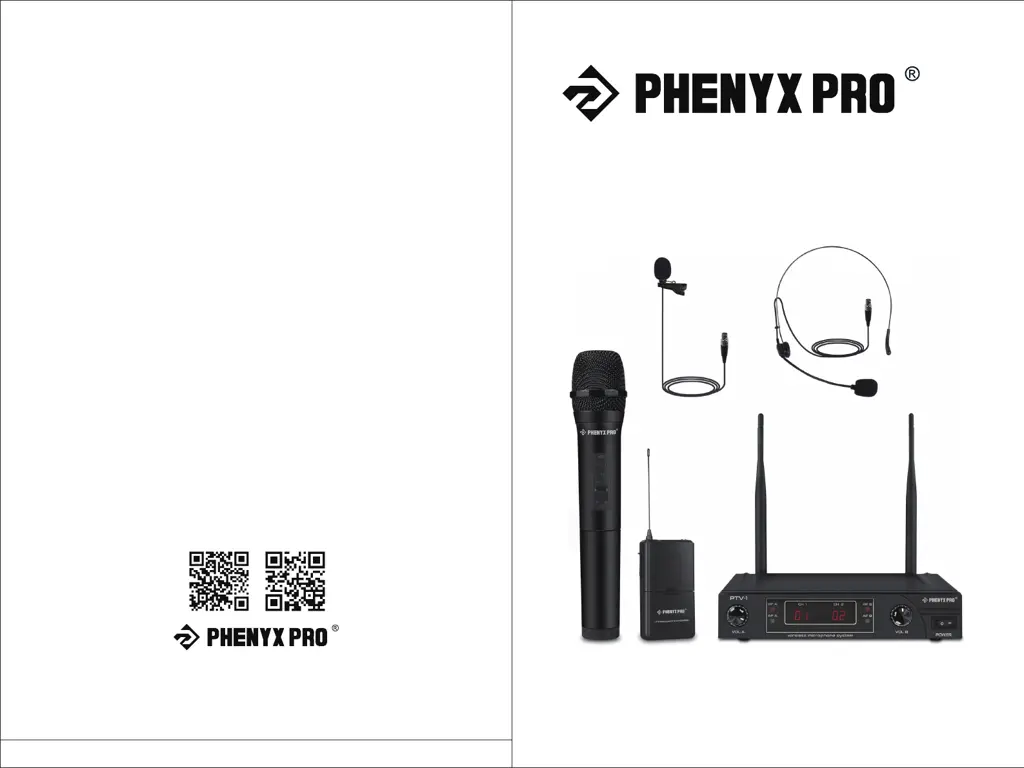
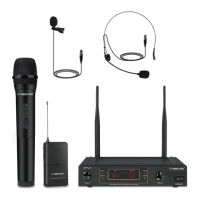
VHF DUAL WIRELESS
MICROPHONE SYSTEM
www.phenyxpro.com
Designed in U.S Made in China
PTV-1
OWNER’S MANUAL

Questions and Answers

  • N
    Nathaniel WadeAug 6, 2025
    What to do if I hear howling noise (feedback) from the speakers when using PHENYX PRO Microphone system?
    • S
      Sylvia FrenchAug 7, 2025
      If you are experiencing feedback, it's likely that the microphone is too close to the speaker. Try increasing the distance between the microphone and the speaker and avoid pointing the microphone directly at the speaker.
  • B
    Benjamin RobertsAug 15, 2025
    What to do if the PHENYX PRO Microphone system sound reaches the receiver (AF LED lights up) but no sound is coming from the receiver?
    • A
      Alicia JohnsonAug 15, 2025
      If the AF LED lights up but there is no sound, the volume control might be too low. Turn up the output volume by turning the volume control buttons in the front of the receiver clockwise. Also, check if the output is correctly connected. Verify all connections to the rest of your system and try different connection cables if available.
  • J
    johnsonkatherineAug 21, 2025
    What to do if no sound is coming to the receiver (AF LED does not light up) of my PHENYX PRO PTV-1?
    • M
      Melanie HowardAug 21, 2025
      If no sound is reaching the receiver and the AF LED doesn't light up, it could be that the wireless microphone is out of the receiver's range. Keep the wireless microphone within the operating range of the receiver. Also, check if the wireless transmitter is on and not muted. Turn the wireless microphone on (switch set to "ON") and replace the batteries if necessary.
  • C
    Colleen AlvarezAug 29, 2025
    Why is the transmitter battery indicator rapidly flashing on my PHENYX PRO Microphone system?
    • D
      danielboltonAug 29, 2025
      If the transmitter battery indicator is rapidly flashing or continuously ON, it means the batteries are low. Replace them with fresh batteries.

Summary

Technical Support & Warranty Information

Warranty Coverage

Details Phenyx Technology's one-year warranty against defects and exclusions.

Obtaining Service

Instructions on how to contact support for defective systems or operational questions.

System Description

Box Contents

Lists all items included in the PTV-1 dual wireless microphone system package.

System Overview

Provides a summary of the PTV-1's features, setup ease, and applications.

Specifications

Overall System Specifications

Details carrier frequency, stability, dynamic range, T.H.D., frequency response, and output levels.

Transmitter and Receiver Details

Covers transmitter modulation, size, weight, power, and receiver S/N ratio, sensitivity, and output.

Troubleshooting Tips

Common Issues and Solutions

Provides solutions for common problems like transmitter battery issues, howling noise, and no sound.

Operating Instructions

System Setup

Guides users through installing batteries, connecting power, positioning antennas, and connecting outputs.

System Operation

Explains how to turn on the system, adjust volume, and use mute functionality for optimal sound.

PHENYX PRO PTV-1 Specifications

General IconGeneral
BrandPHENYX PRO
ModelPTV-1
CategoryMicrophone system
LanguageEnglish

Related product manuals