• Pass Energy: 23.5eV
• Range: varies by element, can push Test Acquire to ensure
peak is within region.
• Energy Step: 0.1eV
• Time/Step: 50ms
• Repeats: Add repeats to regions that need better statistics.
c. For faster option, can choose Unscan at bottom of Summitt->
Acquisition Setting window.
3. Place a check in box at left side of each line to be acquired.
4. Do not collect SUR and high resolution regions at the same
time/under same file name.
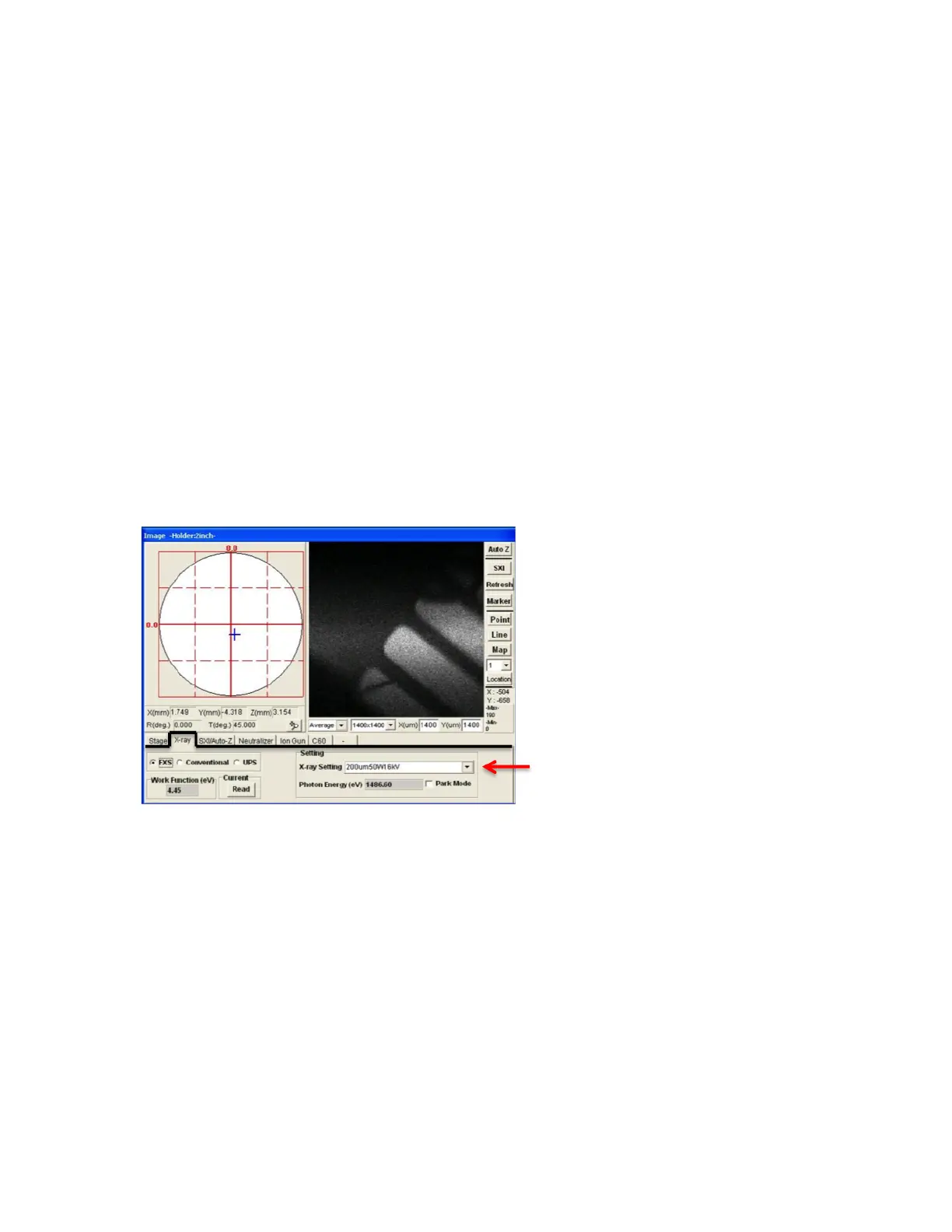
5. Summitt-> “Image” Window, “XRAY” tab, choose the spot size/power to be
used for scan. HP or 200um spots give best statistics and most counts,
but may need smaller spot for localized area or acquisition within
sputtered region. See Figure 5.
6. Summitt-> “Acquisition Settings” Window (LHS). Push Acquire to start.
7. To use Ion Gun for sputtering or charge compensation, see Section 7.
8. To analyze data, see the MultiPak manual.
FIG 5: Summit “Image” Window, X-RAY
VII. Starting the Ion Gun—Neutralization or Sputtering (Figures 6-9)
For the purpose of sputtering or neutralizing, must follow steps 1-2e to start the
Ion Gun.
1. Watcher -> Push Diff vlv Open, opens V4 to start pumping Ion Gun (will
stop pumping on intro chamber).
2. Summitt-> “Image” window (RHS), “Ion Gun” tab (FIG 6):
a. For charge neutralization, choose “Neutralize” file under
“Neutralize” heading.


 To Next Page
 Loading...