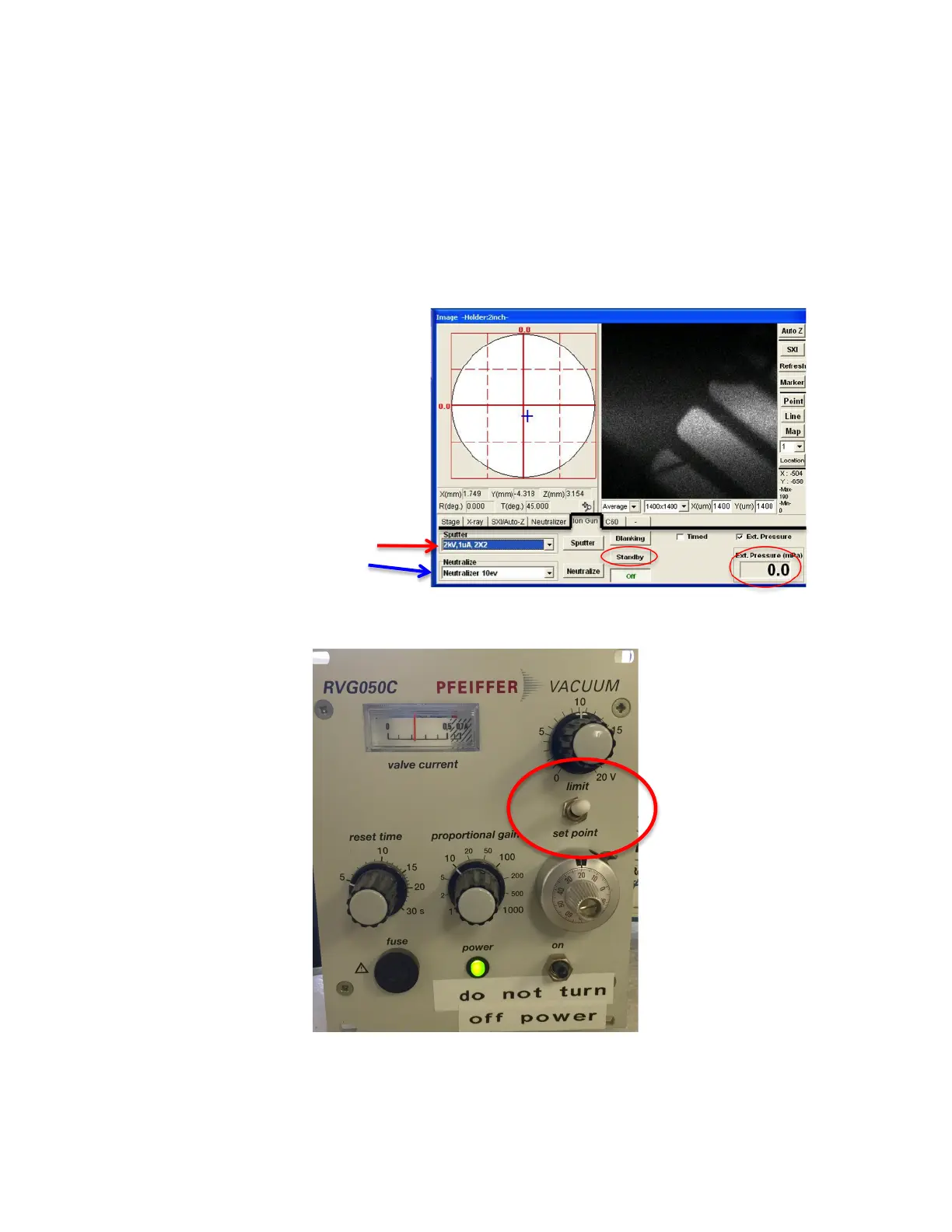
b. For sputtering, choose desired sputter file. Chart taped to PHI
console explains choices.
c. Push Standby (will turn on power to sputter gun).
d. A dialogue box will open reminding you to push Diff vlv Open. OK.
e. On Pfeiffer RVG050 (FIG 7) box near computer monitor, toggle
white switch to Set Point. In “Ion Gun” tab, check
Ext.Pressure(mPa) readout and watch until stabilizes ~10mPa.
The main chamber pressure will also get worse (1x10
-6
).
FIG 6: Summit “Image” Window, Ion Gun
FIG 7: Pfeiffer RVG050C Vacuum Control Box


 To Next Page
 Loading...