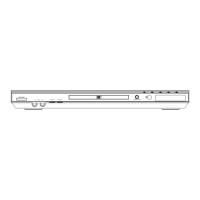
DVD/CD Player
PVD1000
Supplied Accessories
Connecting to RF Modulator
If your TV has AUDIO/VIDEO input jacks, see the section
“Connections” on page 6. If not, it is still possible to
connect this unit to your TV by using a STEREO AUDIO/
VIDEO RF modulator (commercially available). In this
case, follow the instructions below.
1) Connect the AUDIO/VIDEO output jacks of this unit to the
AUDIO/VIDEO input jacks of your RF modulator by
Audio / Video cables.
2) The antenna input jack of your TV may have been already
occupied. If so, disconnect the RF cable from your TV,
and then connect the RF cable to your RF modulator
(usually marked “ANT IN”).
3) Connect your RF modulator to your TV by another RF
cable.
4) Set your RF modulator’s channel 3/4 switch to either 3
or 4, whichever TV channel is least used in your area. If
your RF modulator has a modulator/antenna switch, set it
according to your RF modulator’s manual.
5)
Turn on your TV and choose the same channel as you set
the RF modulator’s channel 3/4 switch to. For more details,
follow the instructions supplied with the RF modulator.
Hint
• The quality of picture may become poor if the unit is connected to
an RF modulator.
AUDIO OUT
L
R
DIGITAL
AUDIO OUT
COAXIAL VIDEO
OUT
S-VIDEO
OUT
STEREO AUDIO / VIDEO RF Modulator
(commercially available)
TO TVCHANNEL VIDEO AUDIO
RL34
ANT IN
AC 120V
(Back of TV)
Audio/Video
Cables
(Supplied)
(Back of this unit)
RF Cable (Not supplied)
Antenna
Cable
Signal
3
2
1
Antenna in jack
If your TV does not have AUDIO / VIDEO input jacks.
Owner’s Manual
Please read before using this unit.
If you need additional operating assistance
after reading this owner’s manual, please call
TOLL FREE : 1-800-317-6062
or visit our web site at
http://www.funai-corp.com
Table of Contents
INSTRUCCIONES EN ESPAÑOL INCLUIDAS.
Remote control
(NB079UD) with
two AA batteries
Audio/Video cables
(WPZ0102TM015/
WPZ0102LTE01)
Owner’s Manual
(1VMN23217)
Owner's Manual
PrecautionsSetupFunctionsInformationEspañol
Precautions
Laser Safety ...................................................................2
■
Important Safeguards ..................................................3
Location and Handling ....................................................4
Avoid the Hazards of Electrical Shock and Fire .............4
Warning of Dew Formation .............................................4
About Copyright ..............................................................4
Symbols Used in This Manual ........................................4
Maintenance ...................................................................4
■
About the Media............................................................5
Playable Media ...............................................................5
Unplayable Media ...........................................................5
Setup
■
Connections .................................................................. 6
Connection to a TV .........................................................6
Connection to an Audio System .....................................7
Rear Terminals ...............................................................7
■
About the Remote Control ...........................................8
Remote Control ..............................................................8
Installing the Batteries for the Remote Control ..............8
Functions
■
Playback ........................................................................9
■
On-Screen Display ......................................................10
■
Search Function .........................................................10
Using Title / Chapter Search ........................................10
Using Track Search ......................................................10
Using Time Search .......................................................11
Marker Setup ................................................................11
■
Repeat / Random / Programmed Playback ..............12
Repeat Playback ..........................................................12
Repeat A-B Playback ...................................................12
Random Playback ........................................................12
Programmed Playback .................................................12
■
Special Settings ..........................................................13
Subtitle Language .........................................................13
Audio Language ...........................................................13
Camera Angles .............................................................13
Black Level Setting .......................................................13
Stereo Sound Mode......................................................13
Virtual Surround ............................................................13
■
DVD Setup ...................................................................14
LANGUAGE Setting .....................................................14
DISPLAY Setting ..........................................................15
AUDIO Setting ..............................................................15
PARENTAL Setting ......................................................16
OTHERS Setting ..........................................................16
Reset to the Default Setting
(except for PARENTAL Setting) ...................................17
Information
■
Troubleshooting Guide ..............................................17
■
Specifications .............................................................18
■
Language Code List ...................................................18
■
Limited Warranty ........................................................
18
■
Español ........................................................................19
■
Quick Use Guide .........................................Back Cover
E6C61UD.indd 1E6C61UD.indd 1 2006/08/18 13:00:192006/08/18 13:00:19



 To Next Page

 General