EasyManua.ls Logo

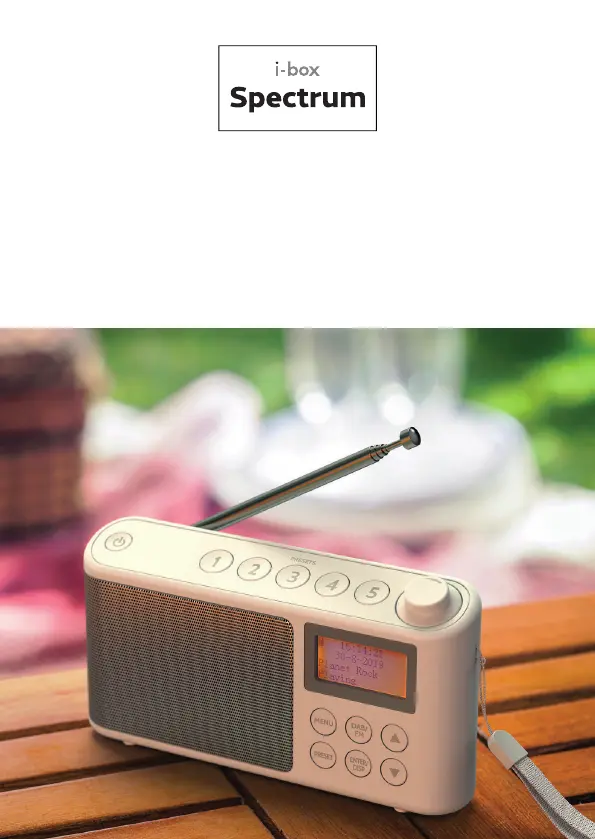
Philex i-box Spectrum - User Manual

Philex i-box Spectrum
64 pages
Print Icon
To Next Page IconTo Next Page
Loading...
DAB/DAB+/FM Portable Radio
DAB/DAB+/FM Kofferradio
DAB/DAB+/FM Radio portátil
Radio portable DAB/DAB+/FM
DAB/DAB+/FM Radio Portatile
DAB/DAB+/FM Draagbare radio

Questions and Answers

  • J
    James BrockAug 5, 2025
    What to do if my Philex i-box Spectrum Portable Radio has no sound?
    • B
      bgriffithAug 5, 2025
      If your Philex Portable Radio produces no sound, first ensure the volume isn't turned down; try increasing it. Also, verify that the radio is switched on. If neither of these resolves the issue, attempt tuning to another radio station.
  • A
    Amy PorterAug 15, 2025
    Why my Philex i-box Spectrum does not turn on?
    • S
      Sarah WilsonAug 15, 2025
      If your Philex Portable Radio doesn't turn on, ensure the USB port on the radio is securely connected to a powered USB socket. If the issue persists, try connecting to a higher output powered USB socket, as the battery might be flat.
  • J
    jenniferbrowningAug 25, 2025
    How to improve the reception on my Philex Portable Radio?
    • D
      Deborah HodgeAug 25, 2025
      If the Philex Portable Radio reception is poor, try the following: * Extend the antenna fully to maximize signal strength and improve reception. * Adjust the antenna direction for a better signal. * Move the radio closer to a window. * Ensure the radio is not near microwaves, fluorescent lights, or other equipment that may cause interference.

Summary

Radio Care and Safety

General Precautions

Avoid flame sources, liquids, direct sunlight, extreme temperatures, and dust for safe operation.

Cleaning and Disposal

Clean the unit with a soft cloth and mild detergent solution; dispose of battery responsibly.

Product Overview and Setup

Box Contents

Lists the items included with the Spectrum radio.

Controls and Features

Details the buttons, display, ports, and antenna of the radio.

Charging Your Radio

Instructions on how to charge the built-in battery.

DAB;DAB+ Mode Operations

Scanning and Tuning

How to scan and manually tune to DAB/DAB+ stations.

System Settings

Configure sleep timer, time, backlight, language, and factory reset.

Presets Management

Save and recall favorite DAB stations using preset buttons.

Station Information Display

View signal strength, content, frequency, time, and date for DAB stations.

FM Mode Operations

Scanning and Tuning

How to scan and manually tune to FM stations.

Presets Management

Save and recall favorite FM stations using preset buttons.

Display Information

Details displayed on screen during FM playback.

Troubleshooting and Support

Common Problems and Solutions

Solutions for poor reception, no sound, power issues, and other problems.

Specifications and Information

Technical specifications, tips, disclaimer, and support contact.

Philex i-box Spectrum Specifications

General IconGeneral
BrandPhilex
Modeli-box Spectrum
CategoryPortable Radio
LanguageEnglish