Product Manual
© Philips Ledalite 2011Page 18
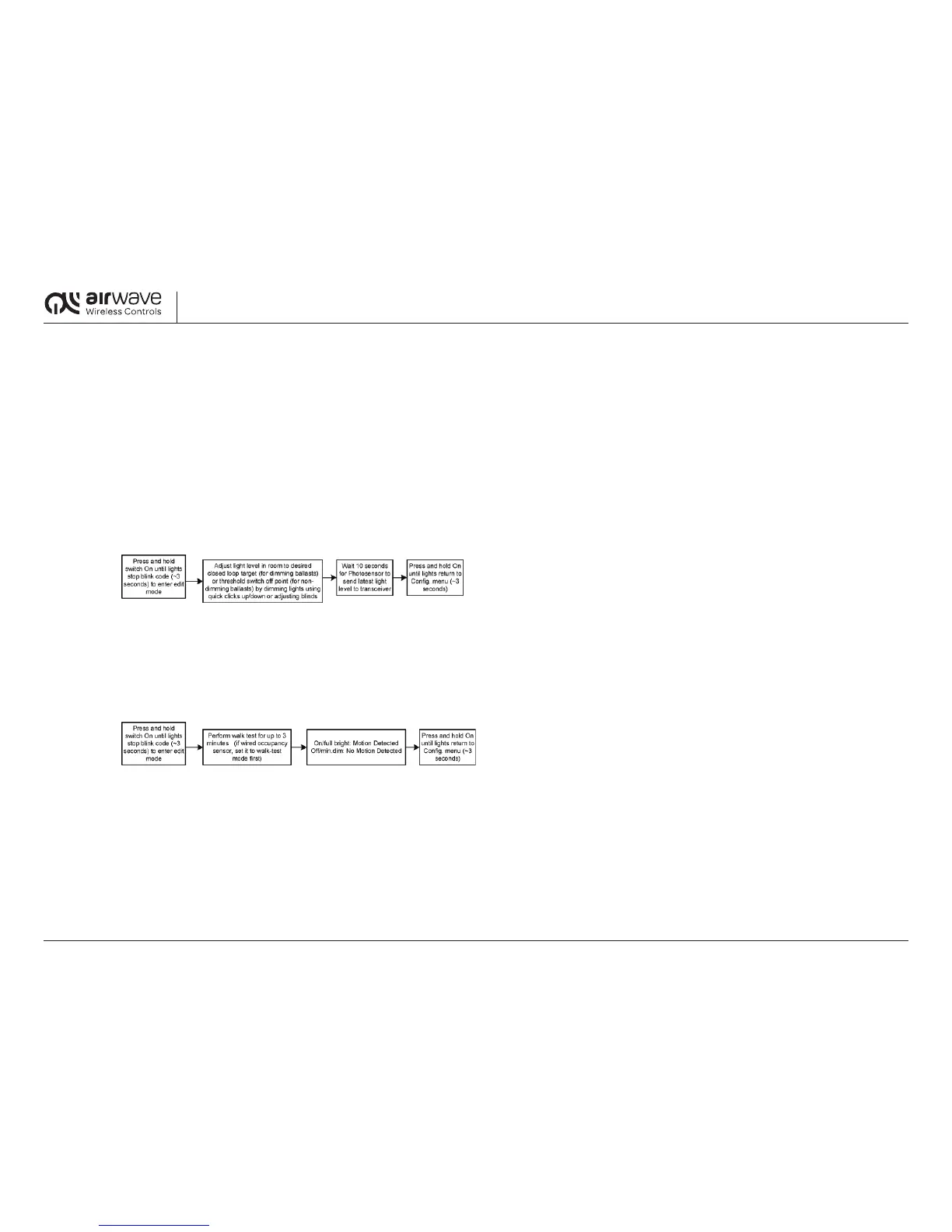
20.2 Blink Code 2: Photosensor Set Point
The Photosensor set point mode is activated immediately upon entering the Photosensor mode. The Transceiver will record the last Photosensor measurement level received before exiting
andsaveitasthenewsetpoint.TokeepthefactorysettingsandexitthePhotosensorsetpointmodewithoutsaving,simplywaitandallowthecongurationmodetotimeout.
20.2.1 For dimming ballasts:
Step 1: Adjustthedimminglevelofthelightxture/lightingzone(usingquickclicksON/OFFinsteadofclickandhold)tothetargetlightlevelyouwanttomaintain
in the photosensor zone.
Step 2: Wait 10 seconds for the Photosensor to measure and transmit the level to the Transceiver.
Step 3: Exit and save the setting.
20.2.2 Fornon-dimmingballasts:
Step 1: Adjustthelightlevelofthedaylightintheroomviablindsorwaitfortheappropriatedaylightlevelforwhichyouwantthelightxture/circuittoautomaticallyturnOFF.
Step 2: Wait 10 seconds for the Photosensor to measure and transmit the level to the Transceiver.
Step 3: Exit and save the setting.
20.3 Blink Code 3: Walk Test Mode
ThewalktestmodeallowstheusertodetecttherangeoftheoccupancysensorwithoutthewaittimeoftheTransceiverdelaytimer.TheTransceiverwillturnthelightxturefullbright
orONandfulldimorOFFastheoccupancysensortriggersONandOFF.Walktestingisactivatedimmediatelyuponenteringthewalktestmode.TheTransceiverwillremaininthismode
for3minutesoruntiltheSwitchispressedONorOFF,whichwillresetthetimerforanother3minutes.Wiredoccupancysensorsmustbeinwalktestmodeinorderforthismode
to function correctly.


 To Next Page
 Loading...