17” CDT Color Monitor 107E7
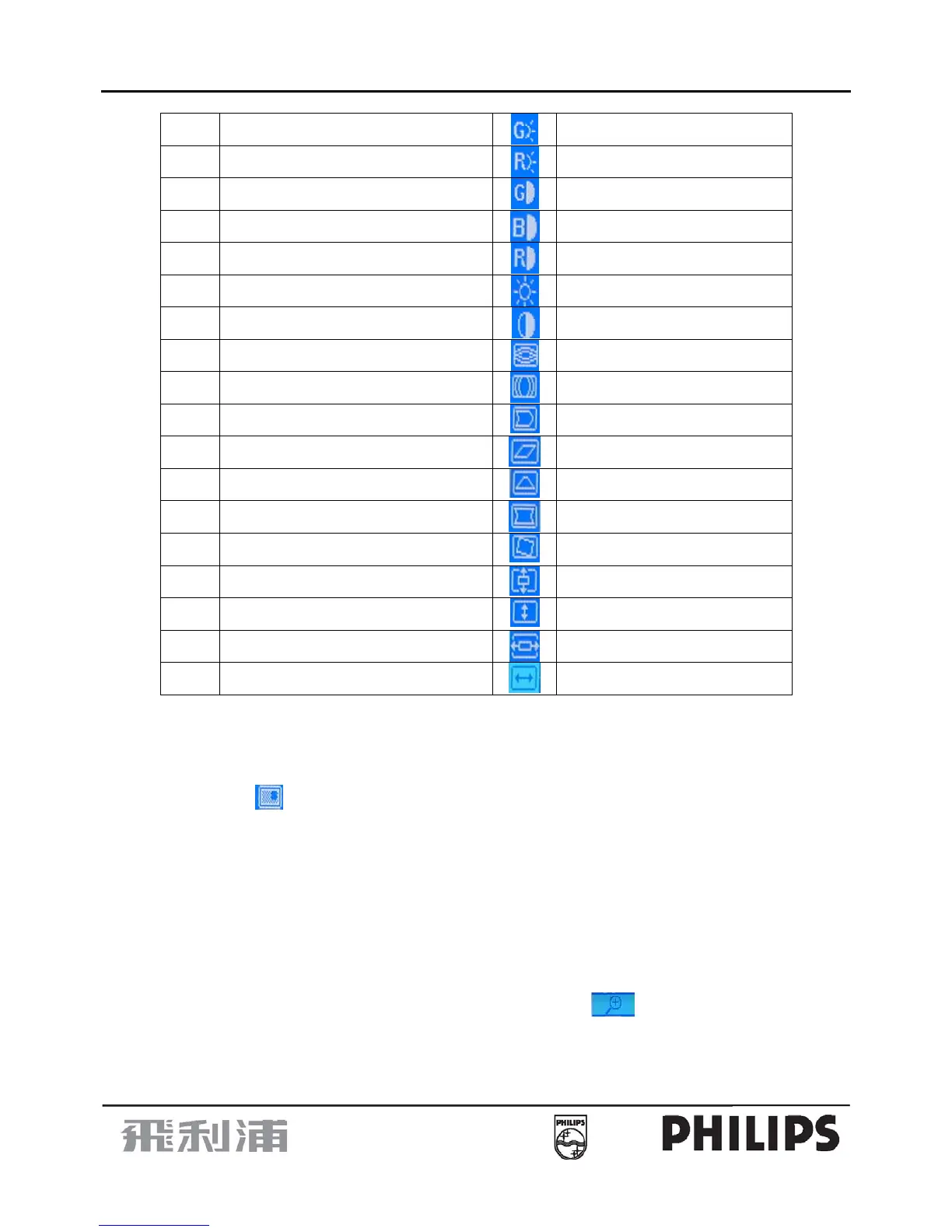
14
HE
HEHT Gain
G-Bias
VE
VEHT Gain
R-Bias
EO
EHT Offset
G-Gain
EU
EHT Current
B-Gain
BP
B Plus
R-Gain
BB
Bottom Balance
Brightness
TB
Top Balance
Contrast
HB
HS Wave Balance
V-Moire Reduce
HS
HSWAVE
H-Moire Reduce
TM
User Timr:00273hours
PIN-Balance
65
Save 6500C color
Parallelogram
93
Save 9300C color
Trapezoid
VF
V-Focus
Pincushion
VB
VLIN Balance
Rotation
VI
V Linearity
V- Center
HL
H Linearity
V-size
BC
Bottom Corner
H-Center
TC
TOP Corner
H -size
D. To switches the input signal to the other Timing Mode. Please follow step A ~ C to get the optimum picture.
E. Select the "
" RETURN function and press the MENU Key, then the Factor Preset window will be
returned to the original OSD window.(user's operating condition)
F. The setting data of the CONTRAST, BRIGHTNESS, COLOR TEMPERATURE are common mode saved
in the memory. Don't needed adjust it individual at every timing Mode and save in the memory.
3. White Balance, Luminance adjustment:
A. Press MENU Key to show OSD menu ,and press the down Key to select the "zoom" function, then press
the menu Key to enter second menu, press the down key to select “
“ about above 3S,then enter into
factory setting area for modulation.
B. Brightness & contrast ratio MAX


 To Next Page