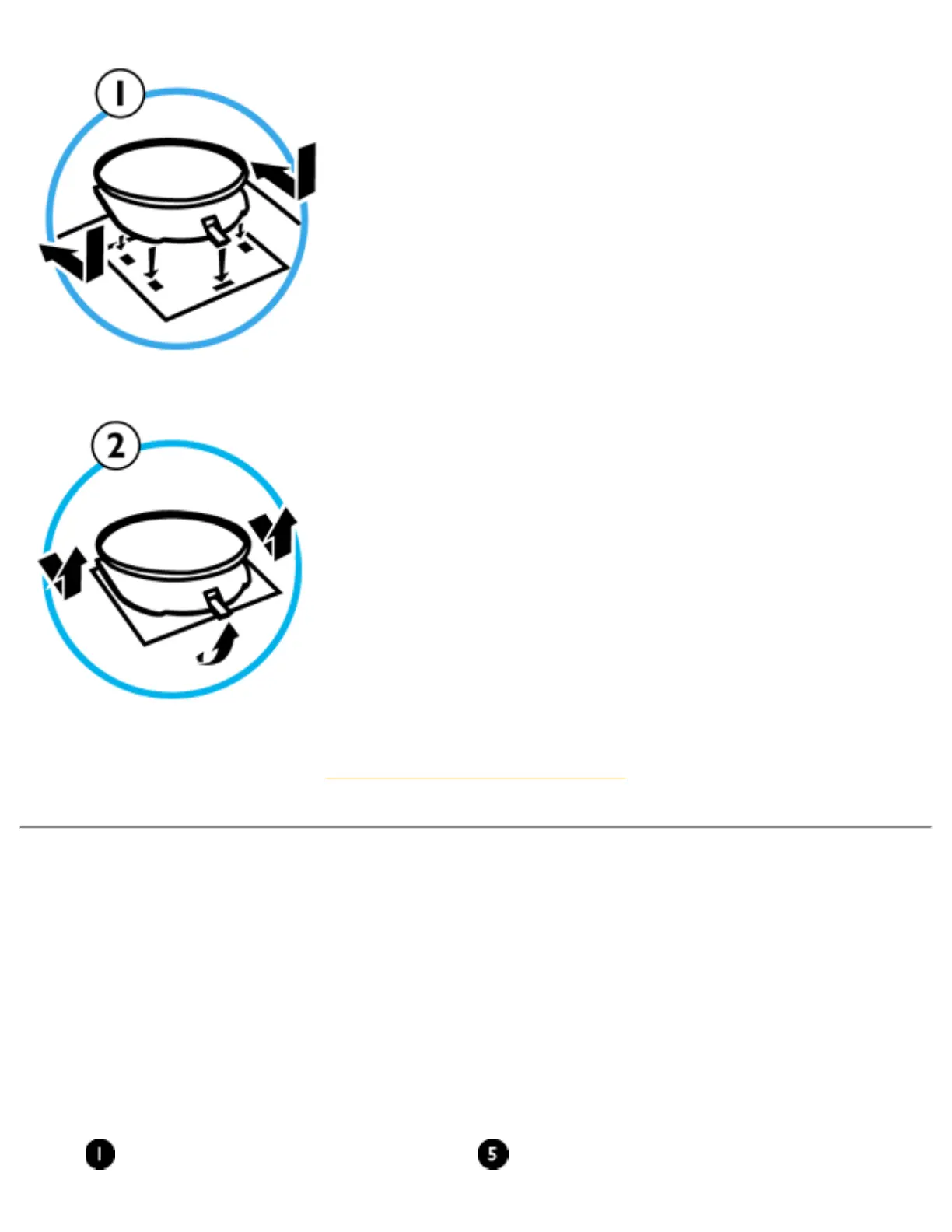
1. To INSTALL
● Slide the pedestal, aligning with the holes on the
side.
● Then click the back hook into the corresponding
hole on the bottom plate of your monitor.
2. To UN-INSTALL
● Lift the back hook from the hole on the bottom
plate of your monitor.
● Slide out the pedestal the opposite direction
(from when you installed it).
RETURN TO TOP OF THE PAGE
Power adapter Installation
Installing the adapter
There are two (2) ways of installing the adapter
A. T-connector
B. Wall more connector
Monitor T-connector
file:///D|/EDFU/crt_17_5/edoc/ENGLISH/INSTALL_7/mm_pede/mm_inst.htm (3 of 5)2005-04-07 ¤U¤È 03:58:56



 To Next Page