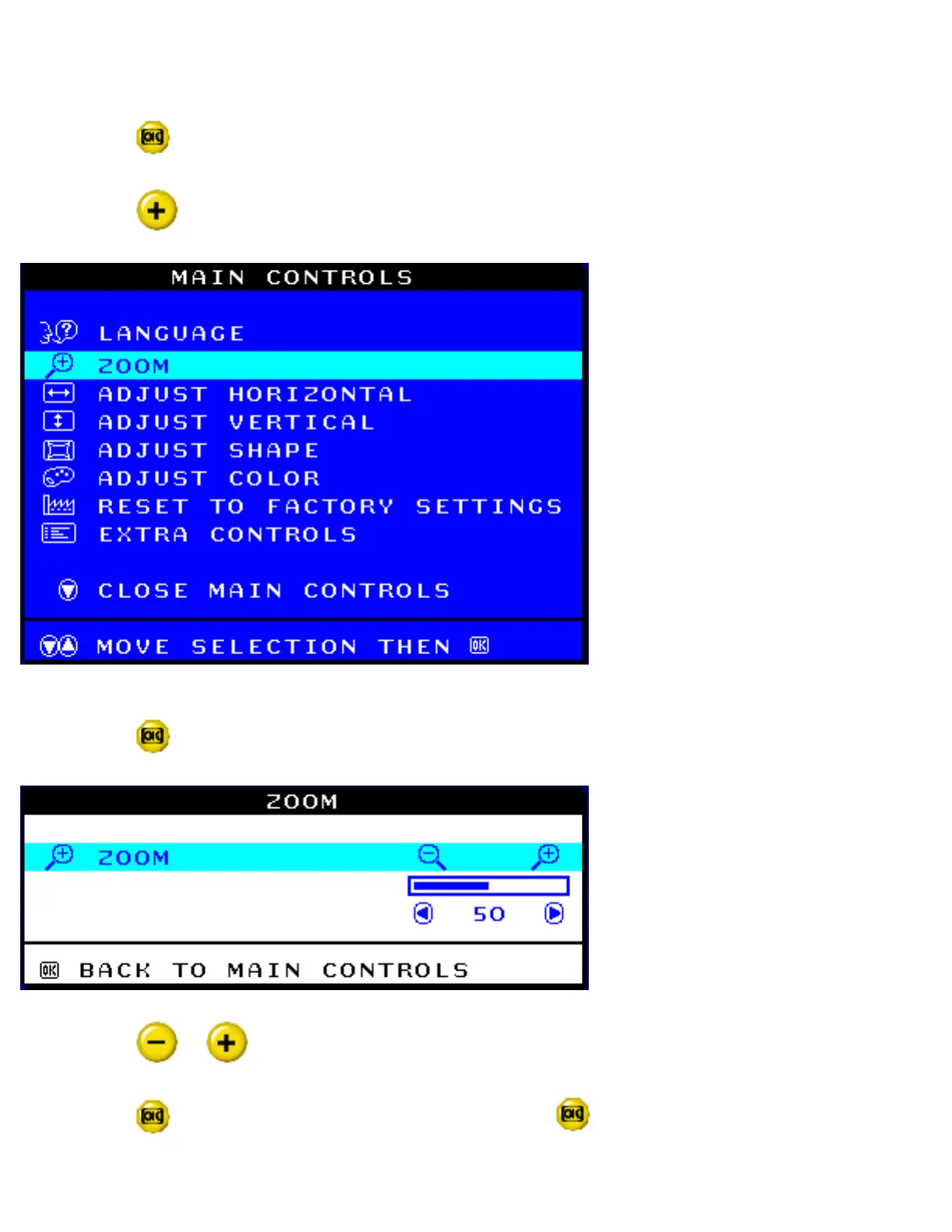
ZOOM increases or decreases the size of the images on your screen. To adjust the ZOOM follow
the steps below.
1) Press the
button on the monitor. The MAIN CONTROLS window appears.
2) Press the
button until ZOOM is highlighted.
3) Press the button. The ZOOM window appears.
4) Press the or button to adjust ZOOM.
5) Press the
button to confirm your selection and Press again return to the MAIN
CONTROLS window. CLOSE MAIN CONTROLS will be highlighted.
file:///D|/EDFU/crt_17_5/edoc/ENGLISH/OSD_3/osd_cont.htm (4 of 26)2005-04-07 ¤U¤È 03:59:03



 To Next Page